

Multimedia & graphics Windows
Zulu DJ Software for Windows
Mix music on Windows with Zulu DJ Software's decks, automatic beat detection, crossfading and live effects. Record mixes or build sets with loops and samples.
- Operating system
- Windows 7, 8, 8.1, 10 and 11
- Architecture
- Works on 64-bit Windows; native installer architecture not stated
- Download package
- EXE installer
Publisher lists Windows 7–11 and confirms 64-bit Windows compatibility. This does not establish a native x64 package. No installer was downloaded or run.
Link checked · Download guidance
What is Zulu DJ Software?
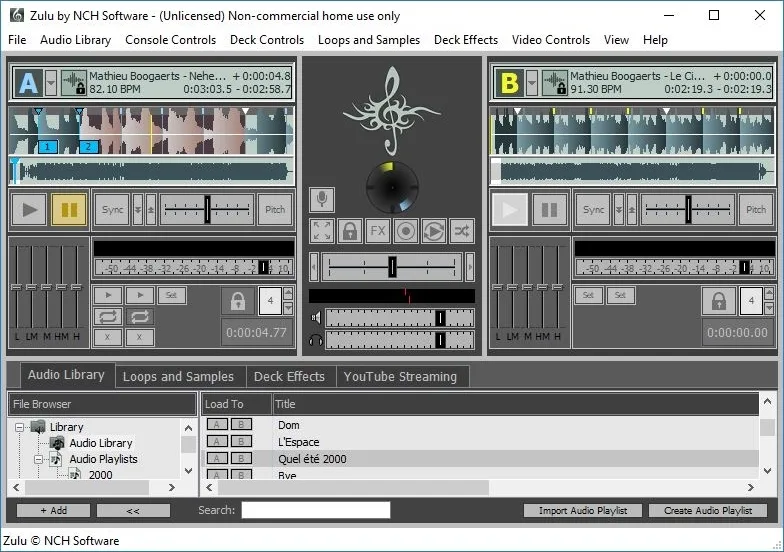
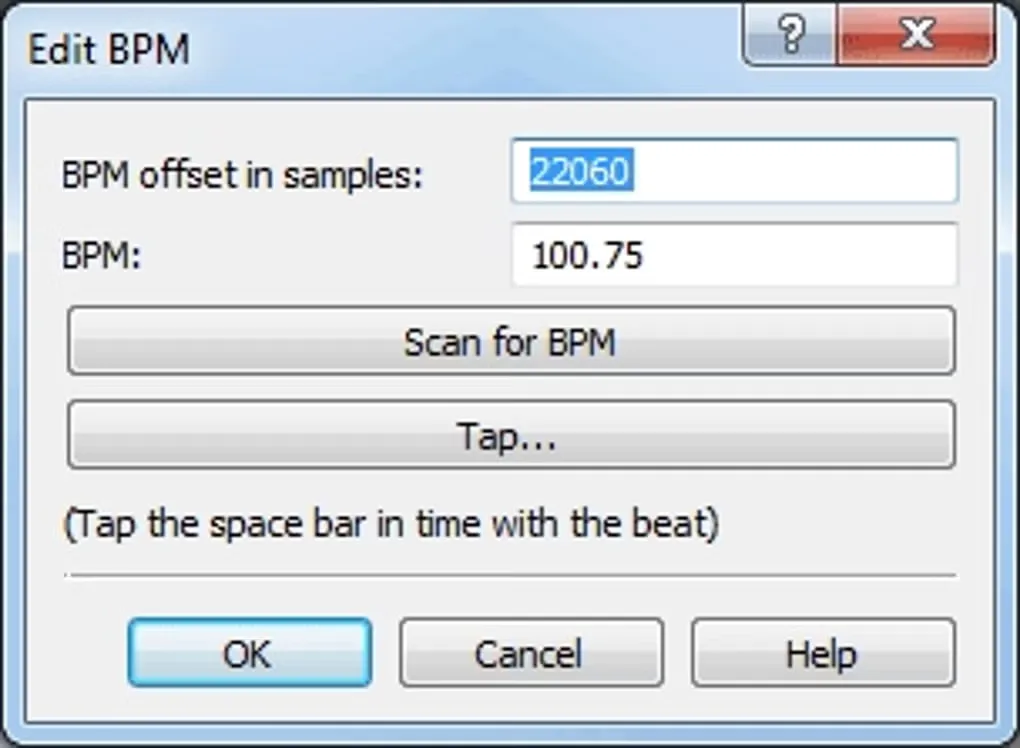
Zulu DJ Software is NCH Software's live music mixer for Windows. Load songs onto its decks, preview the next track through headphones and crossfade between tracks. Automatic beat detection assigns a BPM value when a track loads, while beat synchronization and pitch and tempo controls help align the music between decks.
The mixer combines a playlist with loops, a sample bank and effects that can be applied while music plays. It supports recording a mix to an audio file, MIDI controllers and VST effects plugins. An auto-play mode handles transitions when you want hands-free playback rather than manual deck control.
The publisher offers a free version for non-commercial use alongside paid editions; the free-use offer is not a blanket commercial license. This entry links to the publisher's general Windows installer, not a separately identified free-edition package. NCH's release history lists Windows version 5.04 as uploaded on June 1, 2020; Softonic's more recent listing update is not treated as a new software release.
What it offers
- Load tracks onto decks, preview upcoming music through headphones and crossfade between songs.
- Detect BPM automatically and synchronize beats between decks, with real-time pitch and tempo adjustment.
- Apply live deck or global effects and use VST plugins for additional effects.
- Build a mix with loops and samples, then record it to an audio file.
- Use MIDI controllers or switch to auto-play mode for hands-free mixing.
Good to know
- The publisher's free version is limited to non-commercial use; commercial use is not covered by that offer.
- The general Windows installer linked here is not the publisher's separately linked free-edition package.
Product images
Sources
References used for this listing. Retrieval dates do not indicate hands-on testing.
- NCH Software — Zulu DJ Software features and system requirements ↗Retrieved
- Zulu DJ Software Versions — publisher release history ↗Retrieved
- Zulu DJ Software — Will Zulu work on 64 bit computers? ↗Retrieved
- Zulu DJ Software - Download — passive normal-browser retrieval ↗Retrieved
- Zulu DJ Mixing Software Screenshots — publisher gallery ↗Retrieved
- NCH Software Legal Terms — copyright and trademarks ↗Retrieved
More in multimedia & graphics
View category ↗
1by1 2.17
Play music directly from folders with 1by1, a free Windows audio player with resume, gapless playback and file tools. Formats beyond MP3 need additional decoders.
3DVista Virtual Tour Pro
Build interactive 360° virtual tours from panoramas, videos and 3D models with 3DVista Virtual Tour Pro for Windows. Commercial software with a 30-day trial.

4DDiG Video Repair
Repair corrupted or unplayable videos in batches with the Video Repair tool in 4DDiG File Repair for Windows. A free trial is available; advanced features require a paid license.