
Multimedia & graphics Windows
Zynewave Podium for Windows
Record and arrange audio and MIDI in Zynewave Podium, a Windows DAW with VST plugin hosting. The publisher demo includes 32-bit and 64-bit installers but interrupts audio every 60 seconds.
- Operating system
- Windows 7 or Windows 10, as listed by Zynewave
- Architecture
- Separate x86 (32-bit) and x64 (64-bit) installers
- Download package
- ZIP containing Windows installers
Publisher lists ASIO or MME audio drivers, with ASIO recommended. Plugin architecture must match the host without a separate bridge. Windows 11 compatibility was not independently verified.
Link checked · Download guidance
What is Zynewave Podium?
Zynewave Podium is a Windows digital audio workstation for recording, editing and mixing audio alongside MIDI instruments. Its hierarchical tracks organize routing and submixes, while piano-roll and drum-map editors handle MIDI notes. VST 2.4 instrument and effect hosting lets you build a project around plugins as well as recorded audio. Bounce tracks can render parts of a project for playback without keeping the original plugins active.
The download here is Podium Demo 3.4.2, dated April 2, 2022 on the publisher page. Its ZIP contains separate 32-bit and 64-bit Windows installers. It is a restricted demonstration of the commercial product, not the separately offered Podium Free. Demo reminder dialogs appear occasionally, audio output drops temporarily every 60 seconds, and preset-file import and export are disabled. The full version requires a paid license.
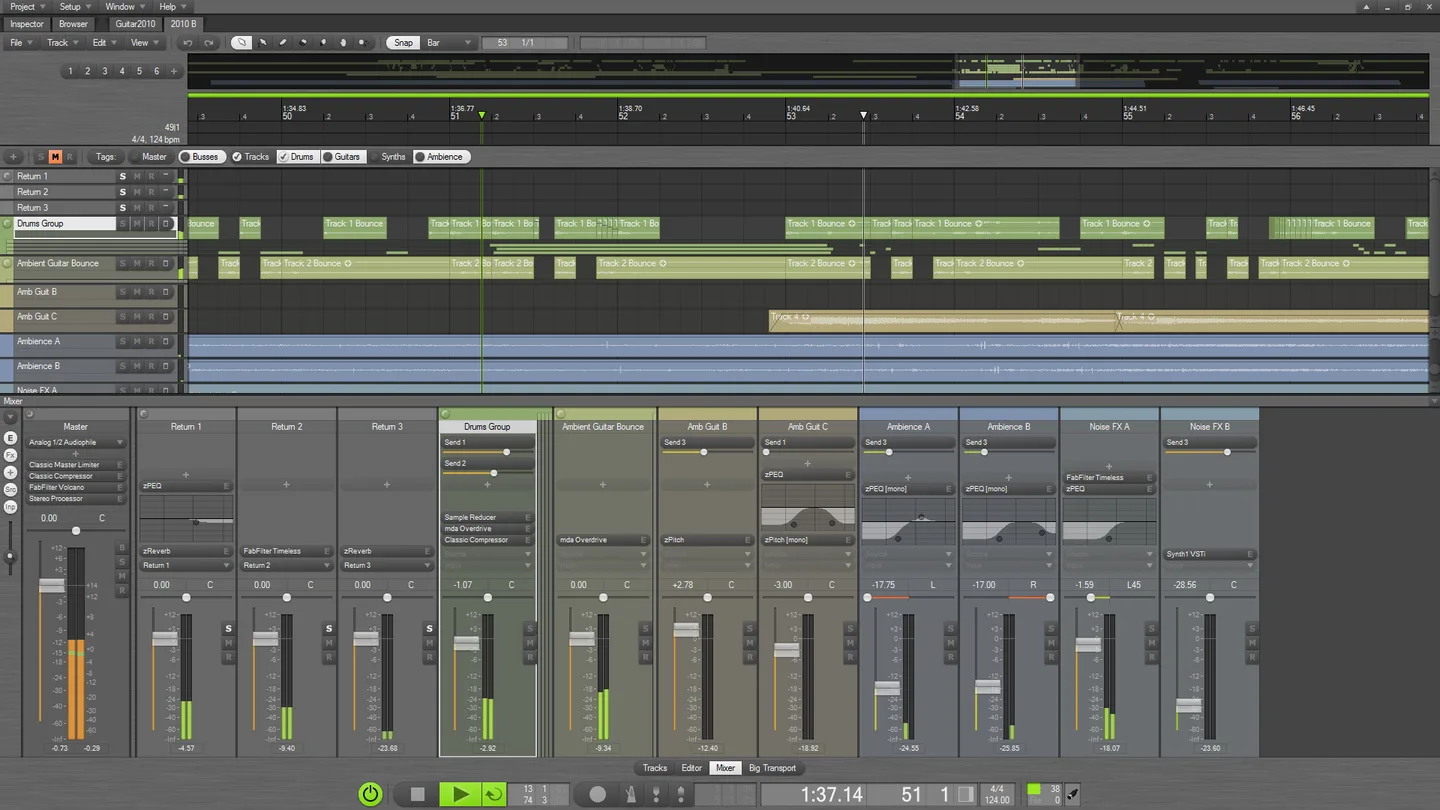
Zynewave lists Windows 7 or Windows 10 and an ASIO or MME sound driver in its requirements. Each Podium build hosts plugins of the same architecture; the publisher describes jBridge as an option for crossing that boundary. The gallery image is an older publisher-hosted example of the arrangement and mixer interface, not a screenshot captured by running this demo.
What it offers
- Record and edit audio and MIDI, with piano-roll and drum-map editors for MIDI notes.
- Host VST 2.4 instrument and effect plugins.
- Organize tracks hierarchically for audio routing and group submixes.
- Use bounce tracks for realtime recording or offline rendering of track output.
- Customize editor layouts, screensets and interface colors.
Good to know
- The demo temporarily drops audio output every 60 seconds and occasionally displays reminder dialogs.
- Preset-file import and export are disabled in the demo; the full version requires a paid license.
- Plugins must match the 32-bit or 64-bit Podium build unless a separate bridge is used.
Product images
Sources
References used for this listing. Retrieval dates do not indicate hands-on testing.
- Zynewave Podium - Download ↗Retrieved
- Podium « Zynewave ↗Retrieved
- Podium Screenshots « Zynewave ↗Retrieved
More in multimedia & graphics
View category ↗
1by1 2.17
Play music directly from folders with 1by1, a free Windows audio player with resume, gapless playback and file tools. Formats beyond MP3 need additional decoders.
3DVista Virtual Tour Pro
Build interactive 360° virtual tours from panoramas, videos and 3D models with 3DVista Virtual Tour Pro for Windows. Commercial software with a 30-day trial.

4DDiG Video Repair
Repair corrupted or unplayable videos in batches with the Video Repair tool in 4DDiG File Repair for Windows. A free trial is available; advanced features require a paid license.