
Games Windows
Clone Hero
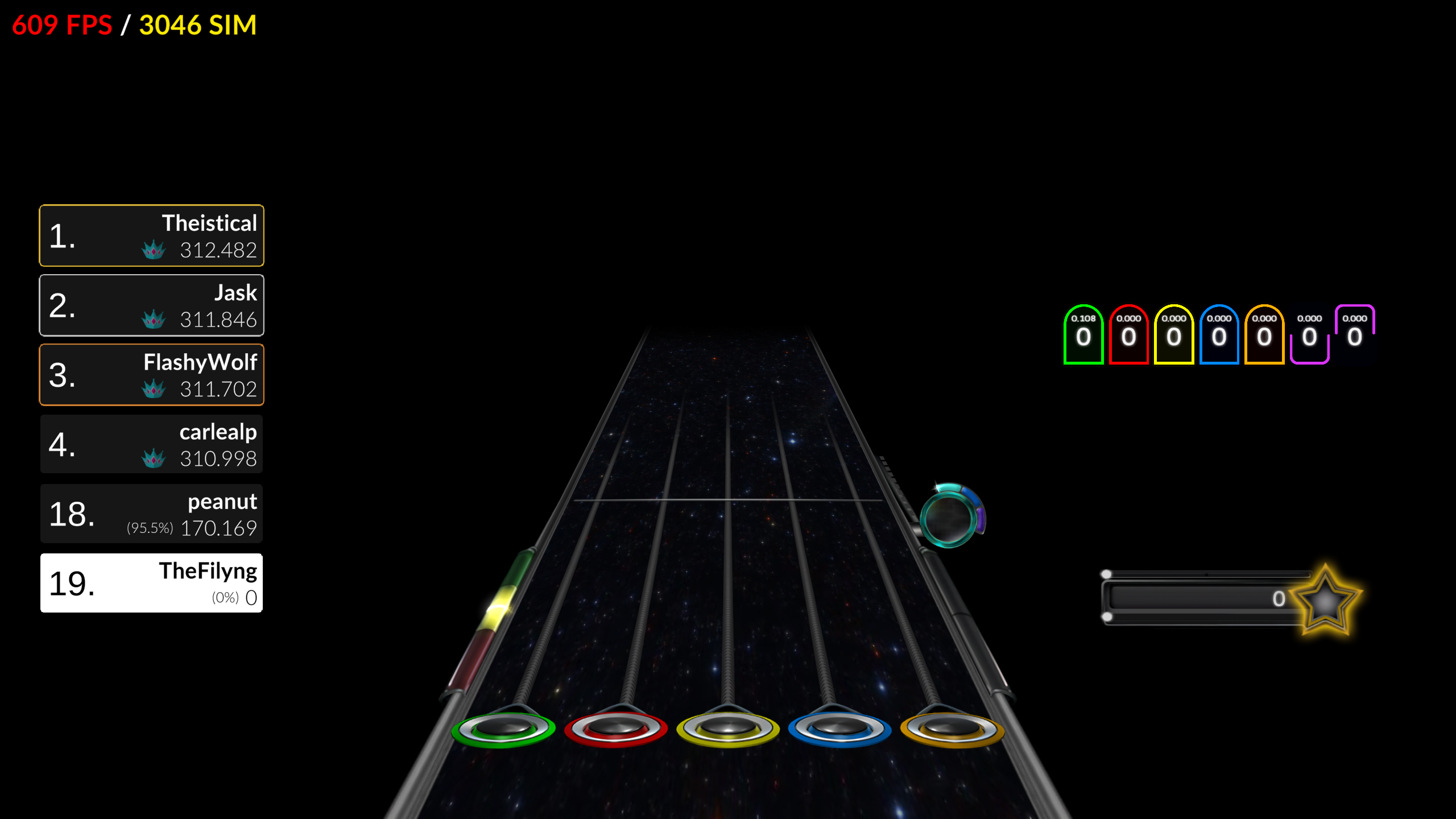
Play guitar and drum rhythm charts with instrument controllers, a gamepad or a keyboard. Clone Hero supports custom songs, local play, online multiplayer and single-player leaderboards.
- Operating system
- Windows; publisher identifies this standalone package as Windows (64-bit).
- Architecture
- x64 (64-bit)
- Download package
- ZIP archive
Minimum Windows release and hardware requirements were not established by the inspected publisher sources. The selected package is not a 32-bit Windows build; controller setup may require drivers.
Link checked · Download guidance
What is Clone Hero?
Clone Hero is an instrument-based rhythm game for playing guitar and drum charts on a PC. It supports 5-fret and 6-fret guitar controllers, MIDI drum kits, gamepads and a keyboard, so a guitar controller is not required to begin. The control mapper lets you rebind inputs and calibrate axes such as tilt and whammy. Some controllers still need drivers or other software before Windows can read their inputs.
Regular mode keeps scores locally without requiring an account and is the mode to use for co-op, Versus or online play. Leaderboards mode is a separate single-player Quickplay option: it requires a CH Leaderboards account to submit scores and displays chart rankings during play. It does not support multiplayer score submissions.
You can expand the song library with compatible custom charts. Extract each song into its own folder, keep its chart, audio and song.ini files together, and run Scan Songs in the game settings after adding content. Downloading an audio track alone does not supply a playable chart. This entry links to the publisher’s standalone Windows 64-bit ZIP for v1.1.0.6142, not the separate Clone Hero Launcher.
What it offers
- Play 5-fret and 6-fret guitar charts or drums using supported instrument controllers, MIDI drums, a gamepad or a keyboard.
- Rebind controls and calibrate tilt, whammy and other axis inputs through the control mapper.
- Use Regular mode for local scores, co-op, Versus and online play.
- Submit single-player Quickplay scores in Leaderboards mode and view rankings while playing.
- Add compatible custom song folders and scan them into the song library.
Good to know
- Leaderboards mode requires a CH Leaderboards account for score submissions and is limited to single-player Quickplay; switch to Regular mode for multiplayer.
- Some controllers require drivers or additional software before the PC can read their inputs; button and axis mapping may need adjustment.
- Custom songs need chart, audio and song.ini files in individual extracted folders, followed by an in-game song scan.
Product images

Sources
References used for this listing. Retrieval dates do not indicate hands-on testing.
- Clone Hero — official product page ↗Retrieved
- v1.1.0.6142 Clone Hero V1.1 second hotfix release! | Clone Hero ↗Retrieved
- Clone Hero V1.1 Leaderboards is out! | Clone Hero ↗Retrieved
- Controls | Clone Hero Wiki ↗Retrieved
- Adding Custom Songs | Clone Hero Wiki ↗Retrieved
- Frequently Asked Questions | Clone Hero Wiki ↗Retrieved
- Clone Hero EULA | Clone Hero ↗Retrieved
More in games
View category ↗
0 A.D. 0.28.0 (Release 28: Boiorix)
Build an ancient city, gather resources and command citizen-soldiers in 0 A.D., a free, open-source real-time strategy game for Windows.
123 Free Solitaire 12.1
Play 12 solitaire variations on Windows, including FreeCell, Klondike, Pyramid and Spider, with customizable cards and backgrounds.
AirXoniX
Claim territory with a flying device while avoiding balls and mines in AirXoniX, a 3D Xonix-style arcade game for Windows. The publisher offers a free trial; the full game requires paid registration.