

Utilities Windows
1.1.1.1 with WARP for Windows
Encrypt traffic between your Windows PC and Cloudflare, or use encrypted DNS only, with the free 1.1.1.1 with WARP app.
Version 2026.8.2115.0 · Direct publisher file
Link checked · Download guidance
What is 1.1.1.1 with WARP?
1.1.1.1 with WARP is Cloudflare’s consumer connection app for Windows. It offers a traffic-and-DNS mode that sends device traffic through an encrypted connection to Cloudflare, plus a DNS-only mode for people who want encrypted DNS queries without tunneling other traffic. The Windows app provides a toggle for the connection and preferences for DNS and network settings.
WARP is not an anonymity service and does not let you choose another country as your browsing location. DNS-only mode protects DNS queries, not the rest of your device traffic. Choose the mode that matches what you want to route through Cloudflare rather than treating the two as interchangeable.
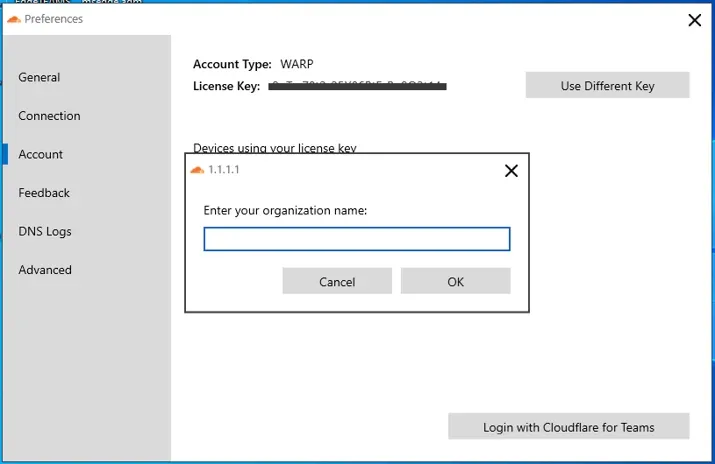
The download links to Cloudflare’s Windows distribution endpoint. At verification it resolved to the 2026.8.2115.0 MSI package; that endpoint may change as the publisher updates its release. The screenshot is a historical Windows Preferences view from Cloudflare’s desktop announcement, showing the Account tab and an organization-enrollment dialog. It illustrates the desktop interface, not the current consumer onboarding screen.
What it offers
- Route device traffic through an encrypted connection to Cloudflare in traffic-and-DNS mode.
- Use DNS-only mode to encrypt queries to the 1.1.1.1 resolver without tunneling other traffic.
- Enable or disable WARP through the desktop app’s connection toggle.
- Configure DNS options and 1.1.1.1 for Families filtering in Windows preferences.
Good to know
- WARP does not provide anonymity or let you appear to browse from a different country.
- DNS-only mode encrypts DNS queries but does not tunnel other device traffic.
Product images
More in utilities
View category ↗1.1.1.1 with WARP 2026.8.2115.0
Encrypt traffic from your Mac to Cloudflare’s network with WARP, or use DNS-only mode for encrypted DNS queries to the 1.1.1.1 resolver.


3uTools 9.12.005
Manage iPhone and iPad photos, music, apps and backups from Windows with 3uTools, a free utility that also includes device checks and firmware flashing tools.
3uTools 9.07.007
Manage iPhone and iPad files, create backups and inspect device information from a Mac with 3uTools. This download is the publisher's Intel Mac DMG.