
Games Windows
HoDoKu
Generate Sudoku puzzles, follow highlighted solving steps and practise specific techniques with HoDoKu, an open-source Java-based Sudoku trainer for Windows.
- Operating system
- Windows; publisher documentation is historical
- Architecture
- Not specified in the inspected publisher documentation
- Download package
- MSI installer
Requires a separate Java runtime. Historical manual specifies JRE 1.6 or higher; modern Windows and Java compatibility was not verified. Do not treat the old minimum as advice to install Java 6.
Link checked · Download guidance
What is HoDoKu?
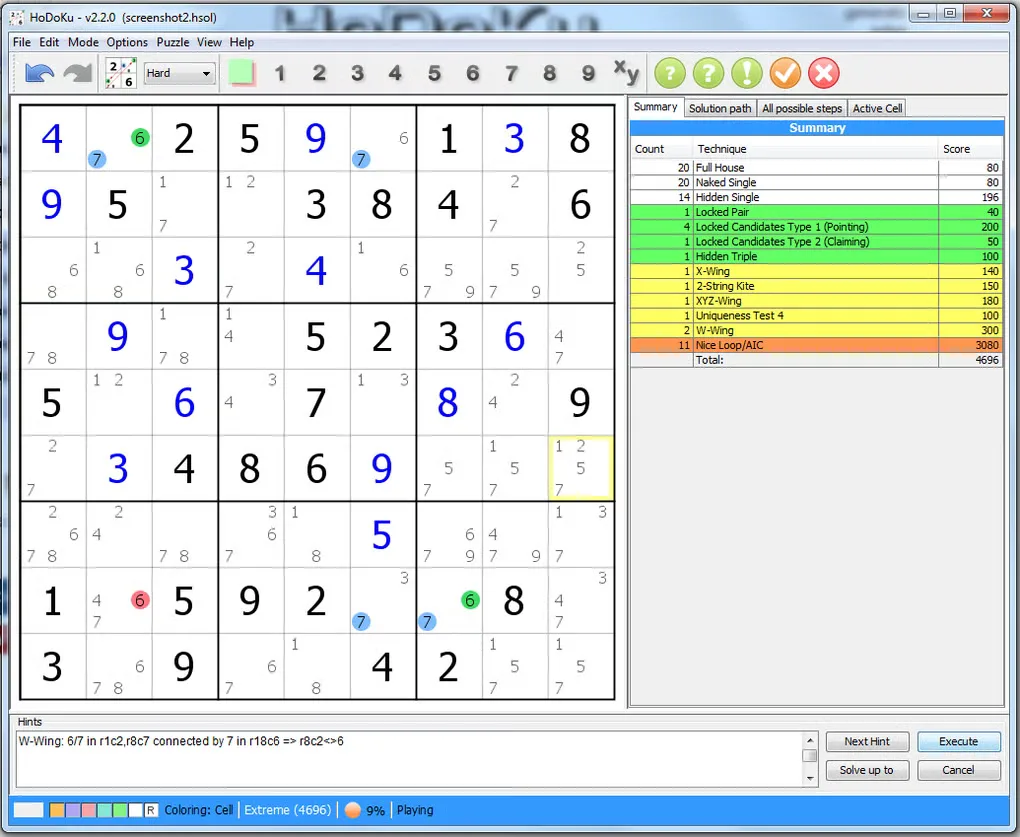
HoDoKu combines a Sudoku generator with a solver and a training interface. You can play a puzzle yourself, ask for a hint when stuck or examine the solution path to see how a technique changes the grid. Candidate highlighting and the list of available steps make it useful for studying a difficult puzzle rather than only revealing its final answer.
The generator offers five configurable difficulty levels. Training Mode can create puzzles containing a chosen technique and advance them to the point where that technique applies. You can keep alternative solution paths, save puzzles and solutions to disk, or print Sudoku booklets. ColorKu mode replaces the digits with colors.
This entry links to the publisher project's version 2.2.0 Windows MSI package. HoDoKu requires a separately installed Java runtime; its historical manual specifies JRE 1.6 or higher. That old minimum is not a recommendation to install Java 6, and the documentation does not establish compatibility with current Windows and Java releases.
What it offers
- Generate Sudoku puzzles at five configurable difficulty levels.
- Use hints and highlighted candidate eliminations to study solving techniques.
- Practise a chosen technique with Training Mode.
- Inspect available steps and keep alternative solution paths for the same puzzle.
- Save puzzles and solutions, print booklets or switch from digits to ColorKu colors.
Good to know
- A suitable Java runtime must be installed separately; the historical manual's JRE 1.6 minimum does not establish compatibility with current Windows and Java releases.
- The publisher warns that finding all available solution steps can use substantial memory.
Product images
Sources
References used for this listing. Retrieval dates do not indicate hands-on testing.
More in games
View category ↗
0 A.D. 0.28.0 (Release 28: Boiorix)
Build an ancient city, gather resources and command citizen-soldiers in 0 A.D., a free, open-source real-time strategy game for Windows.
AirXoniX
Claim territory with a flying device while avoiding balls and mines in AirXoniX, a 3D Xonix-style arcade game for Windows. The publisher offers a free trial; the full game requires paid registration.

Alien Arena 7.72.3
Play retro sci-fi arena combat in Alien Arena for Windows, with deathmatch, capture the flag and single-player modes. The publisher installer downloads and updates the game files.