

Games Windows
Roblox for Windows
Play community-made games and explore user-created worlds with Roblox for Windows. Customize an avatar and join friends online; creating experiences requires the separate Roblox Studio app.
- Operating system
- 64-bit Windows 10 or Windows 11
- Architecture
- 64-bit Windows required; installer CPU architecture not separately verified
- Download package
- Roblox Player EXE installer
Requires DirectX 10 or higher feature-level graphics support. Roblox Studio is separate. Publisher recommends a 4–8 Mb/s connection for a single-user household.
Link checked · Download guidance
What is Roblox?
Roblox for Windows is a player for community-made games and virtual experiences, rather than one game with a fixed campaign. Use it to explore different genres, customize an avatar and play with friends. Roblox Player runs the experiences; Roblox Studio is the separate application used to build your own.
The publisher’s website installation instructions start with signing into a Roblox account and choosing an experience. This entry links to the publisher’s Windows Player installer, not Studio. An internet connection is needed for online play, and a free download does not make every item or experience free: optional purchases are part of the platform.
Roblox lists 64-bit Windows 10 or Windows 11 and DirectX 10 feature-level graphics support among its PC requirements. Connection quality and firewall restrictions can stop experiences from loading, so this is not an offline game collection.
What it offers
- Explore games and 3D experiences made by the Roblox community.
- Customize an avatar with clothing, accessories and other appearance options.
- Join friends in online experiences.
- Launch Roblox Player from an experience on the Roblox website.
Good to know
- Requires an account and an internet connection for the publisher’s documented play flow.
- Creating your own experiences requires the separate Roblox Studio application.
- Optional in-app purchases mean not all content is free.
- The publisher requires 64-bit Windows 10 or Windows 11; connection or firewall problems can prevent experiences from loading.
Product images
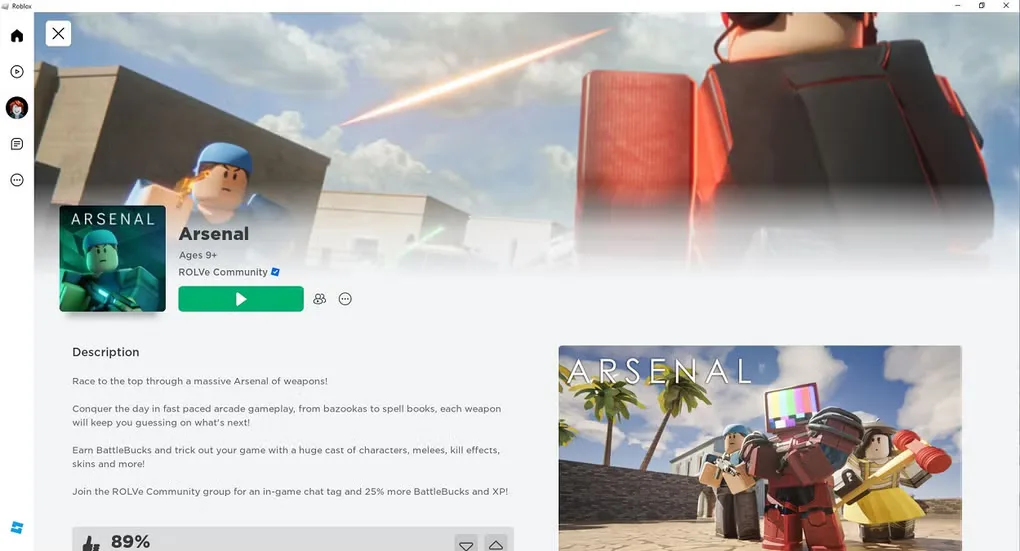
Sources
References used for this listing. Retrieval dates do not indicate hands-on testing.
- ROBLOX for ROBLOX - Download ↗Retrieved
- About Roblox | Roblox ↗Retrieved
- Roblox: Play Free Online Games - Sign Up to Play! ↗Retrieved
- How to Install and Play Roblox – Roblox Support ↗Retrieved
- Computer Hardware & Operating System Requirements – Roblox Support ↗Retrieved
- General Connection Problems – Roblox Support ↗Retrieved
More in games
View category ↗
0 A.D. 0.28.0 (Release 28: Boiorix)
Build an ancient city, gather resources and command citizen-soldiers in 0 A.D., a free, open-source real-time strategy game for Windows.
AirXoniX
Claim territory with a flying device while avoiding balls and mines in AirXoniX, a 3D Xonix-style arcade game for Windows. The publisher offers a free trial; the full game requires paid registration.

Alien Arena 7.72.3
Play retro sci-fi arena combat in Alien Arena for Windows, with deathmatch, capture the flag and single-player modes. The publisher installer downloads and updates the game files.