
Utilities Windows
TotalD
Manage torrents and direct-download links in one Windows app with TotalD. Organize transfers with queues and labels; the free Basic edition limits torrent downloads and excludes premium accounts.
- Operating system
- Windows; exact supported versions and builds not specified in the cited publisher pages
- Architecture
- Not specified by the cited publisher pages
- Download package
- EXE installer
The official installer link was checked using HEAD only. No installation, Windows-build compatibility or application behavior was tested.
Link checked · Download guidance
What is TotalD?
TotalD brings BitTorrent transfers and direct-download links into one Windows download manager. It suits users who want a shared queue rather than separate tools for each type of transfer. The publisher documents torrent files and magnet links, upload and download speed limits, pause and resume controls, and limits on simultaneous downloads.
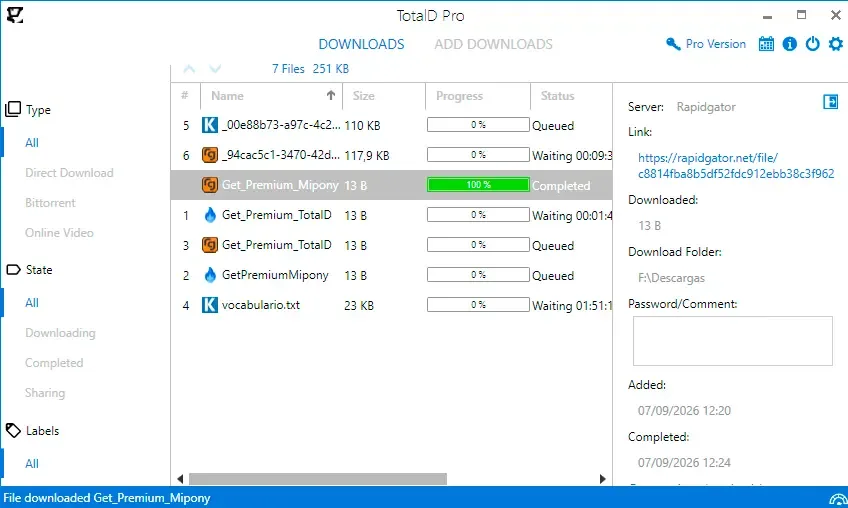
For direct-download links, the manual describes pasting text into Add Downloads and using Paste and Detect Links. Review the detected files, deselect anything unwanted, then choose Download Selected or Download Selected to Folder. Labels provide another way to filter transfers and assign default destination folders.
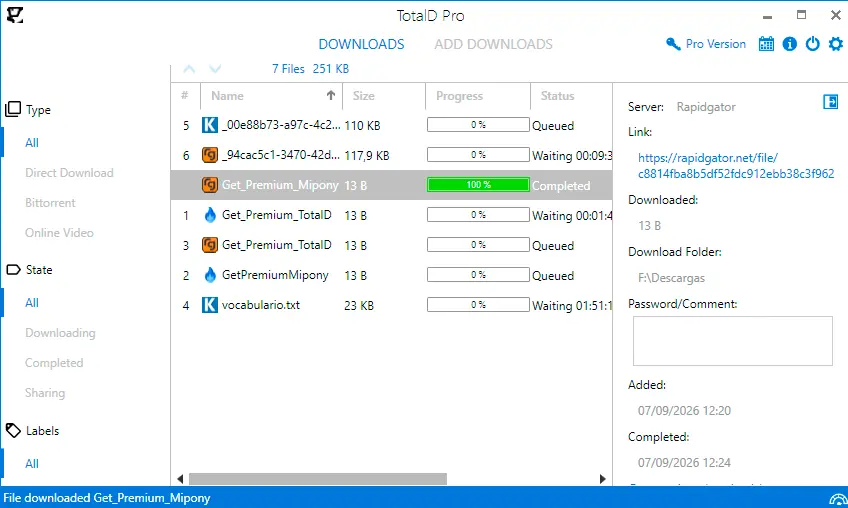
The free Basic edition and paid Pro options are not equivalent: Basic has limited torrent downloads and no premium-account support. The publisher does not quantify that torrent limit on the product page. Hosting services can still impose waiting periods, quotas or CAPTCHA prompts, so a download manager should not be treated as a guarantee of unrestricted access. The screenshot shows the publisher's Pro interface, not a test of the free edition.
What it offers
- Manage torrent files, magnet links and direct-download links in one application.
- Set upload and download speed limits and adjust the torrent queue in Options.
- Pause and resume transfers and control simultaneous downloads.
- Paste text into Add Downloads to detect links and select files and a destination folder.
- Filter transfers with labels and assign default folders to labels.
Good to know
- Free Basic limits torrent downloads and does not support premium accounts; the product page does not specify the numerical torrent limit.
- File-host waiting times, quotas and CAPTCHA prompts can still apply; premium-account requirements depend on the hosting service.
- The cited publisher pages do not establish the current release number, CPU architecture or exact supported Windows builds.
Product images
Sources
References used for this listing. Retrieval dates do not indicate hands-on testing.
- TotalD - The download manager ↗Retrieved
- TotalD - Manual ↗Retrieved
- TotalD - FAQ ↗Retrieved
- TotalD - Terms ↗Retrieved
More in utilities
View category ↗
Vuze 5.7.6.0
Download and manage torrents and magnet links with Vuze for Windows, with bandwidth controls, plugins and media playback. The linked 5.7.6.0 package is archived; SourceForge displays a project-level malware warning.

uTorrent Classic
Manage multiple torrent downloads on Windows with uTorrent Classic, a desktop client with bandwidth controls, scheduling and RSS automation. The free Basic edition contains ads.

BitTorrent Classic
Download and seed torrents on Windows with BitTorrent Classic, a desktop client with bandwidth limits, scheduling and RSS automation. The free Basic edition includes ads.

Free Download Manager 6.35.2
Manage file downloads and torrents in one Windows app, with interrupted-download resuming, scheduling and traffic controls in Free Download Manager.

qBittorrent 5.3.0
Manage torrents and magnet links with qBittorrent, an open-source Windows BitTorrent client with file priorities, RSS filters and scheduled bandwidth limits.