

Utilities macOS
7-Zip for macOS
Create and extract archives from Terminal with 7-Zip for Mac, a free command-line file archiver for Apple Silicon and Intel Macs.
- Operating system
- macOS; minimum version not established by the publisher download listing
- Architecture
- arm64 / x86-64 (Apple Silicon and Intel)
- Download package
- .tar.xz console package
One publisher download is listed for both architectures. This is the macOS command-line version, not a graphical Mac app.
Link checked · Download guidance
What is 7-Zip?
7-Zip for Mac compresses files into archives and extracts files from supported archive formats. The publisher supplies a macOS console package for arm64 and x86-64, making it an option for people who want to handle archive tasks through Terminal rather than a graphical file manager. It supports creating 7z and ZIP archives, extracting RAR archives, and AES-256 encryption in 7z and ZIP formats.
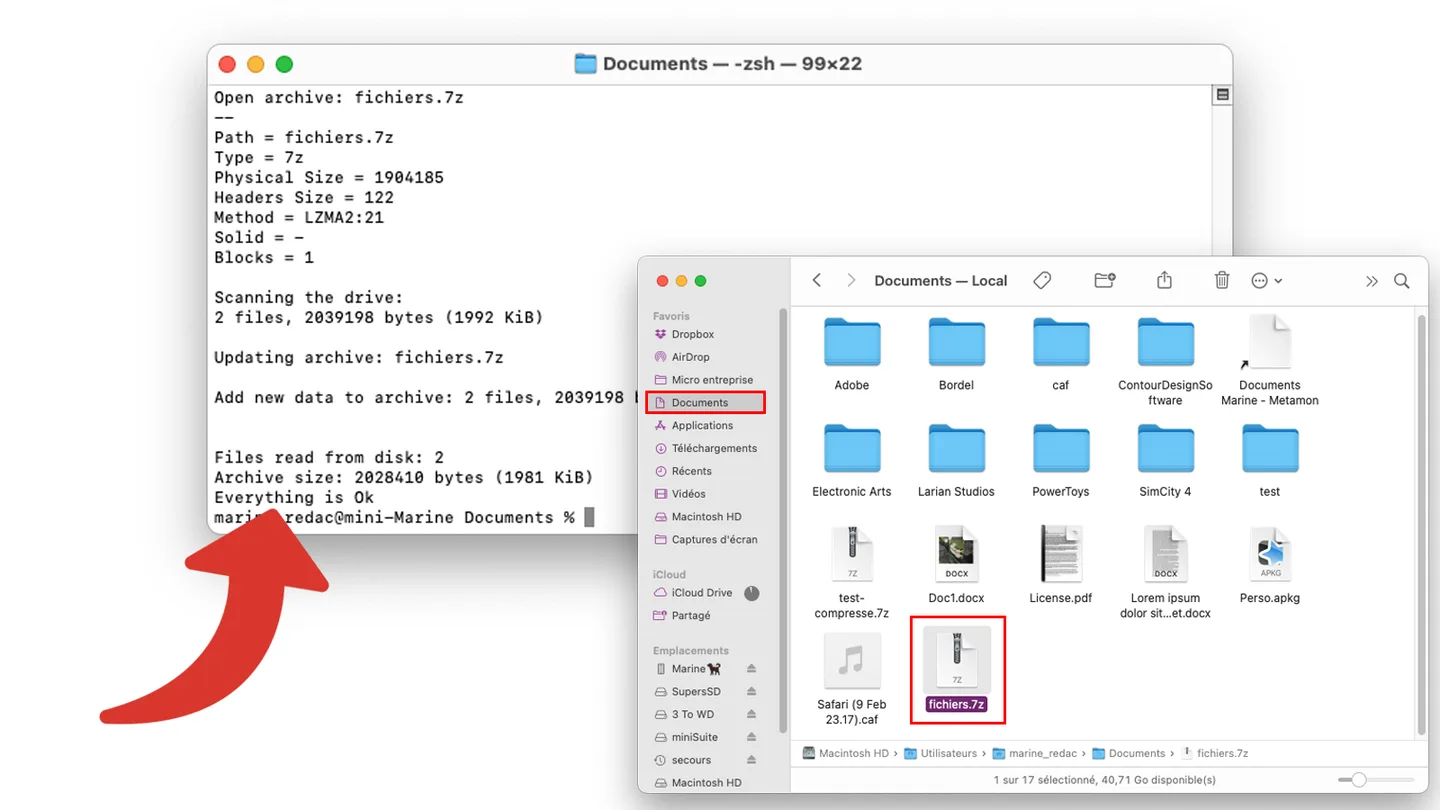
This download is a .tar.xz archive containing the console version, not a Mac graphical application or the Windows 7-Zip File Manager. Using it requires text commands. Format support also differs by operation: RAR is supported for extraction, not archive creation. The screenshot is an older Clubic tutorial example showing console output alongside Finder; it does not document version 26.05 or a built-in graphical interface.
What it offers
- Create and extract 7z, ZIP, TAR, GZIP, BZIP2 and XZ archives.
- Extract additional formats, including RAR, without claiming those formats can also be created.
- Use AES-256 encryption in 7z and ZIP archives.
- Run archive operations through the macOS console version supplied for arm64 and x86-64.
Good to know
- The official macOS package is command-line only; it does not provide the Windows graphical file manager.
- RAR support is extraction-only, not RAR archive creation.
Product images
Sources
References used for this listing. Retrieval dates do not indicate hands-on testing.
More in utilities
View category ↗
1.1.1.1 with WARP 2026.8.2115.0
Encrypt traffic from your Mac to Cloudflare’s network with WARP, or use DNS-only mode for encrypted DNS queries to the 1.1.1.1 resolver.
1.1.1.1 with WARP 2026.8.2115.0
Encrypt traffic between your Windows PC and Cloudflare, or use encrypted DNS only, with the free 1.1.1.1 with WARP app.

3uTools 9.12.005
Manage iPhone and iPad photos, music, apps and backups from Windows with 3uTools, a free utility that also includes device checks and firmware flashing tools.