
Utilities Windows
Actiona
Automate repetitive desktop tasks with Actiona for Windows: combine mouse clicks, keyboard input, file operations and window controls in a visual editor, with optional JavaScript logic.
Version 3.11.4 · Direct publisher file
Link checked · Download guidance
What is Actiona?
Actiona builds desktop automation tasks from a sequence of configurable actions. Use it to enter text, press keys, move and click the mouse, run commands or work with files and the clipboard. Its editor lets you assemble these steps without writing a complete program. JavaScript can add custom logic, including expressions inside action parameters.
Workflows can wait for a window, an image on the screen or a pixel color before continuing. Loops, labels, variables and procedures provide control over longer sequences. This entry links to the publisher's Windows EXE installer for version 3.11.4, whose release notes report a fix for MediaPlayer and PlaySound audio playback. The software has not been installed or tested for this entry.
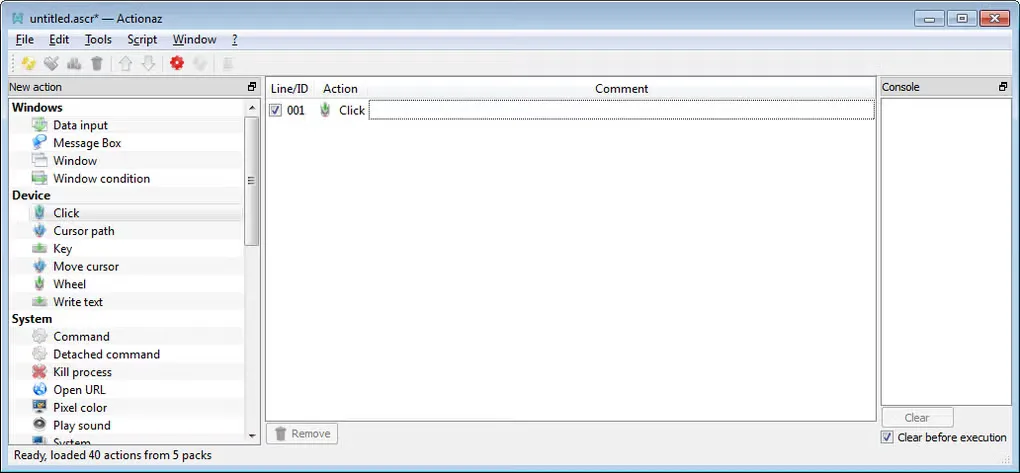
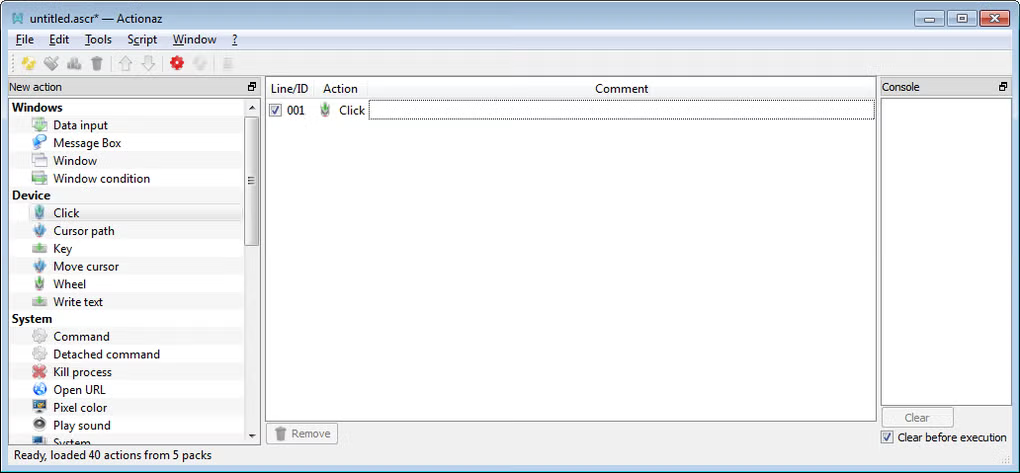
The screenshot is a historical Windows editor image supplied on the product's Softonic gallery. Its title bar uses the former name Actionaz; the publisher records the rename to Actiona in version 3.9.0. It illustrates the action-list layout, not the appearance of version 3.11.4.
What it offers
- Assemble tasks in an editor using configurable actions, with optional EcmaScript/JavaScript customization.
- Emulate text entry, key presses, mouse movement, clicks and mouse-wheel input.
- Wait for windows, screen images or pixel colors, and control application windows.
- Read and write files, use the clipboard, run commands and open URLs.
- Structure workflows with loops, labels, variables and procedures.
Good to know
- The publisher discontinued support for 32-bit Windows in version 3.10.2; this release is not a choice for 32-bit Windows.
- Custom logic beyond the available configured actions requires JavaScript.
Product images
Sources
References used for this listing. Retrieval dates do not indicate hands-on testing.
More in utilities
View category ↗
1.1.1.1 with WARP 2026.8.2115.0
Encrypt traffic from your Mac to Cloudflare’s network with WARP, or use DNS-only mode for encrypted DNS queries to the 1.1.1.1 resolver.
1.1.1.1 with WARP 2026.8.2115.0
Encrypt traffic between your Windows PC and Cloudflare, or use encrypted DNS only, with the free 1.1.1.1 with WARP app.

3uTools 9.12.005
Manage iPhone and iPad photos, music, apps and backups from Windows with 3uTools, a free utility that also includes device checks and firmware flashing tools.