
Utilities Windows
Active@ Disk Editor
Inspect and edit raw disk sectors, partitions and files with Active@ Disk Editor, a freeware Windows hex editor with file-system templates.
What is Active@ Disk Editor?
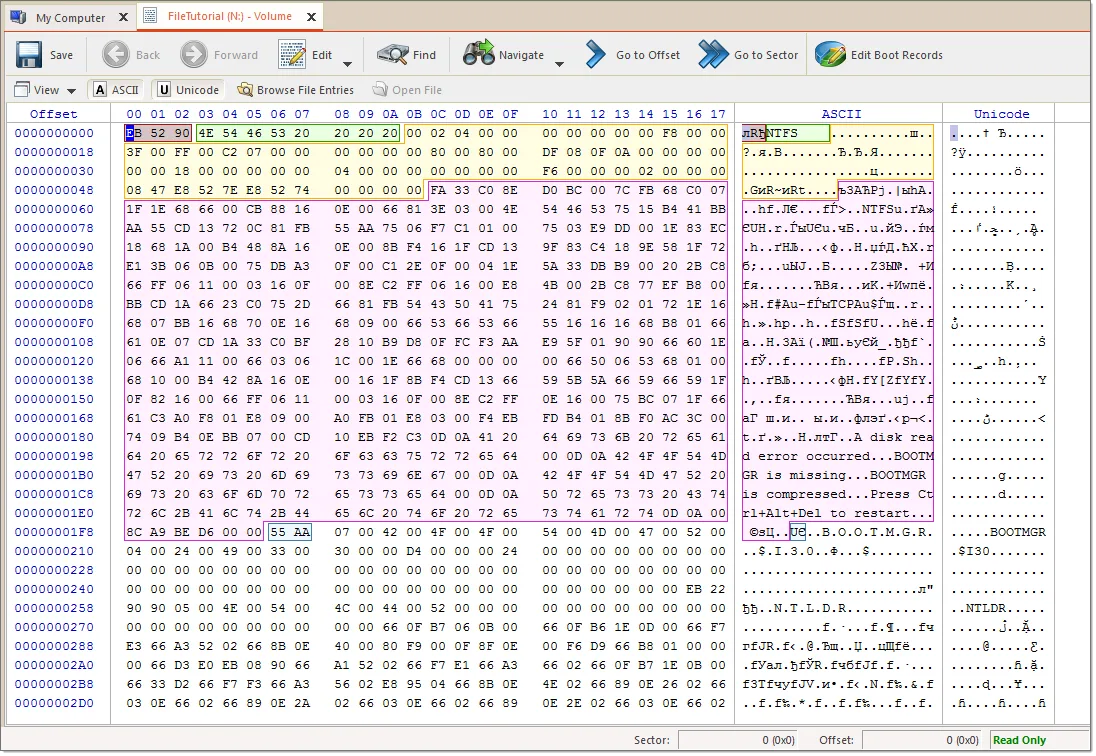
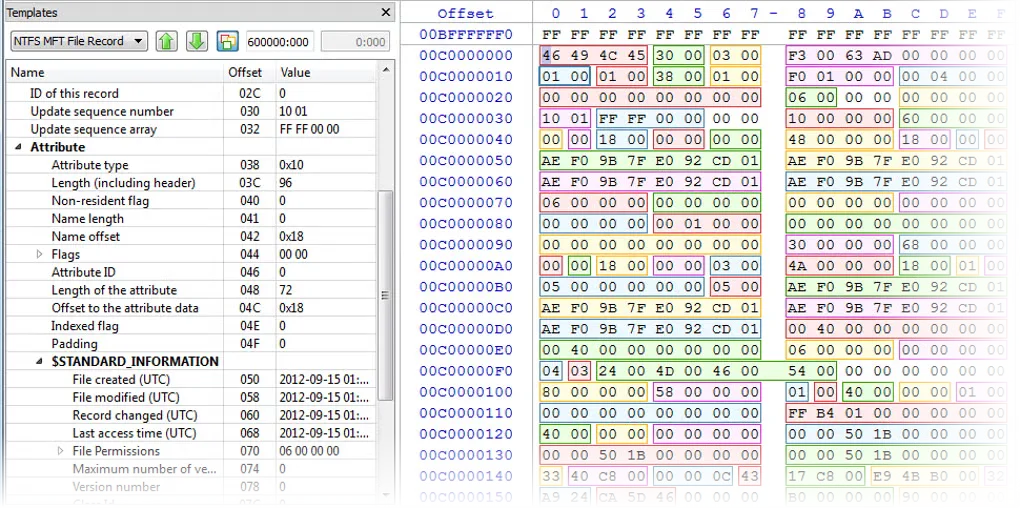
Active@ Disk Editor opens physical disks, volumes and files for low-level inspection and editing. Its hexadecimal, ASCII and Unicode views show the same underlying data, while templates interpret structures such as MBR, GPT, NTFS records and exFAT directory entries. It suits examining how a disk or file system is laid out rather than editing ordinary documents.
Bookmarks, searches and navigation points help locate records without scrolling through every sector. The publisher also documents support for raw disk images, VHD and VMDK files.
The editor starts in read-only mode. Enabling editing lets you change raw content, and Save writes those changes to the drive. Incorrect edits can damage disk structures; understand the target record before saving. The manual also limits copying to the clipboard to 1 MB at a time. This entry links to the publisher’s Windows EXE installer; the screenshots are publisher/source illustrations, not evidence of an installation test.
What it offers
- Inspect raw sectors in physical disks, volumes, partitions and files.
- View synchronized hexadecimal, ASCII and Unicode representations of data.
- Interpret MBR, GPT, NTFS, FAT and exFAT structures with templates.
- Navigate with bookmarks and detected disk records; search for text or hexadecimal patterns.
- Open raw disk images and supported VHD or VMDK image files.
Good to know
- Saving incorrect raw edits can damage disk structure integrity; read-only mode does not protect a drive after editing is enabled and changes are saved.
- The publisher manual limits copying data to the clipboard to 1 MB at a time.
Product images
More in utilities
View category ↗
1.1.1.1 with WARP 2026.8.2115.0
Encrypt traffic from your Mac to Cloudflare’s network with WARP, or use DNS-only mode for encrypted DNS queries to the 1.1.1.1 resolver.
1.1.1.1 with WARP 2026.8.2115.0
Encrypt traffic between your Windows PC and Cloudflare, or use encrypted DNS only, with the free 1.1.1.1 with WARP app.

3uTools 9.12.005
Manage iPhone and iPad photos, music, apps and backups from Windows with 3uTools, a free utility that also includes device checks and firmware flashing tools.