

Utilities Android
ActivityWatch for Android
Track time spent in Android apps and review your activity in a local dashboard with ActivityWatch, a free, open-source time tracker.
- Operating system
- Android 8.0 or later (API 26+)
- Architecture
- ARM64 (arm64-v8a)
- Download package
- APK; net.activitywatch.android
Selected publisher release asset is aw-android-arm64-v8a.apk. Separate armeabi-v7a, x86 and x86_64 APKs are listed in the same release.
Link checked · Download guidance
What is ActivityWatch?
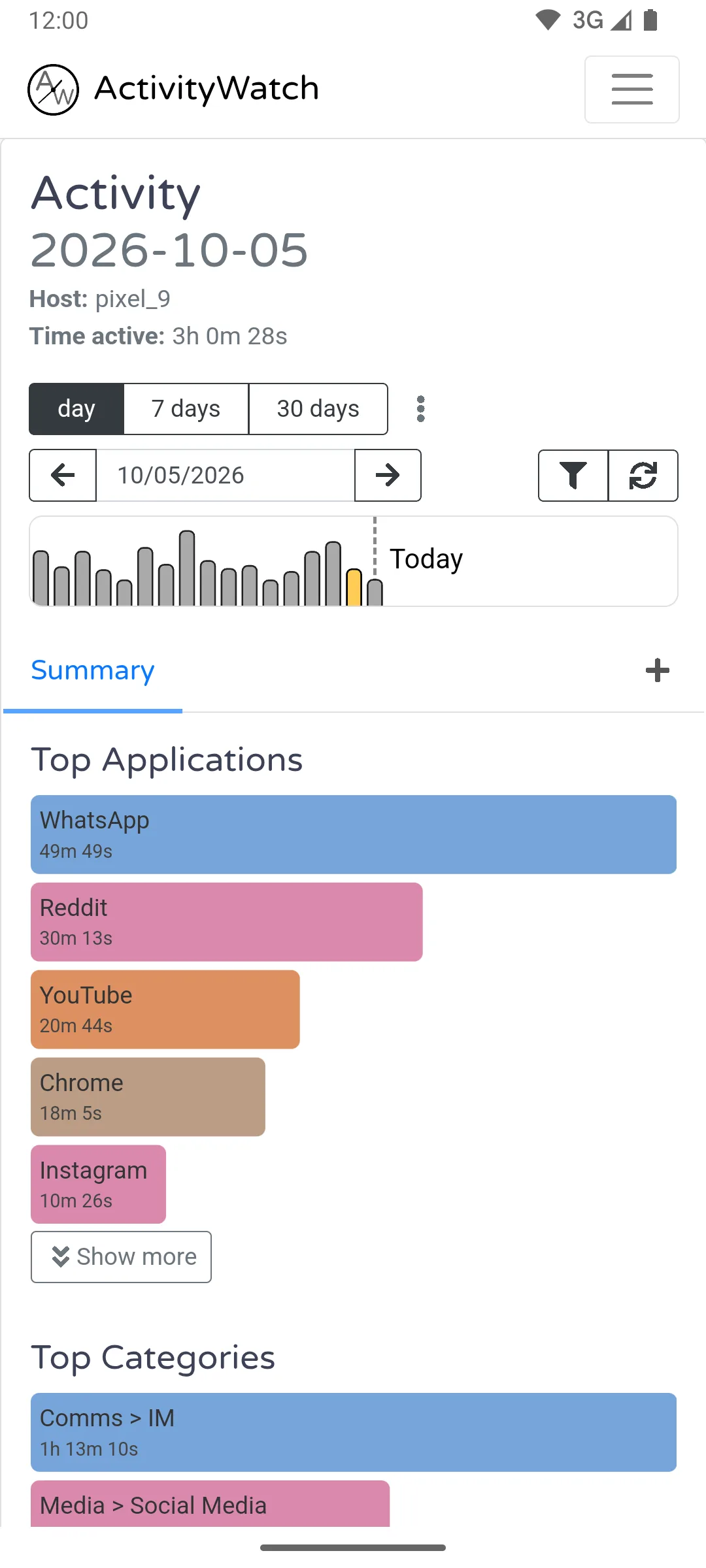
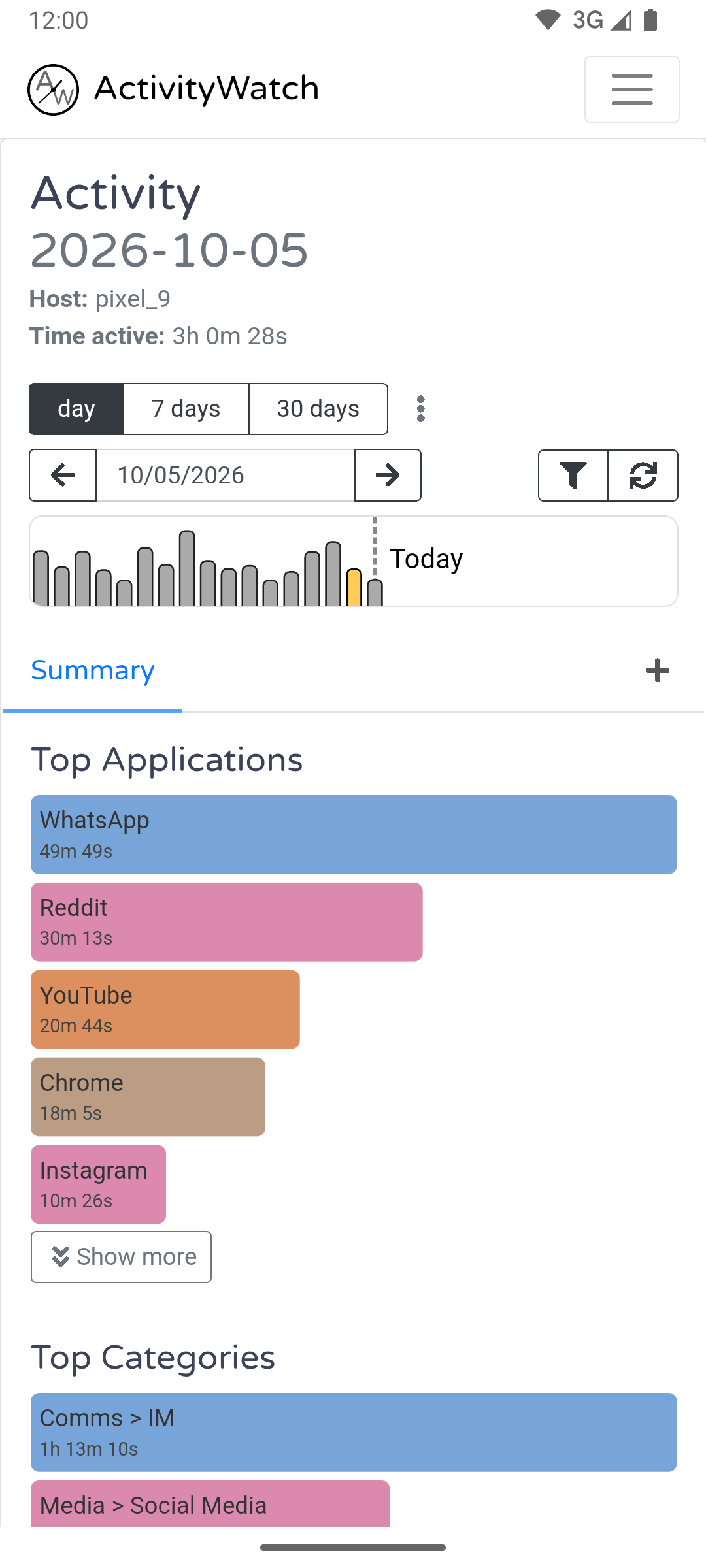
ActivityWatch for Android records app usage so you can see where your screen time goes. Its dashboard presents activity by day, with top applications and categories, making it useful for reviewing phone habits rather than manually entering time logs. The official Android app uses the same web interface as the desktop edition, and the publisher describes ActivityWatch as local-first: activity data stays on your device.
Browser history tracking is optional. It requires granting the accessibility permission and works with supported browsers, so app-usage tracking should not be confused with automatic coverage of every website or browser. This entry links to the publisher's version 0.14.3 APK for ARM64 devices running Android 8.0 or later; separate builds are offered for other processor architectures. The screenshot is a publisher-provided example of the Android interface, not a result from an installation or test here.
What it offers
- Automatically track app usage on your Android device.
- Review top applications, categories and daily activity in the ActivityWatch dashboard.
- Keep activity data on your device with a local-first time tracker.
- Optionally track URLs from supported browsers after granting the accessibility permission.
Good to know
- Browser URL tracking requires the optional accessibility permission and supports specific browsers, not every browsing app.
- The linked APK is ARM64-only and requires Android 8.0 or later; other processor architectures need a different release asset.
Product images
More in utilities
View category ↗
1.1.1.1 with WARP 2026.8.2115.0
Encrypt traffic from your Mac to Cloudflare’s network with WARP, or use DNS-only mode for encrypted DNS queries to the 1.1.1.1 resolver.
1.1.1.1 with WARP 2026.8.2115.0
Encrypt traffic between your Windows PC and Cloudflare, or use encrypted DNS only, with the free 1.1.1.1 with WARP app.

3uTools 9.12.005
Manage iPhone and iPad photos, music, apps and backups from Windows with 3uTools, a free utility that also includes device checks and firmware flashing tools.