

Utilities macOS
ActivityWatch for macOS
Track time spent in Mac applications and review daily activity with ActivityWatch, a free, open-source time tracker that stores activity data locally.
- Operating system
- macOS 12 (Monterey) or later
- Architecture
- ARM64 (Apple Silicon)
- Download package
- DMG disk image
Selected download is the classic Apple Silicon build. The publisher lists a separate x86_64 build for Intel Macs; drag the app into Applications after opening the DMG.
Link checked · Download guidance
What is ActivityWatch?
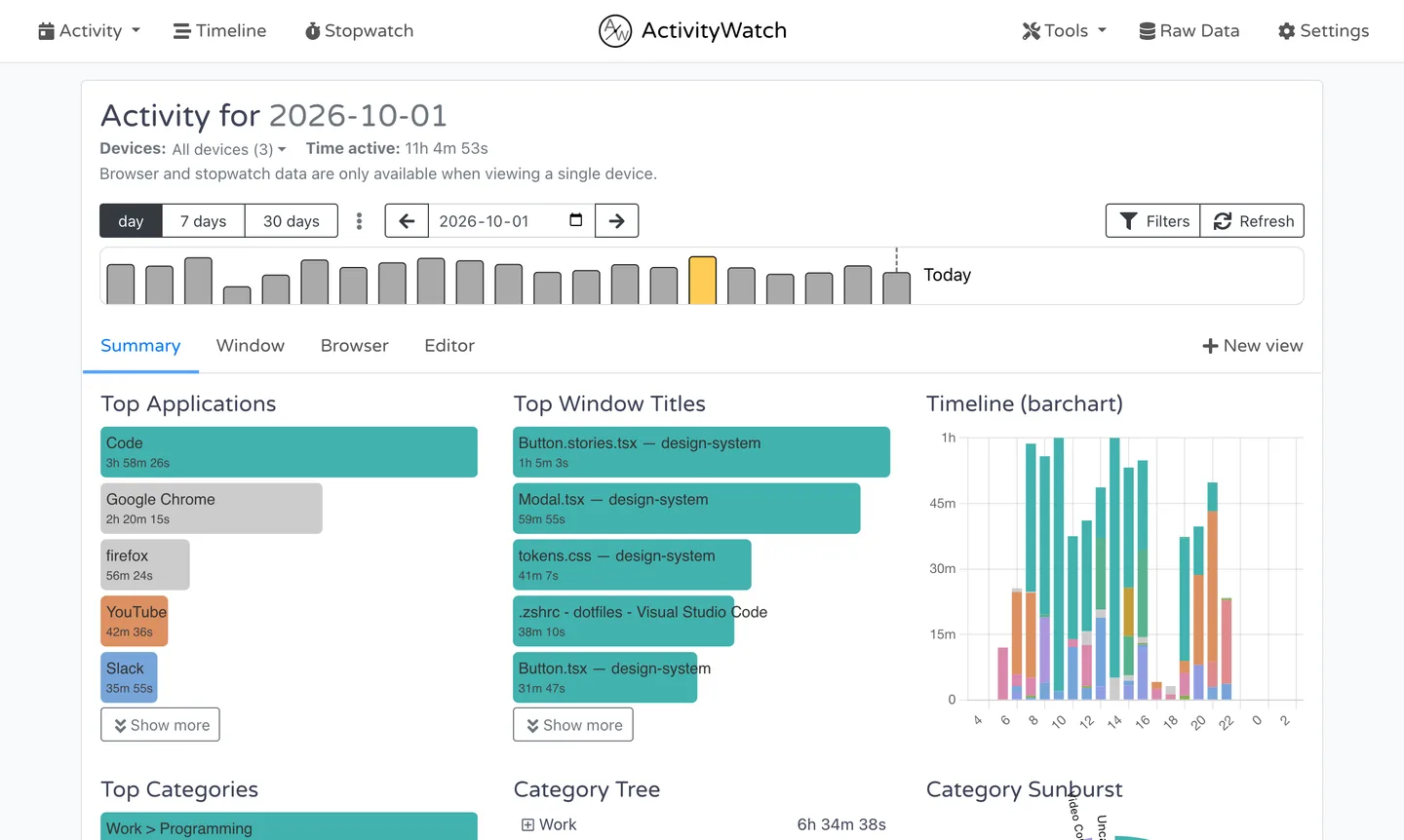
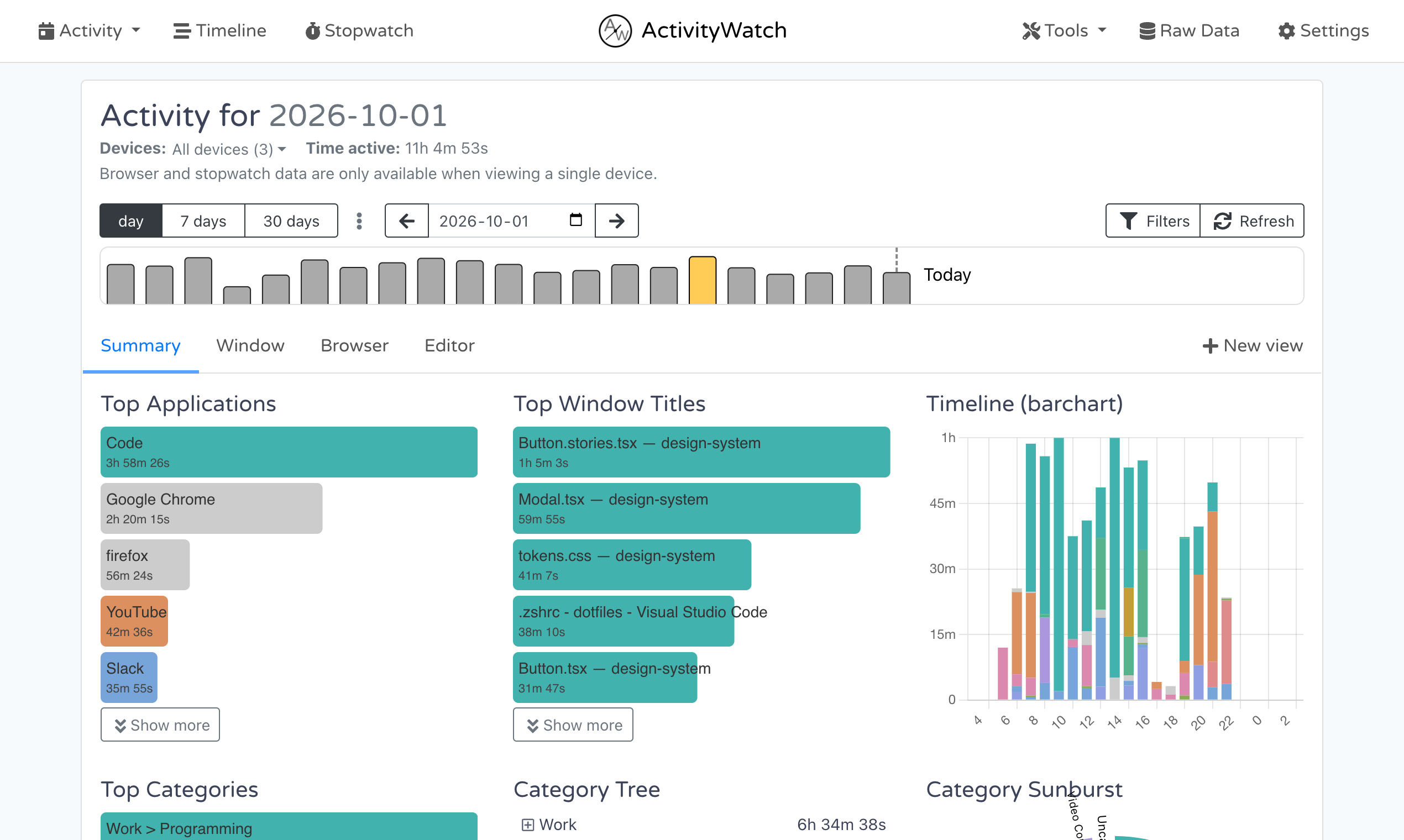
ActivityWatch automatically records which application and window are active so you can review how you spend time on your Mac. Its local web dashboard groups activity into categories and shows application usage, window titles and timelines. The included AFK watcher uses mouse and keyboard activity to distinguish active time from time away.
The desktop application starts the server and default watchers; you view the dashboard in a browser at localhost:5600. For more detailed website tracking, install the separate Chrome or Firefox watcher extension. This download is the v0.14.1 DMG for Apple Silicon Macs running macOS 12 or later; the publisher provides a separate Intel build. The screenshot shows the publisher's v0.14.0 shared desktop dashboard with demo data, not a run of this Mac package.
What it offers
- Automatically record the active application and window title.
- Review application usage, categories and activity timelines in a local web dashboard.
- Distinguish active time from time away using the included AFK watcher.
- Keep activity data on your device rather than uploading it to a cloud service.
- Add detailed website tracking through the separate Chrome or Firefox watcher extension.
Good to know
- Detailed website tracking requires a separate browser extension; it is not supplied by the default window watcher alone.
- This DMG is for Apple Silicon Macs with macOS 12 or later. Intel Macs require the separate x86_64 download.
Product images
More in utilities
View category ↗
1.1.1.1 with WARP 2026.8.2115.0
Encrypt traffic from your Mac to Cloudflare’s network with WARP, or use DNS-only mode for encrypted DNS queries to the 1.1.1.1 resolver.
1.1.1.1 with WARP 2026.8.2115.0
Encrypt traffic between your Windows PC and Cloudflare, or use encrypted DNS only, with the free 1.1.1.1 with WARP app.

3uTools 9.12.005
Manage iPhone and iPad photos, music, apps and backups from Windows with 3uTools, a free utility that also includes device checks and firmware flashing tools.