

Utilities Windows
Advanced Archive Password Recovery for Windows
Recover lost passwords for ZIP, RAR and 7Zip archives with Elcomsoft's Windows utility. The trial cannot recover passwords longer than four characters.
- Operating system
- Windows 10 and Windows 11; publisher also lists older Windows versions
- Architecture
- Not specified on the publisher product page
- Download package
- MSI installer
English-language trial installer linked by the publisher. Package architecture and installation behavior were not independently checked.
Link checked · Download guidance
What is Advanced Archive Password Recovery?
Advanced Archive Password Recovery helps regain access to password-protected archives through dictionary and brute-force attacks. It supports ZIP, RAR and 7Zip, along with older ARJ and ACE 1.x formats and self-extracting archives. If you remember part of a password, character ranges, length limits and masks can narrow the search.
The recovery method depends on the archive's encryption. Known-plaintext attacks apply to ARJ and classically encrypted ZIP archives, not AES-encrypted ZIP files. Enhanced AES WinZip support is listed for the Professional edition. The publisher's guaranteed WinZip recovery applies only to qualifying older, classically encrypted archives; it is not a promise to unlock every ZIP, RAR or 7Zip file.
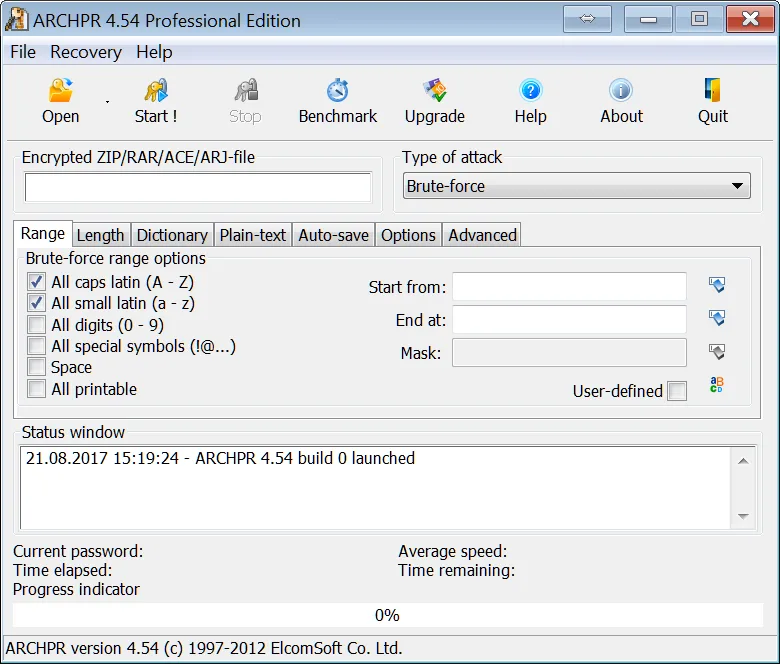
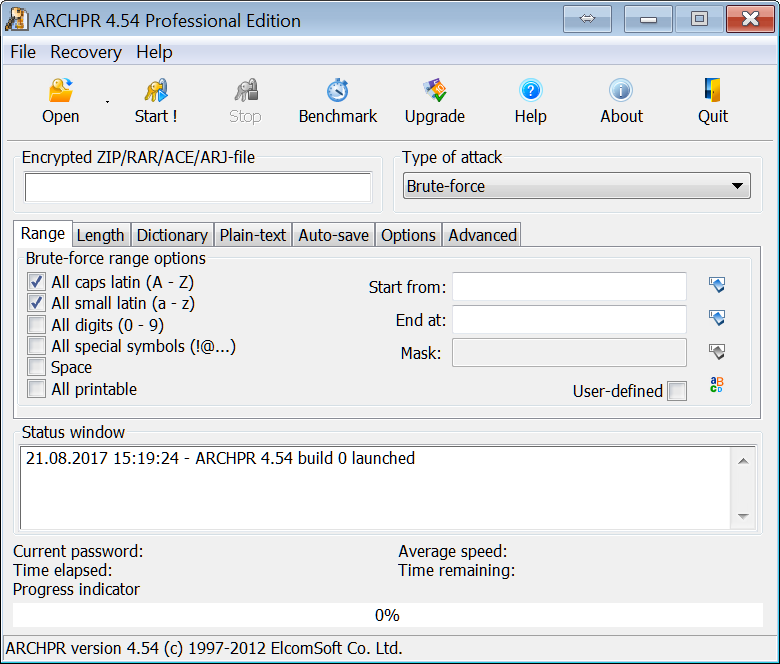
The download is a restricted trial of commercial software. It cannot recover passwords longer than four characters, disables some dictionary options and cannot resume an attack. Password-from-keys and Guaranteed WinZip Recovery attacks are unavailable in the trial. The screenshot is the publisher's older ARCHPR 4.54 Professional Edition interface, not a capture of the listed 4.66.266 release.
What it offers
- Dictionary and brute-force password recovery for supported encrypted archives.
- Support for ZIP, RAR, 7Zip, ARJ, ACE 1.x and self-extracting archives.
- Character ranges, password-length constraints and masks to narrow brute-force searches.
- Known-plaintext attacks for ARJ and classically encrypted ZIP archives.
- Professional-edition support for enhanced AES-encrypted WinZip archives.
Good to know
- The trial cannot recover passwords longer than four characters and disables some dictionary attack options.
- The trial cannot resume an attack; Password from keys and Guaranteed WinZip Recovery attacks are unavailable.
- Known-plaintext recovery does not apply to AES encryption. Guaranteed WinZip recovery is limited to qualifying older archives, not all protected files.
Product images
Sources
References used for this listing. Retrieval dates do not indicate hands-on testing.
More in utilities
View category ↗
1.1.1.1 with WARP 2026.8.2115.0
Encrypt traffic from your Mac to Cloudflare’s network with WARP, or use DNS-only mode for encrypted DNS queries to the 1.1.1.1 resolver.
1.1.1.1 with WARP 2026.8.2115.0
Encrypt traffic between your Windows PC and Cloudflare, or use encrypted DNS only, with the free 1.1.1.1 with WARP app.

3uTools 9.12.005
Manage iPhone and iPad photos, music, apps and backups from Windows with 3uTools, a free utility that also includes device checks and firmware flashing tools.