
Development Windows
Advanced BAT to EXE Converter
Compile Windows batch scripts into EXE files with custom icons, version details and embedded dependencies. Free use is limited to one PC; distributing compiled programs requires Pro.
- Operating system
- Windows 98 through Windows 11, according to the publisher
- Architecture
- Not specified by the publisher
- Download package
- ZIP archive via publisher EXE-link redirect
The homepage identifies version 4.70. The archive contents and CPU architecture were not inspected; no installer was downloaded or run.
Link checked · Download guidance
What is Advanced BAT to EXE Converter?
Advanced BAT to EXE Converter turns BAT scripts into Windows executables. Its build options let you choose an icon, add product and version details, and bundle files a script needs into one EXE. Extended batch commands add options such as mouse input and graphics beyond ordinary batch syntax.
The free edition is for use on one PC. The publisher requires a Pro Distributor License to distribute compiled executables to other computers, and command-line compilation is Pro-only. The FAQ also says the free edition must be installed in its default directory. These restrictions matter if you are packaging scripts for colleagues or customers rather than your own machine.
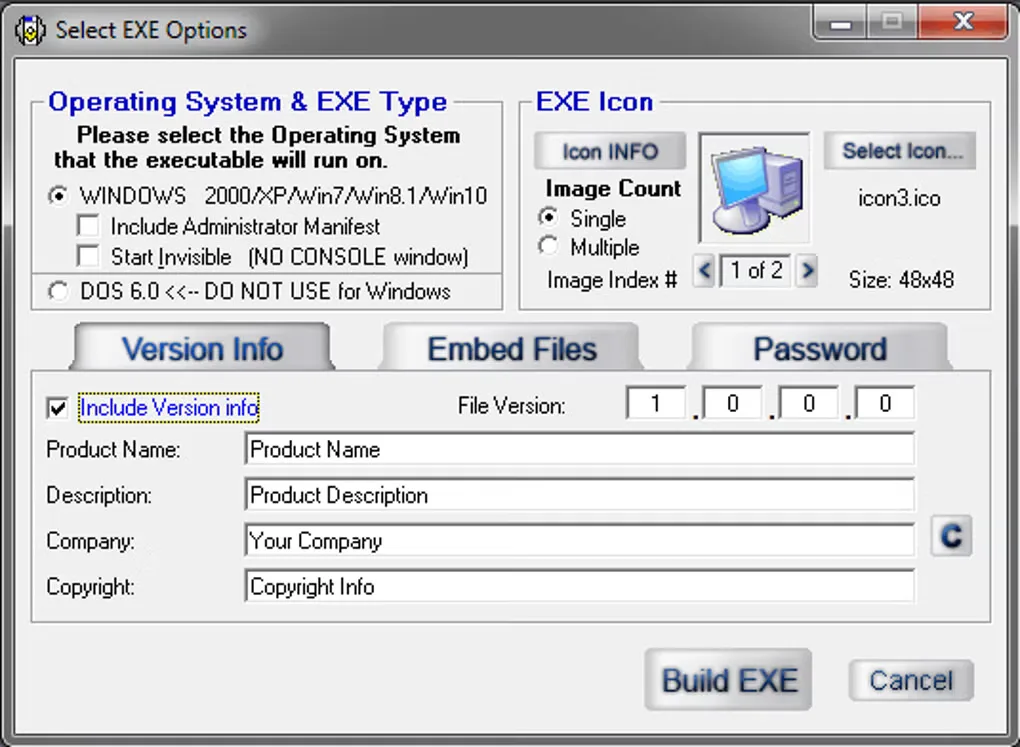
The publisher homepage announces version 4.70, released October 3, 2026. The linked EXE address currently redirects to a ZIP archive. The gallery image illustrates the Select EXE Options dialog from an older interface and is not a verified screenshot of version 4.70.
What it offers
- Compile BAT scripts into standalone Windows executables.
- Set an executable icon and product, company and version information.
- Bundle script dependencies through the Embed Files build options.
- Use extended batch commands for mouse input and graphics.
- Choose an invisible build option to hide the console window.
Good to know
- Free use is limited to one PC; distributing compiled executables to other computers requires a Pro Distributor License.
- Command-line compilation is available only in Pro.
- The free edition must use the default installation directory, according to the publisher FAQ.
Product images
Sources
References used for this listing. Retrieval dates do not indicate hands-on testing.
More in development
View category ↗
010 Editor 17.0
Inspect and edit binary files on Mac with 010 Editor, a paid text and hex editor with Binary Templates, file comparison and a 30-day trial.
010 Editor 17.0
Inspect and edit binary files with 010 Editor for Windows, a text and hex editor with Binary Templates, file comparison and scripting. Includes a 30-day trial.
10x Editor
Edit and navigate C++ projects on Windows with a built-in parser, workspace search and Visual Studio project support. A paid license is required after the 30-day trial.