
Utilities Windows
Advanced Process Explorer
Find which process has a file or DLL open, inspect CPU and memory use, and control running Windows processes with Ashkon's Advanced Process Explorer. A 30-day trial is available.
- Operating system
- Windows 7, 8, 8.1, 10 and 11 (publisher-listed)
- Architecture
- 32-bit application; publisher states it also inspects 64-bit processes on 64-bit Windows
- Download package
- EXE download
Publisher lists version 1.4.0.1; Softonic lists 1.2.1. Version and compatibility are source claims, not installation results; HEAD does not inspect the executable.
Link checked · Download guidance
What is Advanced Process Explorer?
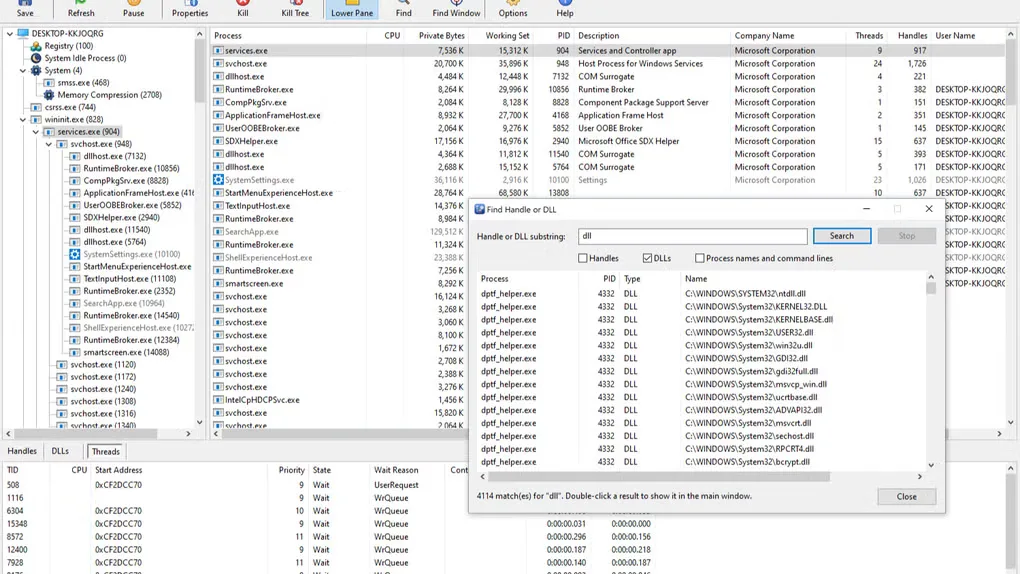
Advanced Process Explorer is a Windows process-monitoring utility for investigating locked files, resource use and unfamiliar processes. It pairs a parent-and-child process tree with a sortable process list, then shows the selected process's handles, loaded DLLs or threads in a lower pane. Process properties add details such as the executable path, command line, digital signature and network endpoints.
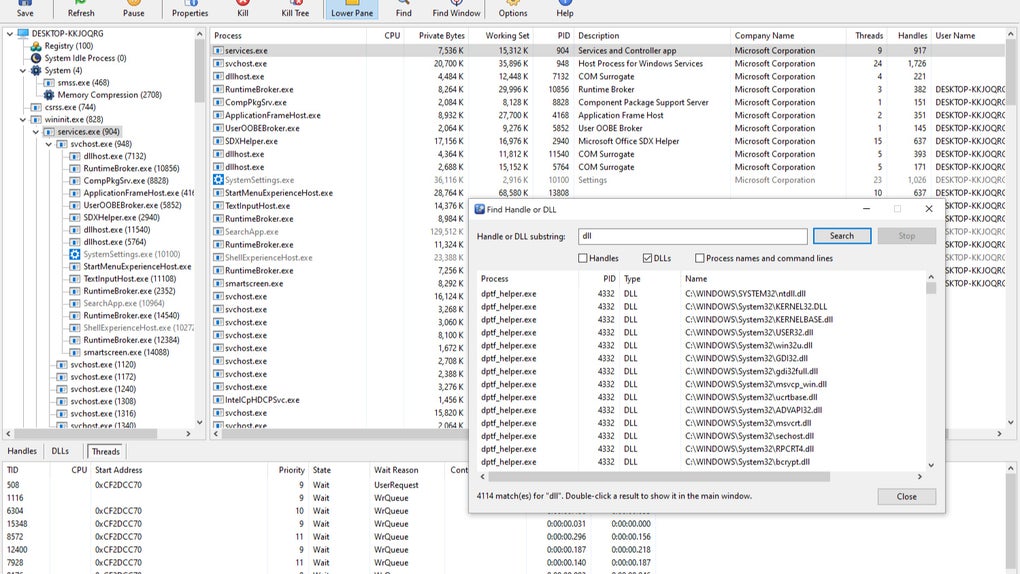
To investigate a file that cannot be renamed or deleted, use Find Handle or DLL and search for part of its name. Results identify the processes holding matching objects; selecting a result takes you to that process. A separate crosshair tool identifies the process behind a window. You can also save the process list as text or CSV.
Process controls include suspend, resume, restart, termination, priority and CPU affinity. Close a file normally before terminating its owner: killing a process loses that program's unsaved work. Administrator rights are needed to inspect handles belonging to system processes, services and other users. This is commercial trial software, not a permanently free utility.
What it offers
- Inspect parent-and-child process relationships alongside sortable CPU, memory, user and command-line information.
- Switch the lower pane between open handles, loaded DLLs and threads.
- Search handle and DLL names, process names or command lines; identify a window's owning process with the crosshair tool.
- Suspend, resume, restart or terminate processes, change priority and CPU affinity, and export the process list to TXT or CSV.
- Inspect executable signatures and process properties, including TCP/UDP endpoints, environment variables and hosted services.
Good to know
- The free evaluation lasts 30 days; continued licensed use requires purchase.
- Inspecting handles of system processes, services and other users' programs requires administrator rights.
- Terminating a process loses its unsaved work.
Product images
Sources
References used for this listing. Retrieval dates do not indicate hands-on testing.
More in utilities
View category ↗
1.1.1.1 with WARP 2026.8.2115.0
Encrypt traffic from your Mac to Cloudflare’s network with WARP, or use DNS-only mode for encrypted DNS queries to the 1.1.1.1 resolver.
1.1.1.1 with WARP 2026.8.2115.0
Encrypt traffic between your Windows PC and Cloudflare, or use encrypted DNS only, with the free 1.1.1.1 with WARP app.

3uTools 9.12.005
Manage iPhone and iPad photos, music, apps and backups from Windows with 3uTools, a free utility that also includes device checks and firmware flashing tools.