

Utilities Windows
Advanced Renamer for Windows
Batch rename files and folders on Windows with reusable rules, metadata tags and a live preview of new names. Free for occasional personal use; frequent personal and commercial use require a license.
- Operating system
- Windows 10 or later
- Architecture
- 64-bit; ARM through emulation
- Download package
- EXE installer
The publisher also offers a separate portable ZIP. This link selects the Windows installer, not a native ARM-specific package.
Link checked · Download guidance
What is Advanced Renamer?
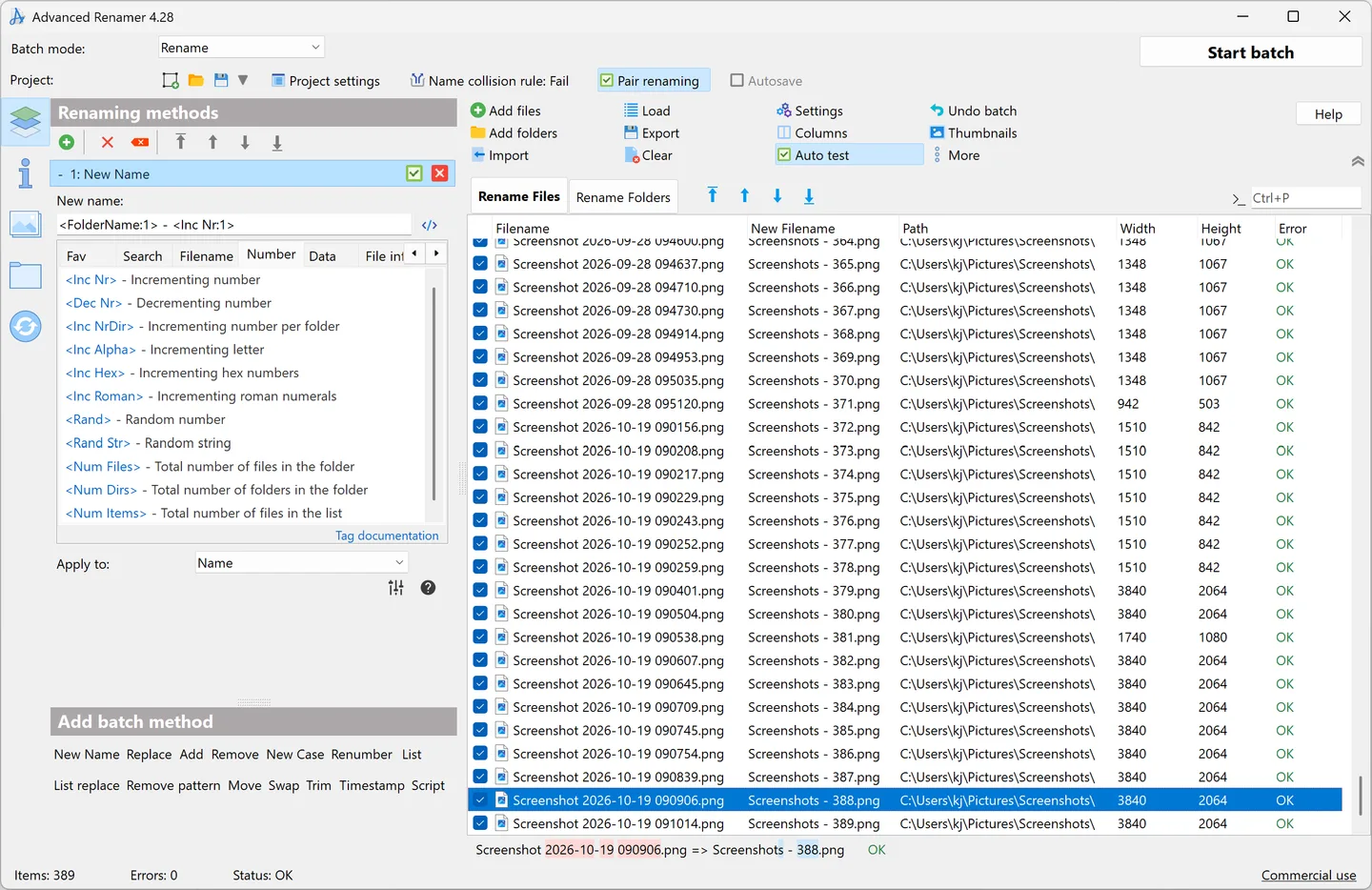
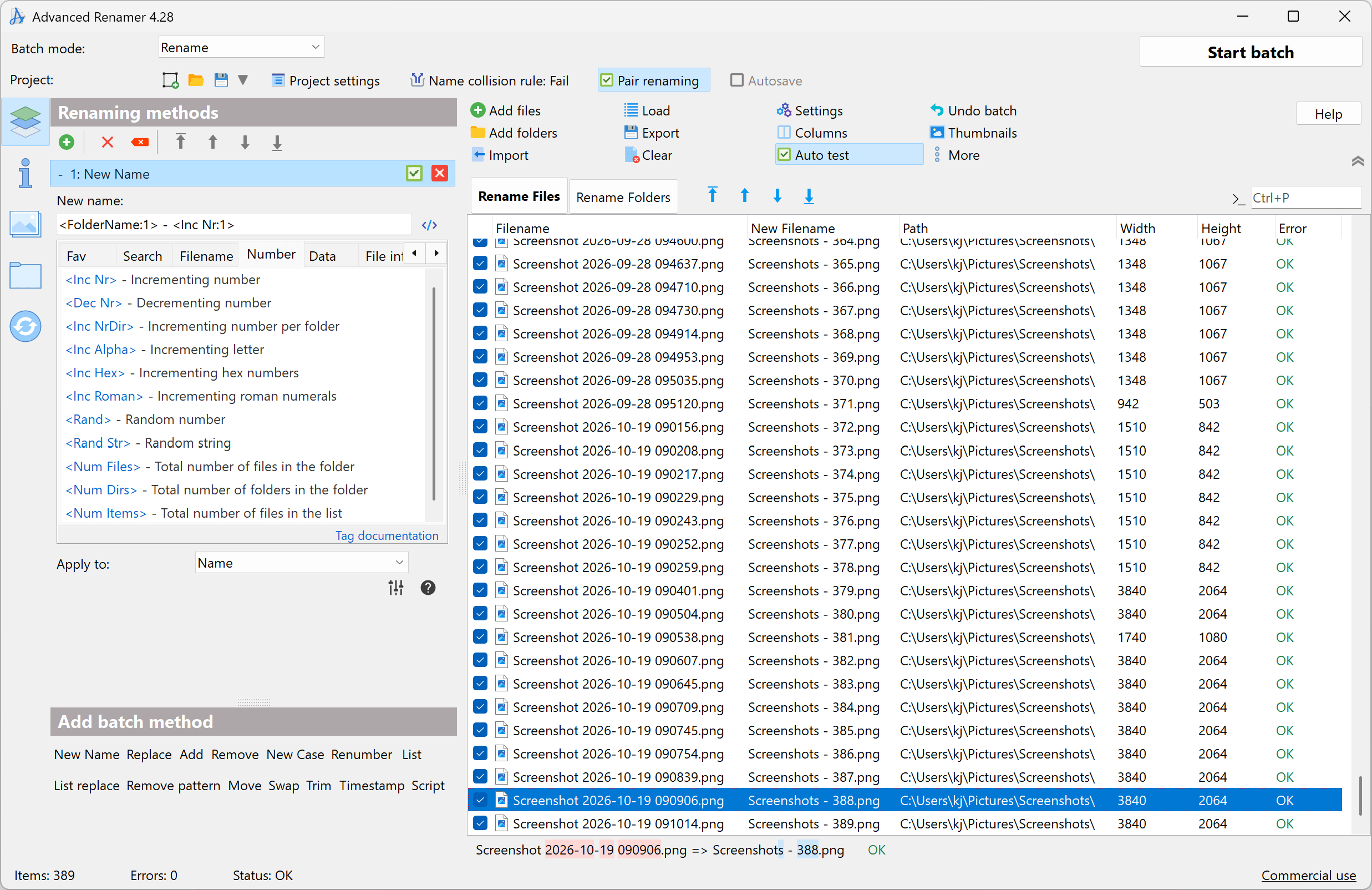
Advanced Renamer changes file and folder names in batches rather than one at a time. Combine methods to add or remove text, replace patterns, change case or build names from tags. It is useful for giving photo collections, music files and documents a consistent naming scheme. A live preview shows proposed names before a batch runs, and previous batches can be undone.
Image EXIF and XMP tags and MP3 / ID3 metadata can supply parts of a filename. Regular expressions, wildcards and JavaScript scripting cover more customized rules. Batch modes can also copy or move files instead of renaming them in place.
This entry links to the publisher’s version 4.28 Windows EXE installer, not the separate portable ZIP or macOS downloads. It requires 64-bit Windows 10 or later; the publisher states that ARM systems run it through emulation. The free tier is for casual or occasional personal use and limits a batch to 10,000 files or folders and five methods. Frequent personal use requires a personal license, and work or organizational use requires a commercial license.
What it offers
- Combine renaming methods to add, remove or replace text and change filename case.
- Preview new filenames in real time before applying a batch.
- Build names from image EXIF/XMP tags and MP3 / ID3 metadata.
- Use regular expressions, wildcards or JavaScript for custom renaming rules.
- Rename, copy or move files and folders; undo previous batches.
Good to know
- The free tier is limited to 10,000 files or folders and five methods per batch.
- Frequent personal use requires a personal license; commercial and organizational use require a commercial license.
- The Windows version requires a 64-bit Windows 10 or later system; ARM support is through emulation.
Product images
More in utilities
View category ↗
1.1.1.1 with WARP 2026.8.2115.0
Encrypt traffic from your Mac to Cloudflare’s network with WARP, or use DNS-only mode for encrypted DNS queries to the 1.1.1.1 resolver.
1.1.1.1 with WARP 2026.8.2115.0
Encrypt traffic between your Windows PC and Cloudflare, or use encrypted DNS only, with the free 1.1.1.1 with WARP app.

3uTools 9.12.005
Manage iPhone and iPad photos, music, apps and backups from Windows with 3uTools, a free utility that also includes device checks and firmware flashing tools.