
Development Windows
Adventure Game Studio
Create point-and-click adventure games with Adventure Game Studio, a free Windows editor combining room tools, scripting and a debugger.
Version 3.6.2 Patch 12 (3.6.2.22) · Direct publisher file
Link checked · Download guidance
What is Adventure Game Studio?
Adventure Game Studio (AGS) is a free, open-source engine and Windows editor for building graphical point-and-click adventure games. Import artwork, define rooms and character animations, and write event-driven scripts in a Java/C#-style language. Its integrated compiler and debugger keep game building and script debugging in the same workspace.
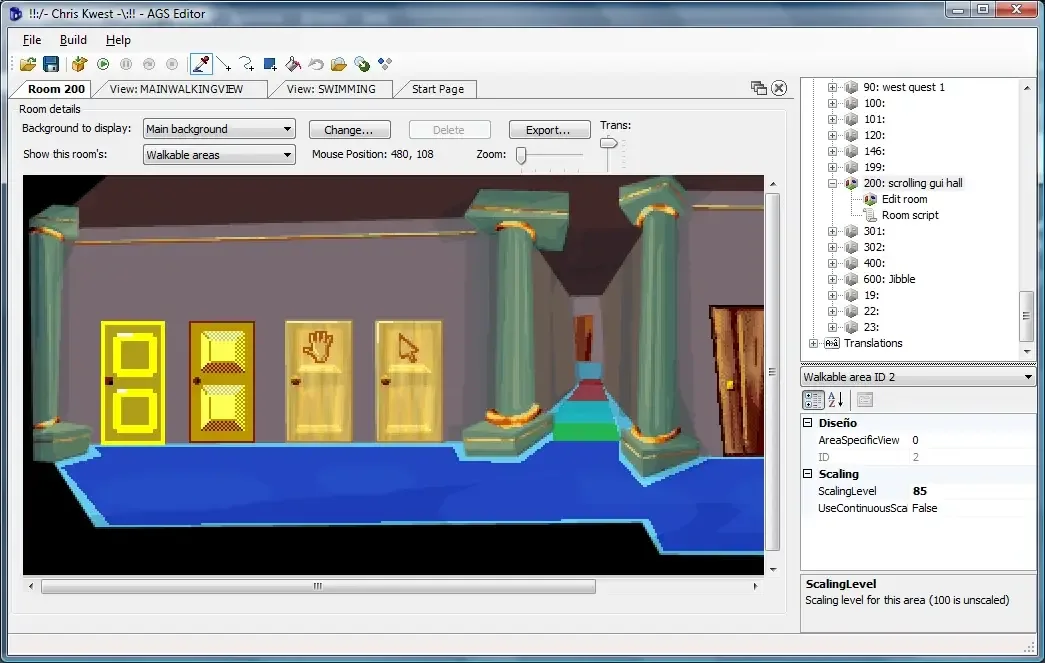
The room editor provides tools for objects, hotspots, walkable areas and walk-behinds. Script autocomplete, syntax highlighting, breakpoints and stepping support the programming side; built-in translation support helps prepare game text in other languages. AGS can be used to create both freeware and commercial games, subject to the relevant licensing terms.
This entry links to the official Windows EXE installer for 3.6.2 Patch 12 (3.6.2.22). The publisher lists Windows Vista, 7, 8, 10 and 11, an x86 Visual C++ Redistributable, and .NET Framework 4.5 for Windows 7 and Vista. The editor itself is Windows-only: support for running finished games on other platforms is not a native editor for those systems. Basic setup is visual, but game reactions use scripting. The screenshot is a publisher-supplied room-editor example, not a capture of this specific release.
What it offers
- Define rooms with objects, hotspots, walkable areas and walk-behinds.
- Import graphics and create animation views in the Windows editor.
- Write event-driven scripts with autocomplete, syntax highlighting and call tips.
- Compile games and debug scripts with breakpoints and step-through execution.
- Add music, sound, speech packs and translated game text.
Good to know
- The AGS editor is Windows-only; other runtime platforms do not provide the same native editor.
- Visual setup does not remove scripting: event reactions use a Java/C#-style language.
- Only one room can be open for editing at a time.
Product images
Sources
References used for this listing. Retrieval dates do not indicate hands-on testing.
- Adventure Game Studio — official homepage ↗Retrieved
- Create | Adventure Game Studio ↗Retrieved
- Introduction — AGS manual ↗Retrieved
- Room Editor — AGS manual ↗Retrieved
- Copyright and terms of use — AGS manual ↗Retrieved
More in development
View category ↗

010 Editor 17.0
Inspect and edit binary files on Mac with 010 Editor, a paid text and hex editor with Binary Templates, file comparison and a 30-day trial.
010 Editor 17.0
Inspect and edit binary files with 010 Editor for Windows, a text and hex editor with Binary Templates, file comparison and scripting. Includes a 30-day trial.
10x Editor
Edit and navigate C++ projects on Windows with a built-in parser, workspace search and Visual Studio project support. A paid license is required after the 30-day trial.