

Utilities Windows
Air Explorer for Windows
Browse, transfer and synchronize files across cloud accounts and local folders with Air Explorer for Windows. The free edition allows one account per cloud provider; Pro adds automation and encryption.
What is Air Explorer?
Air Explorer brings cloud storage accounts into a desktop file manager so you can work with Google Drive, OneDrive, Dropbox and other supported services without opening a separate interface for each. Open source and destination locations side by side to copy or move files, or set up folder synchronization between clouds and your computer. Windows also has a four-panel workspace for keeping several locations visible.
The free edition is useful for transfers and synchronization with one account per cloud provider. Air Explorer Pro adds unlimited accounts, scheduled synchronization, file encryption and command-line automation. Cloud-to-cloud transfers use your computer's internet connection, according to the publisher; this is not a promise of remote migration while your PC is offline.
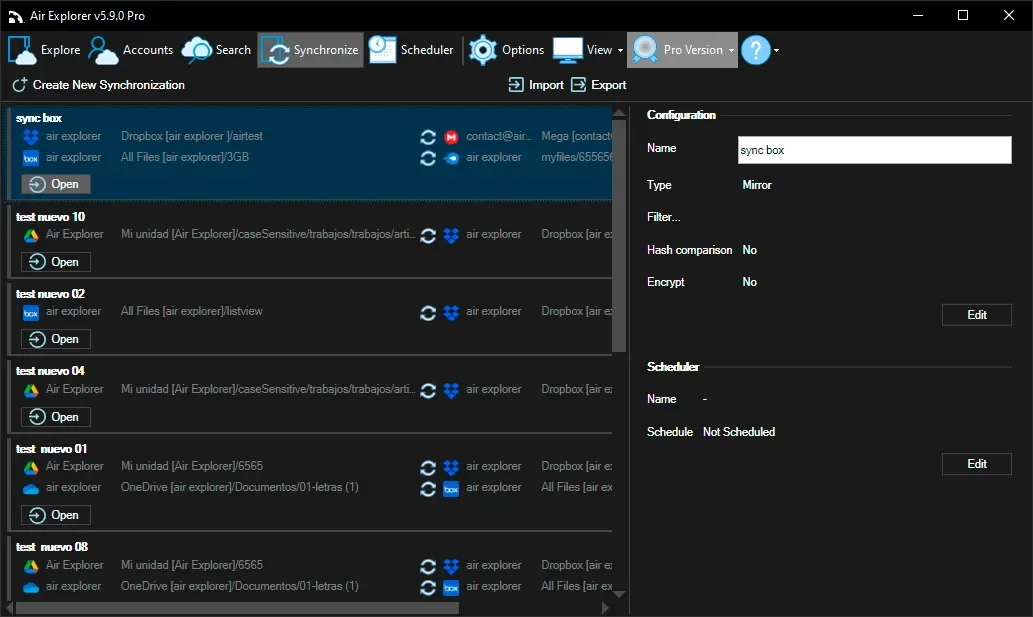
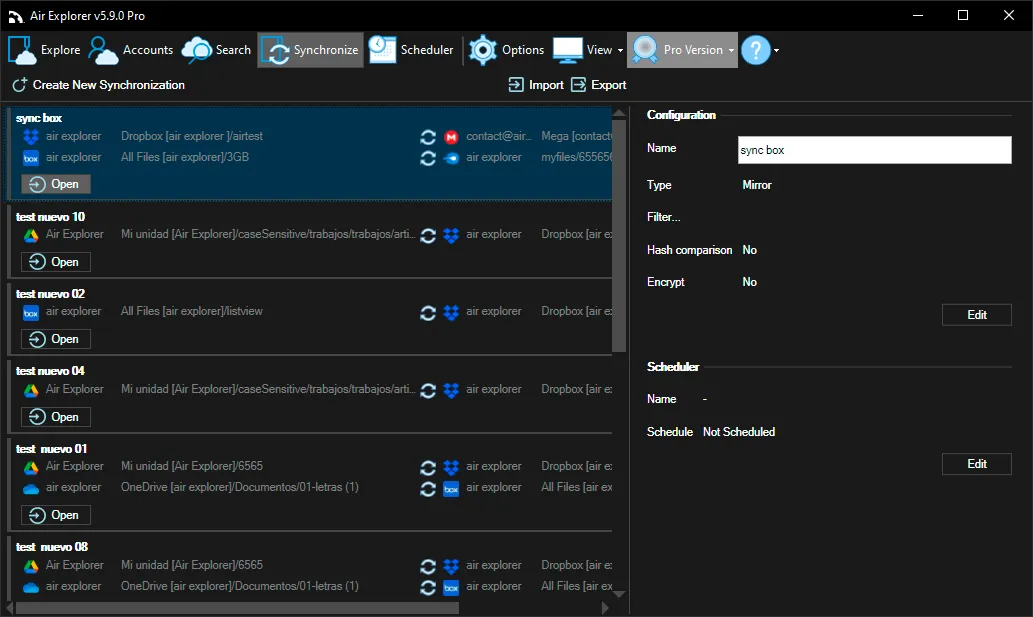
The linked EXE is the Windows installer listed by the publisher. Version 5.11.0 is identified in its Windows release history. The screenshot illustrates the Windows Pro synchronization workspace from version 5.9.0, not a new capture of 5.11.0.
What it offers
- Browse supported cloud accounts and local folders in one file manager, including Google Drive, OneDrive, Dropbox, S3, FTP, SFTP and WebDAV connections.
- Copy or move files between locations using drag and drop, transfer arrows or copy and paste.
- Synchronize folders between cloud services or between a cloud and your computer.
- Use one, two or four panels on Windows to keep different locations visible.
- With Pro, add unlimited accounts and use scheduled synchronization, file encryption and command-line automation.
Good to know
- The free edition allows one account per cloud provider; unlimited accounts, scheduling, encryption and command-line support require Pro.
- Cloud-to-cloud transfers use the computer's internet connection rather than running independently on the publisher's servers.
- A Pro license covers one device.
Product images
Sources
References used for this listing. Retrieval dates do not indicate hands-on testing.
- Air Explorer - Download ↗Retrieved
- Air Explorer: Free Cloud Storage Manager for Windows & Mac ↗Retrieved
- Download Air Explorer Free for Windows & Mac ↗Retrieved
- Pro version - Air Explorer ↗Retrieved
- End User License Agreement - Air Explorer ↗Retrieved
- Air Explorer Help - User Guide for Windows and Mac ↗Retrieved
More in utilities
View category ↗
1.1.1.1 with WARP 2026.8.2115.0
Encrypt traffic from your Mac to Cloudflare’s network with WARP, or use DNS-only mode for encrypted DNS queries to the 1.1.1.1 resolver.
1.1.1.1 with WARP 2026.8.2115.0
Encrypt traffic between your Windows PC and Cloudflare, or use encrypted DNS only, with the free 1.1.1.1 with WARP app.

3uTools 9.12.005
Manage iPhone and iPad photos, music, apps and backups from Windows with 3uTools, a free utility that also includes device checks and firmware flashing tools.