
Utilities macOS
AlDente for macOS
Set a charging limit for a supported MacBook with AlDente. The free edition includes manual Discharge; paid Pro features add heat protection, charge ranges and calibration automation.
Version 1.40 · Direct publisher file
Link checked · Download guidance
What is AlDente?
AlDente controls how a supported MacBook charges while connected to its power adapter. Choose a battery percentage to pause charging at that level. If the battery is already above the limit, lowering the limit pauses charging rather than draining it immediately; the free Discharge feature can bring the charge down while the MacBook remains plugged in. This makes the app useful for desk-based use where a laptop spends much of its time connected to power.
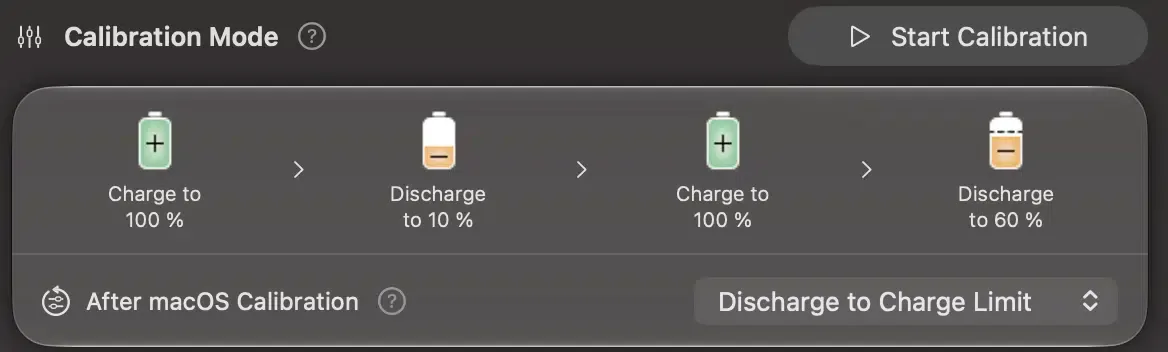
The free edition covers charge limiting and manual discharge. AlDente Pro adds Heat Protection to pause charging above a temperature threshold, Sailing Mode to work within a charge range, and Calibration Mode to automate a charge-discharge cycle. These are paid features, not part of the free feature set.
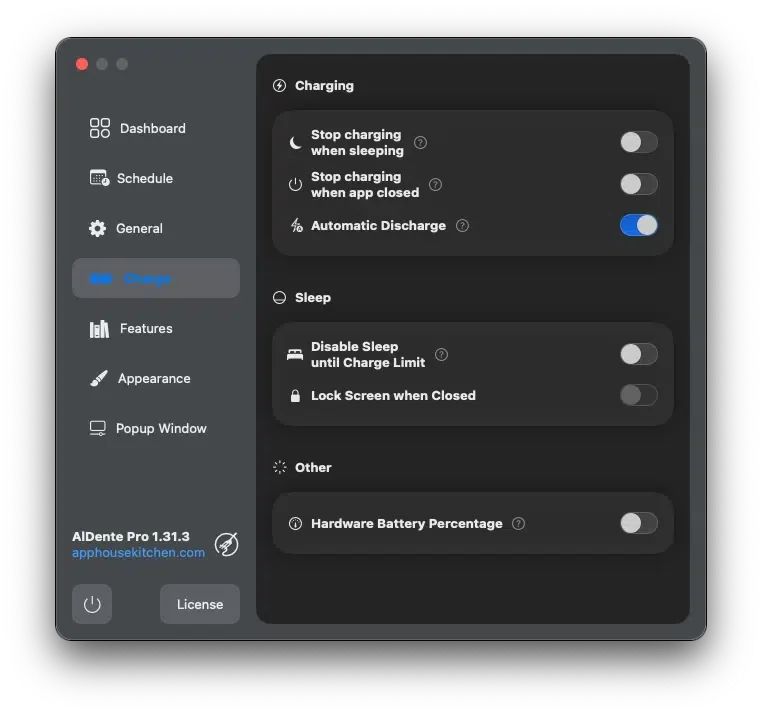
Check the publisher's supported-model list before choosing the app: support covers listed Intel and Apple silicon MacBooks, not every Mac. A charge limit is also not an unconditional ceiling. The publisher explains that macOS can force a full battery calibration that AlDente cannot interrupt. The linked package is the publisher's AlDente 1.40 disk image; screenshots include a current calibration detail and an older publisher-supplied Pro settings window, whose layout differs from this release.
What it offers
- Choose a charge-limit percentage and pause charging when that level is reached.
- Use the free Discharge feature to run on battery while the MacBook stays connected to its charger.
- With Pro, pause charging when the battery exceeds the Heat Protection temperature threshold.
- With Pro, use Sailing Mode to maintain a charge range rather than a single percentage.
- With Pro, automate a full charge-discharge cycle using Calibration Mode.
Good to know
- Hardware support is limited to the MacBook models listed by the publisher; check your exact Intel or Apple silicon model.
- Heat Protection, Sailing Mode and Calibration Mode require the paid Pro edition.
- macOS can force charging to 100% for its own battery calibration; AlDente cannot interrupt that process.
Product images
More in utilities
View category ↗
1.1.1.1 with WARP 2026.8.2115.0
Encrypt traffic from your Mac to Cloudflare’s network with WARP, or use DNS-only mode for encrypted DNS queries to the 1.1.1.1 resolver.
1.1.1.1 with WARP 2026.8.2115.0
Encrypt traffic between your Windows PC and Cloudflare, or use encrypted DNS only, with the free 1.1.1.1 with WARP app.


3uTools 9.12.005
Manage iPhone and iPad photos, music, apps and backups from Windows with 3uTools, a free utility that also includes device checks and firmware flashing tools.