
Utilities Windows
Alt-Tab Terminator
Find and switch between open Windows applications with title search, live previews and an application-group filter. Basic features are free; advanced controls require PRO.
- Operating system
- Windows 7 through Windows 11
- Architecture
- 32-bit and 64-bit
- Download package
- EXE installer
Publisher says the setup package includes the native 64-bit version and installs it automatically. Multi-monitor support is a paid PRO feature.
Link checked · Download guidance
What is Alt-Tab Terminator?
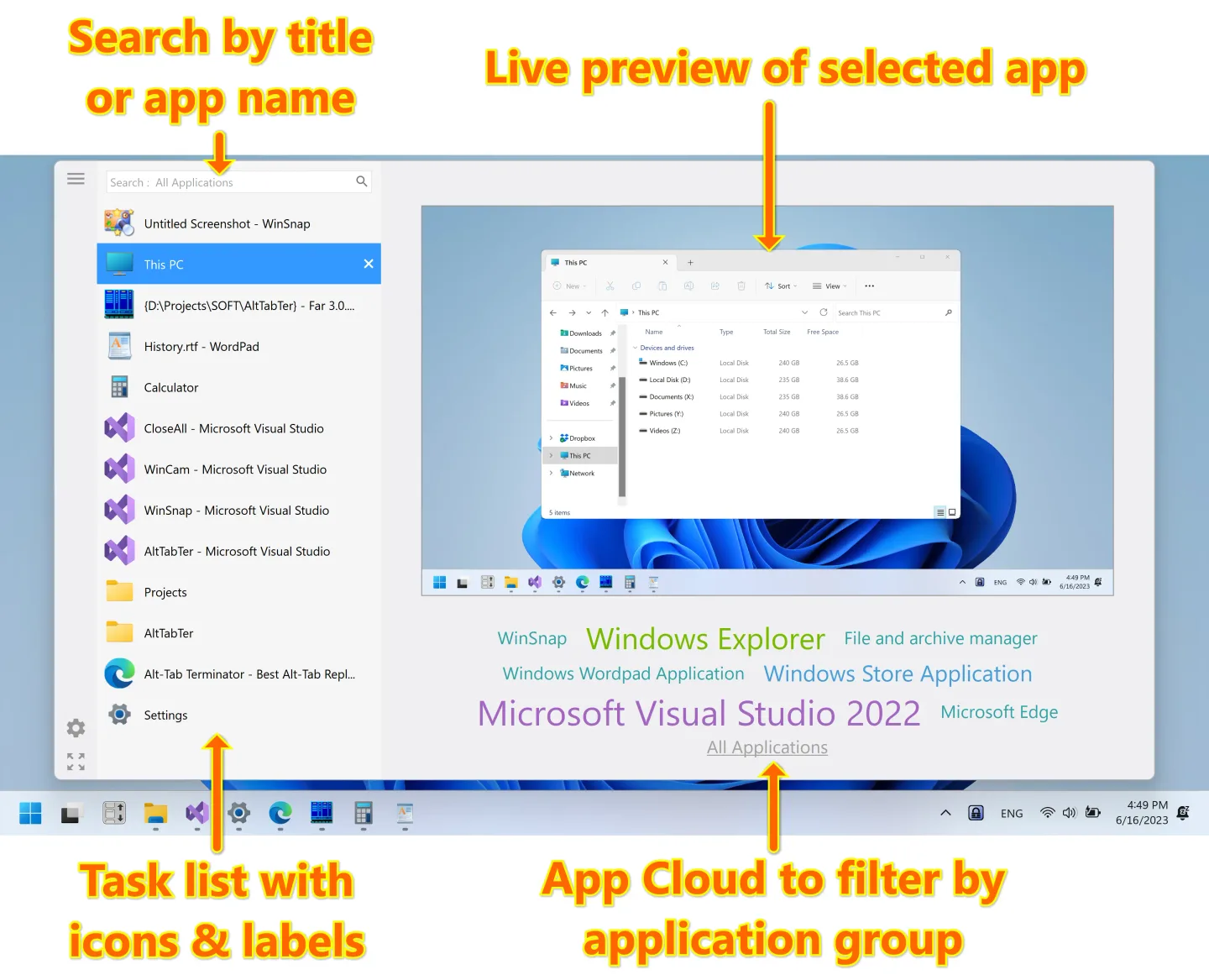
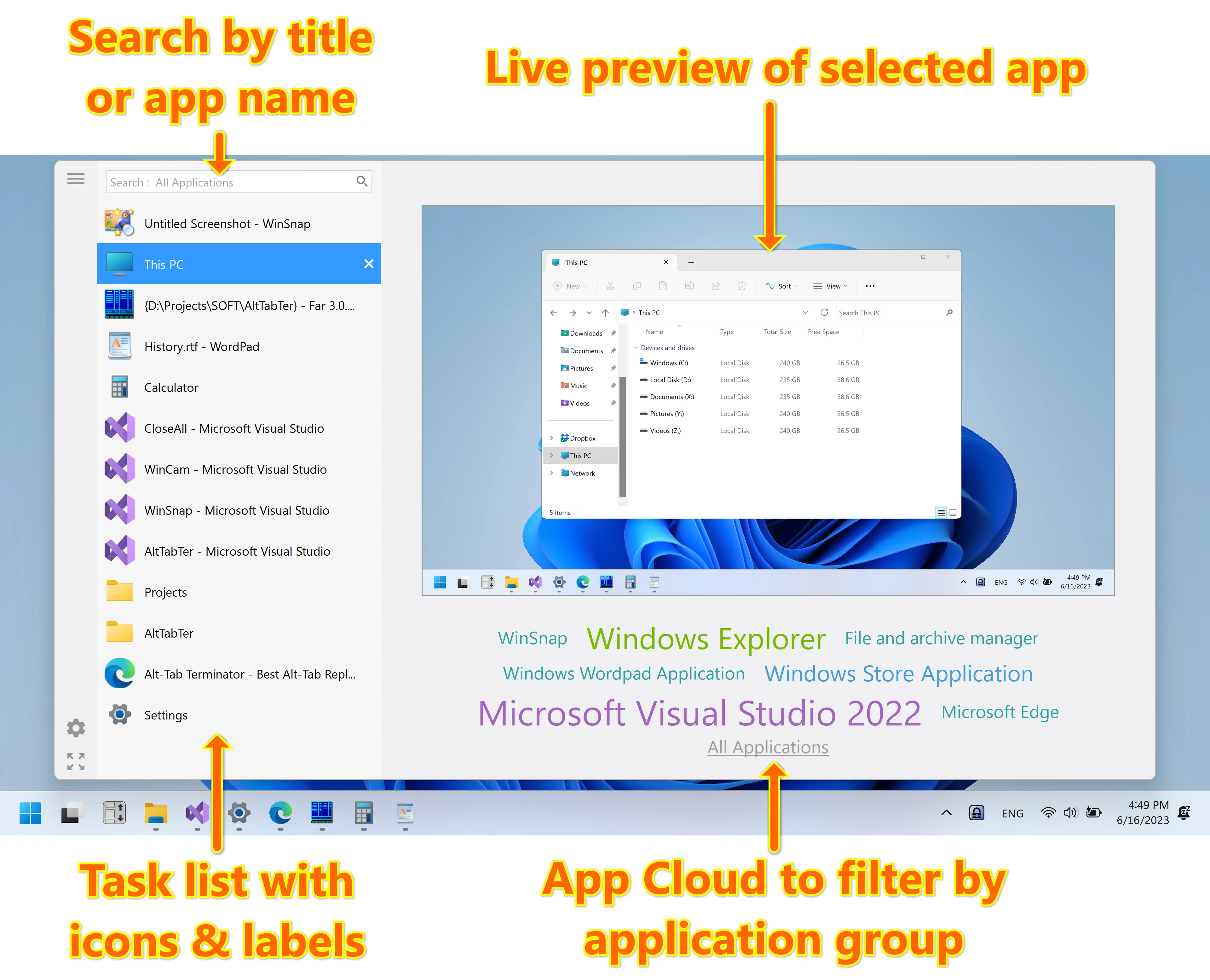
Alt-Tab Terminator replaces the Windows Alt-Tab switcher with a searchable list of open windows and a live desktop preview of the selected application. Type a window title or application name to narrow the list, then navigate with the keyboard or mouse. The App Cloud below the preview filters windows by application, which is useful when several open windows belong to the same program.
The switcher also provides window-management actions, including closing, minimizing, maximizing and restoring windows. NTWind offers a free basic edition and a paid PRO upgrade. Multi-monitor support, exclusions, custom hotkeys and UI customization are PRO features, so the free edition is not a substitute for the full advanced feature set. The linked EXE is the publisher's Windows setup package, not a portable build.
What it offers
- Search open windows by title or application name.
- View a live desktop preview beside the titled task list.
- Filter windows by application using App Cloud.
- Navigate with the mouse or keyboard and access window-management actions.
Good to know
- Multi-monitor support, exclusions, custom hotkeys and UI customization require the paid PRO edition.
Product images
Sources
References used for this listing. Retrieval dates do not indicate hands-on testing.
More in utilities
View category ↗
1.1.1.1 with WARP 2026.8.2115.0
Encrypt traffic from your Mac to Cloudflare’s network with WARP, or use DNS-only mode for encrypted DNS queries to the 1.1.1.1 resolver.
1.1.1.1 with WARP 2026.8.2115.0
Encrypt traffic between your Windows PC and Cloudflare, or use encrypted DNS only, with the free 1.1.1.1 with WARP app.

3uTools 9.12.005
Manage iPhone and iPad photos, music, apps and backups from Windows with 3uTools, a free utility that also includes device checks and firmware flashing tools.