
Utilities Windows
AMP Calendar
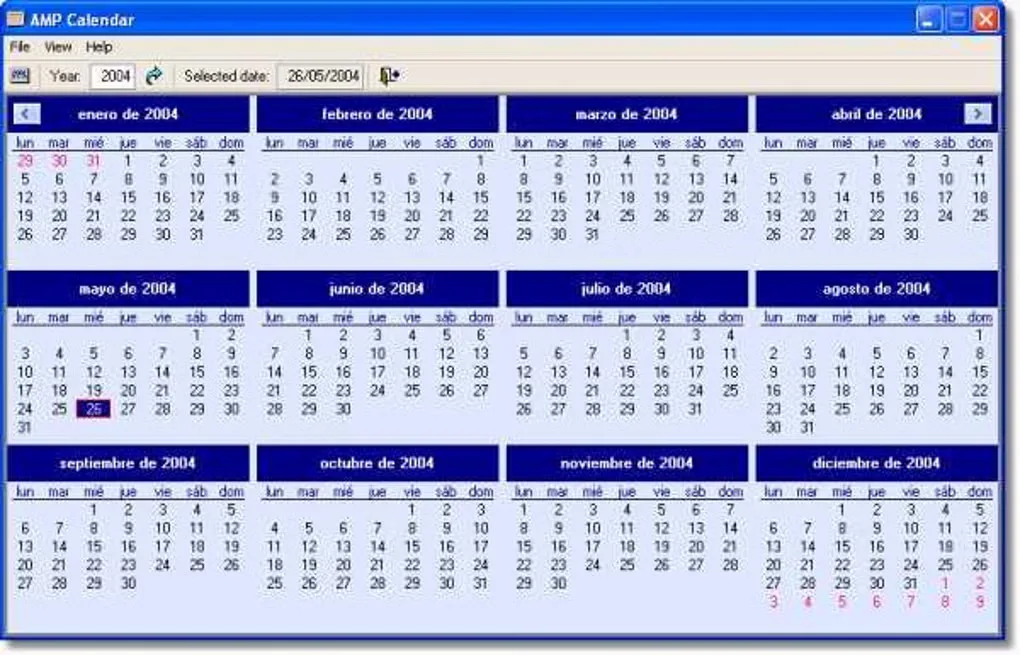
View twelve months at once, print a calendar and check the current day from a taskbar icon with AMP Calendar, a free Windows utility.
- Operating system
- Windows; supported versions not specified by the publisher
- Architecture
- Not specified by the publisher
- Download package
- EXE installer
Publisher also links a separate ZIP package. Windows 10/11 support and installation behavior have not been verified; the installer was checked with HEAD only.
Link checked · Download guidance
What is AMP Calendar?
AMP Calendar puts a full year of dates in one Windows calendar window. It uses Windows regional settings for the calendar and shows the current day of the month in its taskbar icon, giving you a quick way to check dates without opening a larger organizer. You can change the colors, arrange months in columns and choose the first month and first day of the week.
The calendar can also be printed or displayed without its borders and menu bar. The publisher lists version 2.42, including a fix for December selecting the first day instead of the current day. Softonic still lists 2.40, so this entry uses the publisher's version and direct installer link rather than the older catalog metadata.
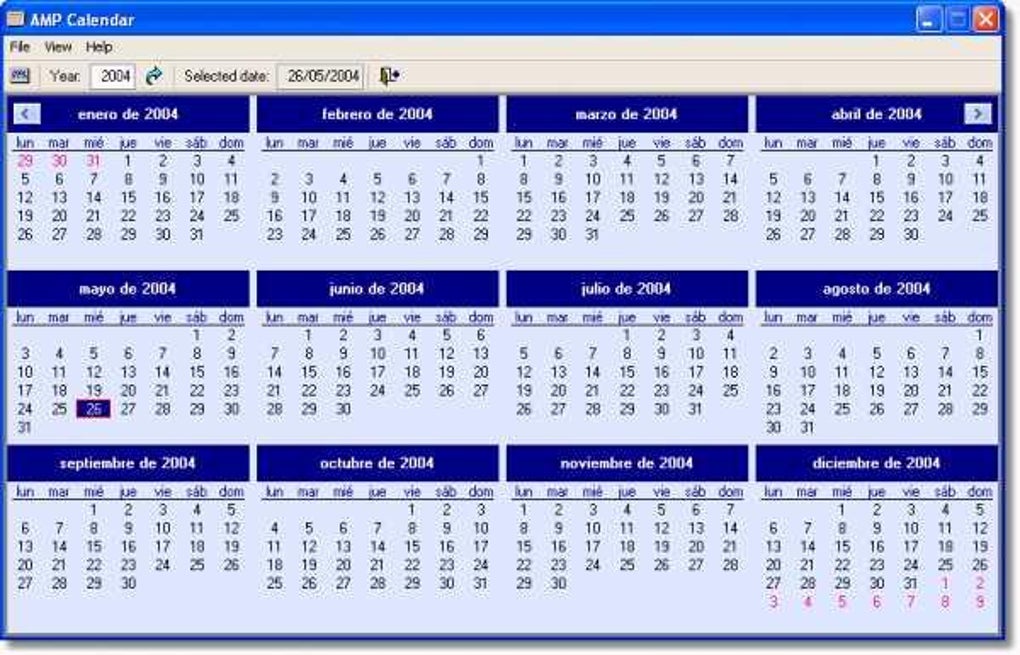
Compatibility needs care: the publisher describes a Windows utility but does not establish Windows 10 or Windows 11 support or identify the installer architecture on the product page. The screenshot illustrates the application's older Windows interface, not a verified run on a current operating system.
What it offers
- See twelve months of a year together using Windows regional settings.
- Open the calendar from a taskbar icon that displays the current day of the month.
- Customize calendar colors, column layout, first month and first day of the week.
- Print the calendar or use the borderless view without a menu bar.
Good to know
- Windows 10/11 compatibility and processor architecture are not established by the publisher's product page.
- Softonic lists 2.40 while the publisher lists 2.42; the catalog's update dates do not establish a release date for 2.42.
Product images
Sources
References used for this listing. Retrieval dates do not indicate hands-on testing.
More in utilities
View category ↗
1.1.1.1 with WARP 2026.8.2115.0
Encrypt traffic from your Mac to Cloudflare’s network with WARP, or use DNS-only mode for encrypted DNS queries to the 1.1.1.1 resolver.
1.1.1.1 with WARP 2026.8.2115.0
Encrypt traffic between your Windows PC and Cloudflare, or use encrypted DNS only, with the free 1.1.1.1 with WARP app.

3uTools 9.12.005
Manage iPhone and iPad photos, music, apps and backups from Windows with 3uTools, a free utility that also includes device checks and firmware flashing tools.