
Utilities Windows
AMP WinOFF
Schedule Windows shutdown, restart or hibernation with AMP WinOFF, a freeware utility with timer, user-idle, CPU-load and network-activity conditions.
- Operating system
- Windows; publisher changelog discusses Vista and Windows 7
- Architecture
- Not specified in the retrieved publisher documentation
- Download package
- EXE installer
Windows 10/11 support is unconfirmed. A ZIP alternative is also linked by the publisher; this card selects the EXE installer. No installer was downloaded or executed.
Link checked · Download guidance
What is AMP WinOFF?
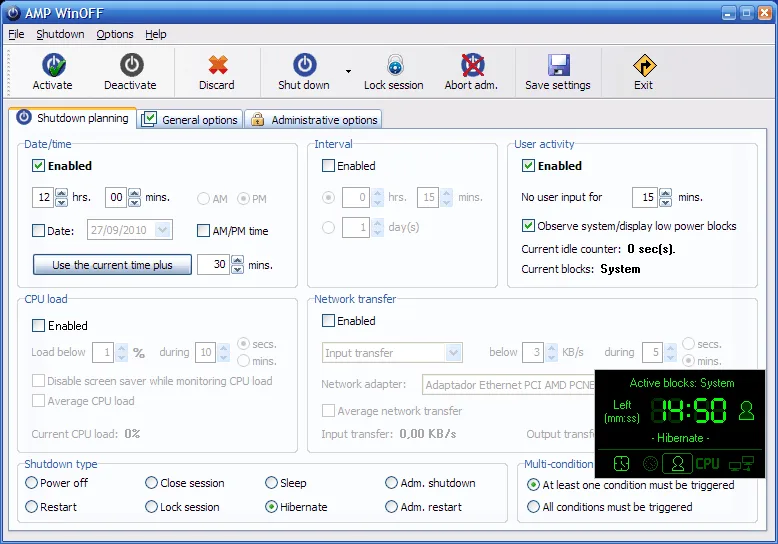
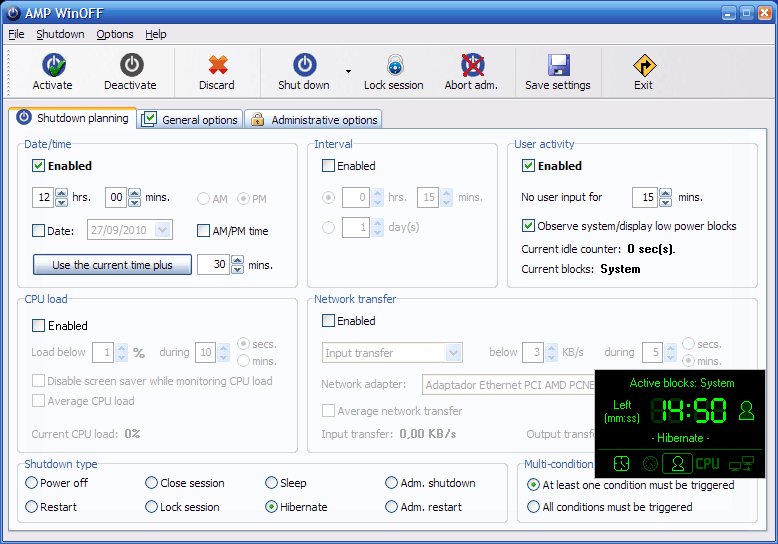
AMP WinOFF schedules power and session actions on Windows computers. Set a specific date and time, start a countdown, or use inactivity conditions based on keyboard and mouse input, CPU load or network transfer. Multiple conditions can work together: the plan can act when any condition is met or wait until all selected conditions are satisfied.
The available actions include powering off, restarting, signing out, locking the session, sleeping and hibernating. A taskbar menu provides immediate actions, while password-protected configuration and command-line support offer additional control over a shutdown plan. The interface is available in English and Spanish.
The publisher lists version 5.0.1 and documents fixes for Windows Vista and Windows 7. The retrieved publisher pages do not confirm compatibility with Windows 10 or Windows 11. Treat modern Windows support as unconfirmed; this entry describes publisher-documented features, not a hands-on installation test.
What it offers
- Schedule an action for a date and time or after a chosen interval.
- Trigger a plan using keyboard/mouse inactivity, CPU load or network-transfer conditions.
- Combine conditions so that either any selected condition or all selected conditions must be met.
- Choose power off, restart, sign out, lock session, sleep or hibernate.
- Use password-protected configuration, taskbar actions and command-line batch support.
Good to know
- Windows 10 and Windows 11 compatibility is not confirmed by the retrieved publisher documentation; its compatibility notes refer to Windows Vista and Windows 7.
Product images
Sources
References used for this listing. Retrieval dates do not indicate hands-on testing.
More in utilities
View category ↗
1.1.1.1 with WARP 2026.8.2115.0
Encrypt traffic from your Mac to Cloudflare’s network with WARP, or use DNS-only mode for encrypted DNS queries to the 1.1.1.1 resolver.
1.1.1.1 with WARP 2026.8.2115.0
Encrypt traffic between your Windows PC and Cloudflare, or use encrypted DNS only, with the free 1.1.1.1 with WARP app.

3uTools 9.12.005
Manage iPhone and iPad photos, music, apps and backups from Windows with 3uTools, a free utility that also includes device checks and firmware flashing tools.