

Development Windows
Anaconda for Windows
Work with Python data-science tools, manage packages with conda and keep project environments separate with Anaconda Distribution for Windows.
- Operating system
- Windows (64-bit)
- Architecture
- x86_64
- Download package
- EXE graphical installer
This link is Anaconda Distribution for x86_64, not Miniconda. All Users installation requires administrator privileges.
Link checked · Download guidance
What is Anaconda?
Anaconda Distribution brings Python, conda and desktop tools together for data-science work. It includes Jupyter Notebook and JupyterLab for notebook-based analysis, plus Anaconda Navigator for launching applications and managing packages without typing conda commands. The linked download is the Windows 64-bit x86_64 graphical installer, not the separate Miniconda installer.
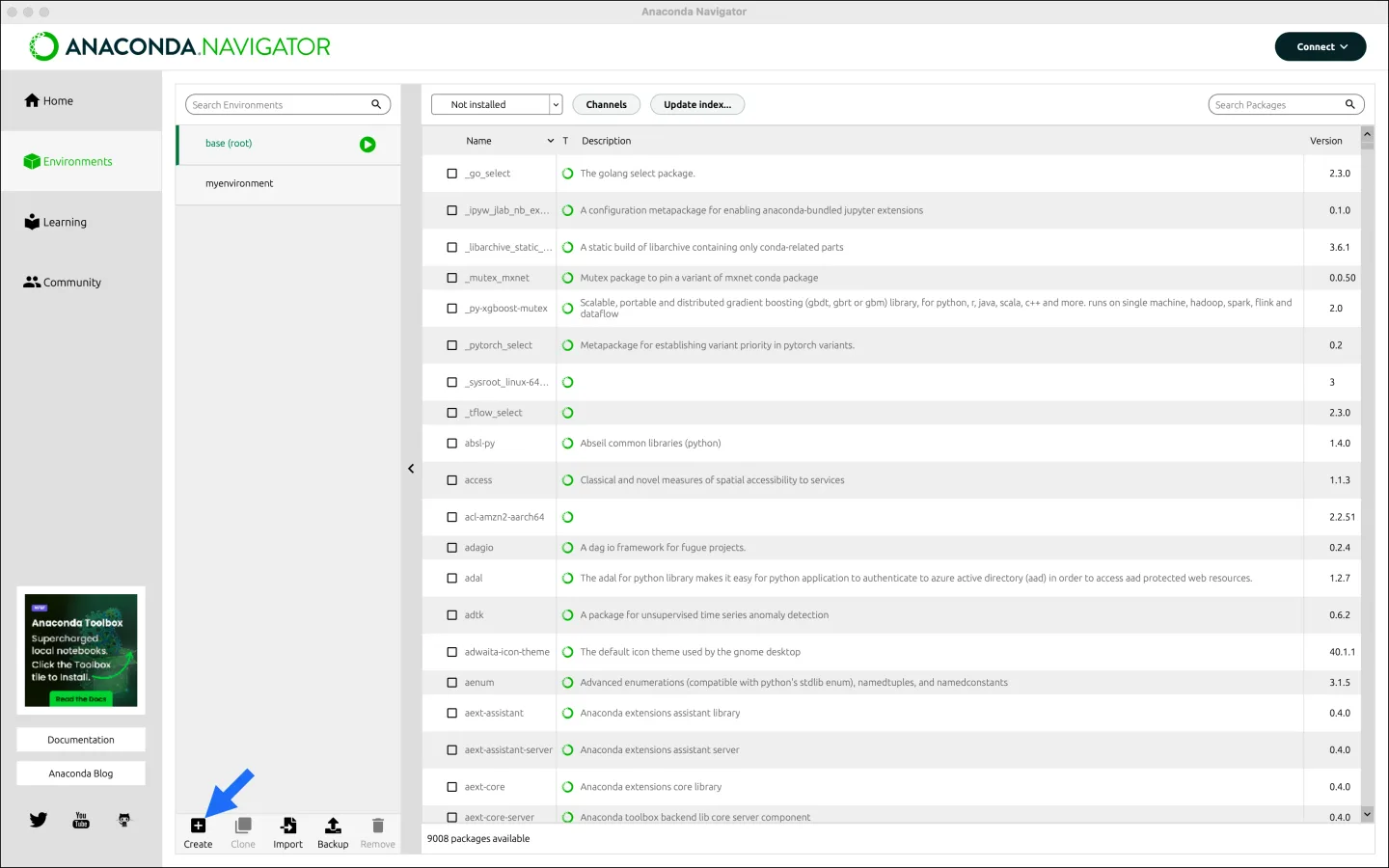
Use conda environments to give projects their own packages and dependencies rather than sharing one working setup. Navigator provides an Environments view for creating environments, switching between them and finding packages to install or update. Command-line users can work through Anaconda Prompt instead.
Check licensing before adopting Anaconda at work: the publisher says organizations with more than 200 employees or contractors require a paid business license unless eligible for discounted or free use. On Windows, adding Anaconda to PATH can also make other programs use its package binaries; the publisher recommends opening Navigator or Anaconda Prompt instead. The screenshot is the publisher’s macOS example of the cross-platform Navigator interface, not a capture of this Windows installer.
What it offers
- Use Python, Jupyter Notebook and JupyterLab for data-science and notebook workflows.
- Install packages and manage their dependencies with conda.
- Create and switch isolated project environments in Navigator.
- Launch applications through Navigator or use conda from Anaconda Prompt on Windows.
Good to know
- Organizations with more than 200 employees or contractors require a paid business license unless eligible for discounted or free use under Anaconda’s terms.
- Adding Anaconda to Windows PATH can cause incompatibilities with other software; the publisher recommends using Navigator or Anaconda Prompt instead.
Product images
Sources
References used for this listing. Retrieval dates do not indicate hands-on testing.
- Anaconda - Download ↗Retrieved
- Download Anaconda Distribution | Anaconda ↗Retrieved
- Download Success | Anaconda ↗Retrieved
- Windows graphical installer ↗Retrieved
- Getting started with Navigator ↗Retrieved
- Anaconda Navigator ↗Retrieved
More in development
View category ↗
010 Editor 17.0
Inspect and edit binary files on Mac with 010 Editor, a paid text and hex editor with Binary Templates, file comparison and a 30-day trial.
010 Editor 17.0
Inspect and edit binary files with 010 Editor for Windows, a text and hex editor with Binary Templates, file comparison and scripting. Includes a 30-day trial.
10x Editor
Edit and navigate C++ projects on Windows with a built-in parser, workspace search and Visual Studio project support. A paid license is required after the 30-day trial.