

Utilities Windows
Ancestris for Windows
Build and maintain a family tree in GEDCOM format with Ancestris, free genealogy software for Windows with tree views, maps, source records and reports.
What is Ancestris?
Ancestris helps you record people, family relationships and supporting documents in a genealogy kept as a GEDCOM file. Its editors, dynamic tree and geographic view offer different ways to explore the same family history. You can manage sources and media, produce statistical reports, merge records and look for duplicates. The publisher places no software limit on the number of individuals, families or genealogies.
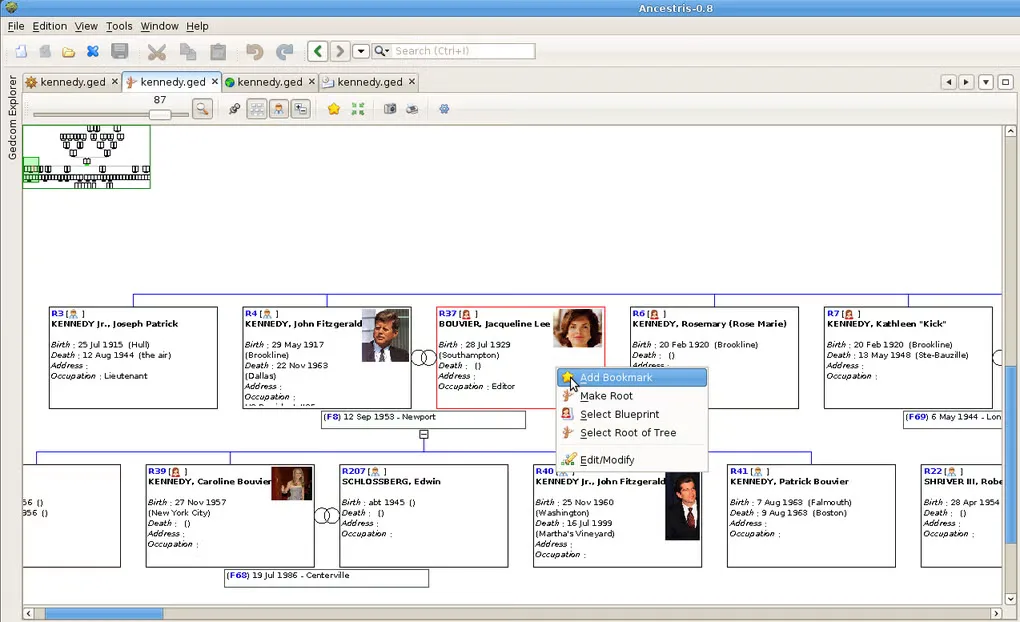
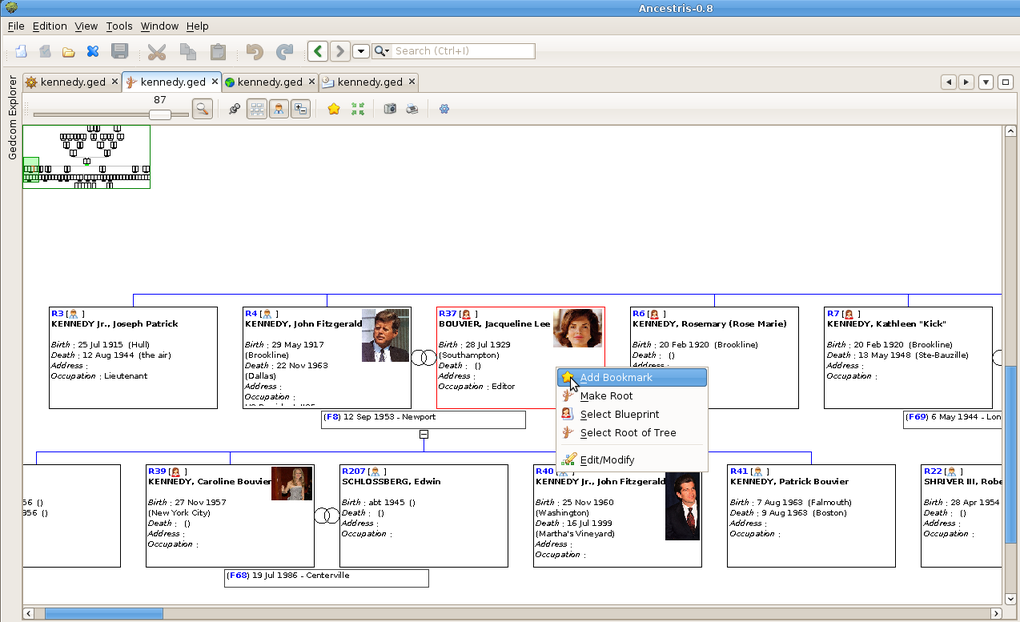
This entry links to the stable Ancestris 13 Windows installer, which includes Java. Version 14 is a separate daily development release. Ancestris depends on a graphical Java runtime; the publisher recommends at least a 1920 × 1080 display, and warns against accented characters in the installation path. The gallery image shows a historical Ancestris 0.8 interface, not the current version 13 layout.
What it offers
- Maintain genealogy data in a GEDCOM file.
- Edit family records and explore relationships in a dynamic tree.
- Map genealogy events and manage place records.
- Attach sources and media, generate statistical reports, and detect duplicate records.
- Manage individuals, families and multiple genealogies without a publisher-imposed count limit.
Good to know
- Requires a graphical Java runtime; the stable Windows installer includes Java, but incompatible or missing Java can prevent startup.
- The publisher recommends a minimum 1920 × 1080 screen and prohibits accents in the installation path.
Product images
Sources
References used for this listing. Retrieval dates do not indicate hands-on testing.
- Ancestris - Download ↗Retrieved
- Unlimited Family Tree Freeware on Windows, Mac and Linux - Ancestris ↗Retrieved
- Install and start Ancestris — publisher documentation ↗Retrieved
- Versions compatibility — publisher documentation ↗Retrieved
- Step-by-step installation of the stable version on Windows ↗Retrieved
- Publisher download mapping — read as inert source, never executed ↗Retrieved
More in utilities
View category ↗
1.1.1.1 with WARP 2026.8.2115.0
Encrypt traffic from your Mac to Cloudflare’s network with WARP, or use DNS-only mode for encrypted DNS queries to the 1.1.1.1 resolver.
1.1.1.1 with WARP 2026.8.2115.0
Encrypt traffic between your Windows PC and Cloudflare, or use encrypted DNS only, with the free 1.1.1.1 with WARP app.

3uTools 9.12.005
Manage iPhone and iPad photos, music, apps and backups from Windows with 3uTools, a free utility that also includes device checks and firmware flashing tools.