
Development Windows
Android SDK Platform-Tools
Communicate with Android devices from Windows using Google's standalone SDK Platform-Tools, including adb and fastboot. This ZIP is a command-line toolkit, not the full Android Studio IDE.
Version 37.0.1 · Direct publisher file
Link checked · Download guidance
What is Android SDK Platform-Tools?
Android SDK Platform-Tools provides command-line tools for working with Android devices from a Windows computer. Its main utilities are Android Debug Bridge (adb), for device communication and app debugging, and fastboot, for supported bootloader and system-image operations. The standalone Windows ZIP suits people who need these tools without installing Android Studio.
With adb, you can list connected devices, install apps, copy files between a computer and a device, inspect logs and open a device shell. USB use requires enabling USB debugging and authorizing the computer on the device. Supported Android devices can also pair for wireless debugging.
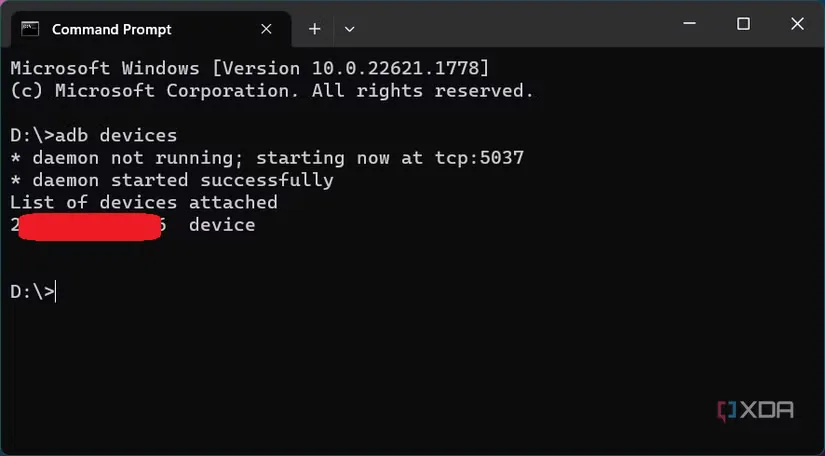
This entry covers only the Platform-Tools component of the Android SDK. The download is not a complete app-development environment or the Android Studio interface. Google recommends Android Studio's SDK Manager or sdkmanager for developers who want the tools kept alongside the rest of the SDK and easily updated. The screenshot is a historical Windows adb example from XDA, not a test of the linked package or a version-specific preview.
What it offers
- Use adb from a Windows terminal to communicate with connected Android devices.
- Install apps, transfer files, inspect device logs and run device-shell commands with adb.
- Pair compatible Android devices for wireless debugging.
- Use fastboot for supported bootloader unlocking and system-image flashing workflows.
- Get adb and fastboot in a standalone Windows ZIP without the Android Studio IDE.
Good to know
- Platform-Tools is only one Android SDK component, not the full IDE or a complete app-development environment.
- USB debugging must be enabled and the computer authorized before adb can communicate with a USB-connected device.
- Some adb and fastboot features require recent Android versions; not every feature is available on older devices.
- Google recommends SDK Manager or sdkmanager for managed updates; the standalone ZIP is a separate download.
Product images
More in development
View category ↗
010 Editor 17.0
Inspect and edit binary files on Mac with 010 Editor, a paid text and hex editor with Binary Templates, file comparison and a 30-day trial.
010 Editor 17.0
Inspect and edit binary files with 010 Editor for Windows, a text and hex editor with Binary Templates, file comparison and scripting. Includes a 30-day trial.


Abyss Web Server X1 2.16.22
Host a website on your Mac with Abyss Web Server X1, a free personal web server with a browser-based console, HTTPS and CGI/FastCGI support. X1 serves one host; multi-site virtual hosting requires X2.