

Utilities Windows
AntConc for Windows
Explore word usage, concordance lines and vocabulary patterns with AntConc for Windows, a corpus analysis toolkit free for non-commercial study, research and teaching.
- Operating system
- Windows; publisher does not specify a minimum Windows release on the product page
- Architecture
- x64
- Download package
- EXE installer
The selected official package is the Windows x64 installer. A separate portable ZIP is listed by the publisher; no installation or runtime compatibility test was performed.
Link checked · Download guidance
What is AntConc?
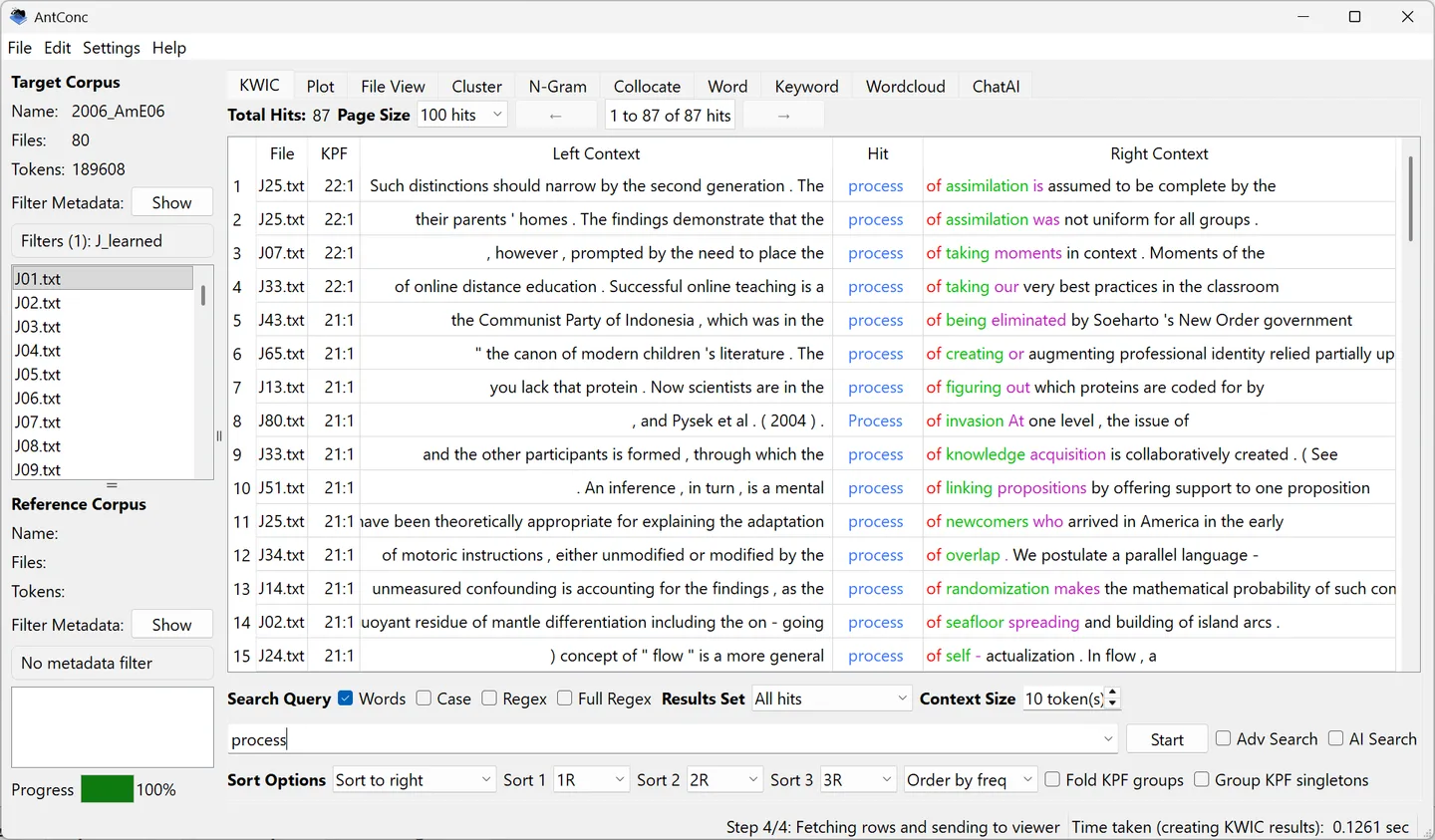
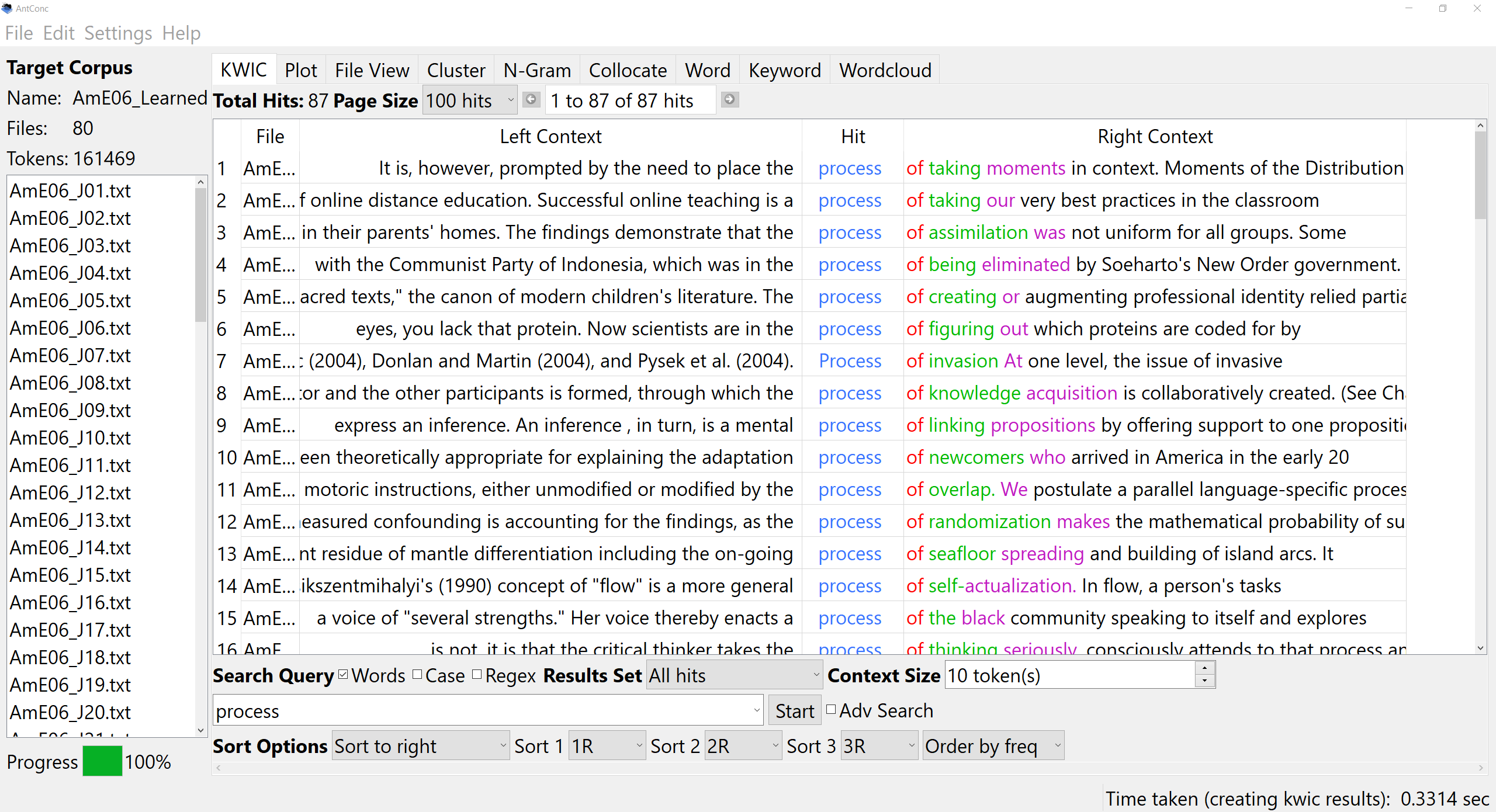
AntConc analyzes collections of texts for corpus linguistics research, teaching and language learning. Its KWIC view places each search hit between the surrounding words, so you can compare how an expression is used across documents. Open a result in File View to read its wider context, or use Plot to see where matches occur in each text.
The toolkit also finds recurring clusters and n-grams, measures nearby collocates, builds word-frequency lists and compares target and reference corpora for distinctive vocabulary. You can load files as a Quick Corpus or manage corpora through the Corpus Manager. The linked package is the publisher’s Windows x64 EXE installer for version 4.4.2; a separate portable ZIP is available on the official page.
Free use is limited to non-commercial purposes under the publisher’s license. Commercial evaluation is limited to 14 days from first installation, after which commercial use requires a paid license. Text encoding also matters: if a file is not UTF-8, resave it in UTF-8 or select its actual encoding before building the corpus.
What it offers
- Read and sort key-word-in-context concordance lines, then inspect full source text in File View.
- Plot the distribution of search hits across documents.
- Find clusters, n-grams and collocates to investigate recurring phrases and word associations.
- Generate word-frequency lists and compare target and reference corpora with the Keyword tool.
- Load files as a Quick Corpus or organize target and reference corpora in the Corpus Manager.
Good to know
- Freeware use is non-commercial only; commercial evaluation lasts at most 14 days from first installation, and continued commercial use requires a paid license.
- Corpus files must use the selected encoding; the publisher recommends UTF-8 and warns that mismatched encoding can prevent files from being read.
Product images
Sources
References used for this listing. Retrieval dates do not indicate hands-on testing.
More in utilities
View category ↗
1.1.1.1 with WARP 2026.8.2115.0
Encrypt traffic from your Mac to Cloudflare’s network with WARP, or use DNS-only mode for encrypted DNS queries to the 1.1.1.1 resolver.
1.1.1.1 with WARP 2026.8.2115.0
Encrypt traffic between your Windows PC and Cloudflare, or use encrypted DNS only, with the free 1.1.1.1 with WARP app.

3uTools 9.12.005
Manage iPhone and iPad photos, music, apps and backups from Windows with 3uTools, a free utility that also includes device checks and firmware flashing tools.