
Utilities Windows
Anti-Twin
Find duplicate files and similar pictures with Anti-Twin Classic for Windows. Compare file contents, names or image pixels; free for private use, with maintenance ended in 2012.
- Operating system
- Windows 11, 10, 8, 7 and XP, as listed by the publisher
- Architecture
- Publisher lists 32-bit and 64-bit Windows compatibility; native executable architecture unspecified
- Download package
- EXE installer
Legacy Classic release; maintenance ended in 2012. The publisher also offers separate downloads without an installer.
Link checked · Download guidance
What is Anti-Twin?
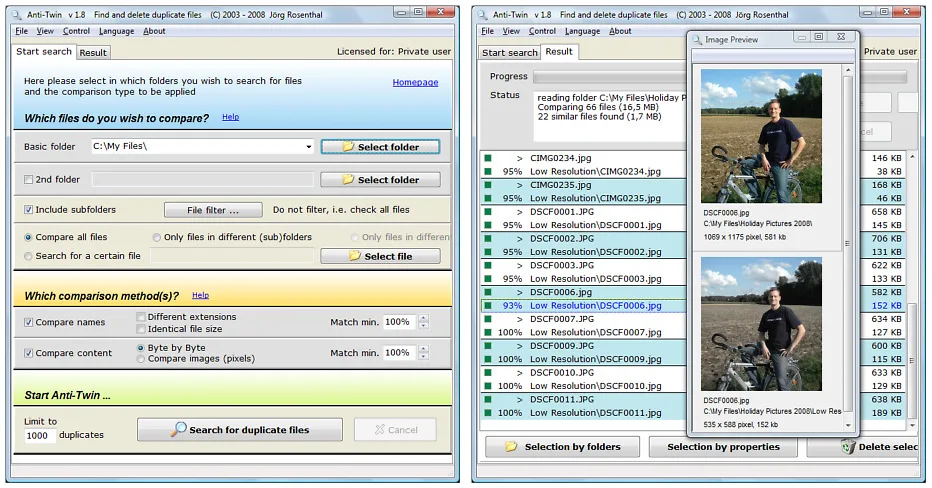
Anti-Twin Classic searches selected folders for duplicate or similar files. Byte-by-byte content comparison can locate identical copies even when their names differ, while name matching and pixel-based image comparison provide other ways to examine a file collection. It can search within one folder tree or compare two selected folders.
The results let you review files before sending selected copies to the recycle bin, moving them elsewhere or deleting them permanently. The publisher warns that suggested deletion selections need checking; a match is not a reason to remove every copy. The guide also warns that content comparisons at 95% similarity or lower can be very slow.
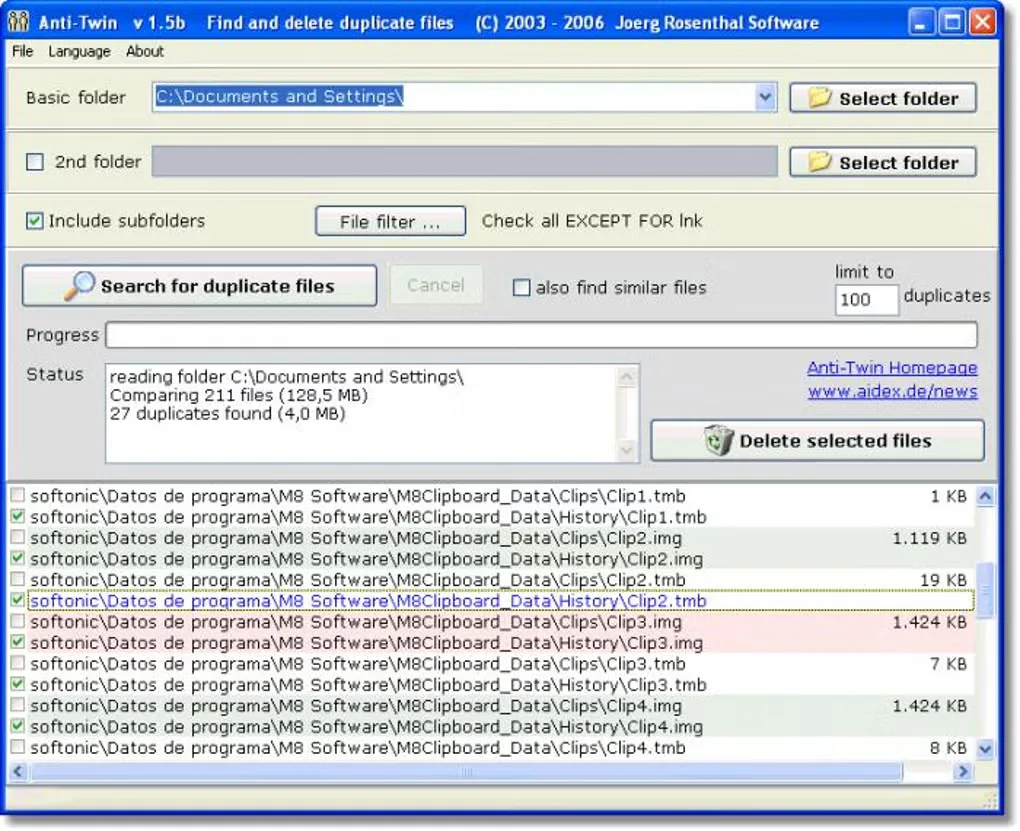
This is legacy software, not an actively maintained cleanup tool. The publisher lists version 1.8d dated May 16, 2010, says maintenance ended in 2012, and states that Classic still runs on Windows 10 and 11. The linked package is the publisher-listed EXE installer. No installation or runtime compatibility test was performed for this entry. The first screenshot is the publisher's version 1.8 interface illustration; the additional gallery image shows the older version 1.5b interface.
What it offers
- Compare entire file contents byte by byte to find identical copies regardless of filename.
- Search for identical or similar file names, or compare pictures by their pixels.
- Search a selected folder and its subfolders, or compare two selected folders.
- Review results before moving selected files, sending them to the recycle bin or deleting them permanently.
Good to know
- Maintenance ended in 2012; Windows 10 and 11 compatibility is a publisher statement, not a runtime test by SoftGalaxy.
- The publisher guide warns that content comparisons at 95% similarity or lower can be very slow.
- Suggested deletion selections must be reviewed. The guide restricts its recycle-bin recommendation to internal disks with sufficient recycle-bin capacity.
Product images
Sources
References used for this listing. Retrieval dates do not indicate hands-on testing.
More in utilities
View category ↗
1.1.1.1 with WARP 2026.8.2115.0
Encrypt traffic from your Mac to Cloudflare’s network with WARP, or use DNS-only mode for encrypted DNS queries to the 1.1.1.1 resolver.
1.1.1.1 with WARP 2026.8.2115.0
Encrypt traffic between your Windows PC and Cloudflare, or use encrypted DNS only, with the free 1.1.1.1 with WARP app.

3uTools 9.12.005
Manage iPhone and iPad photos, music, apps and backups from Windows with 3uTools, a free utility that also includes device checks and firmware flashing tools.