
Utilities Windows
Antivirus Removal Tool
Identify installed antivirus software, inspect traces of past installations and access vendor uninstallers with this free portable Windows utility.
- Operating system
- Windows 7 through Windows 11
- Architecture
- Not specified by the publisher
- Download package
- Portable ZIP archive
Extract to a folder; no application installation is required. Follow the instructions for each vendor’s specialized uninstaller.
Link checked · Download guidance
What is Antivirus Removal Tool?
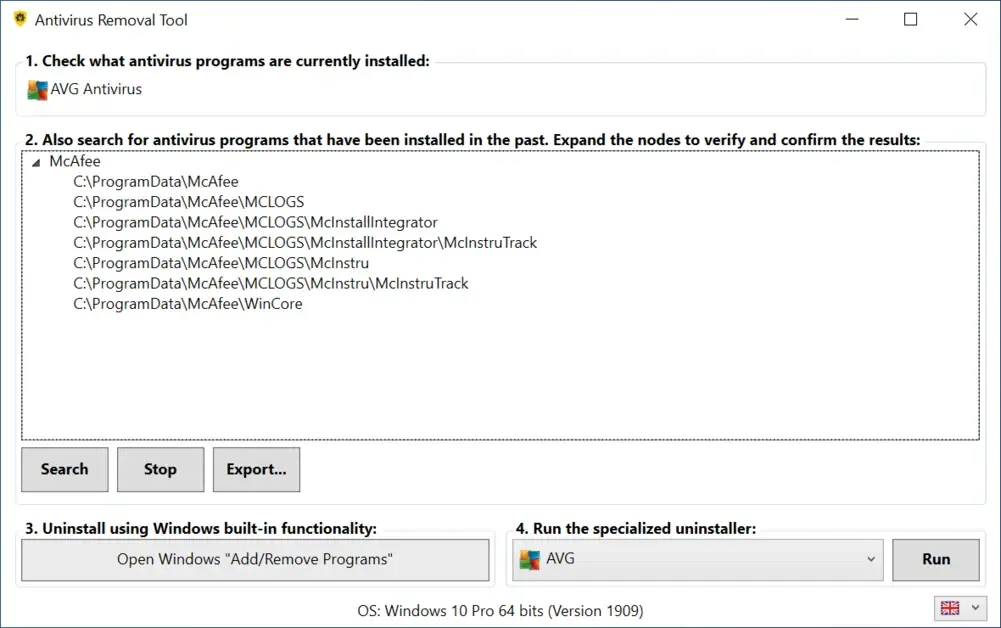
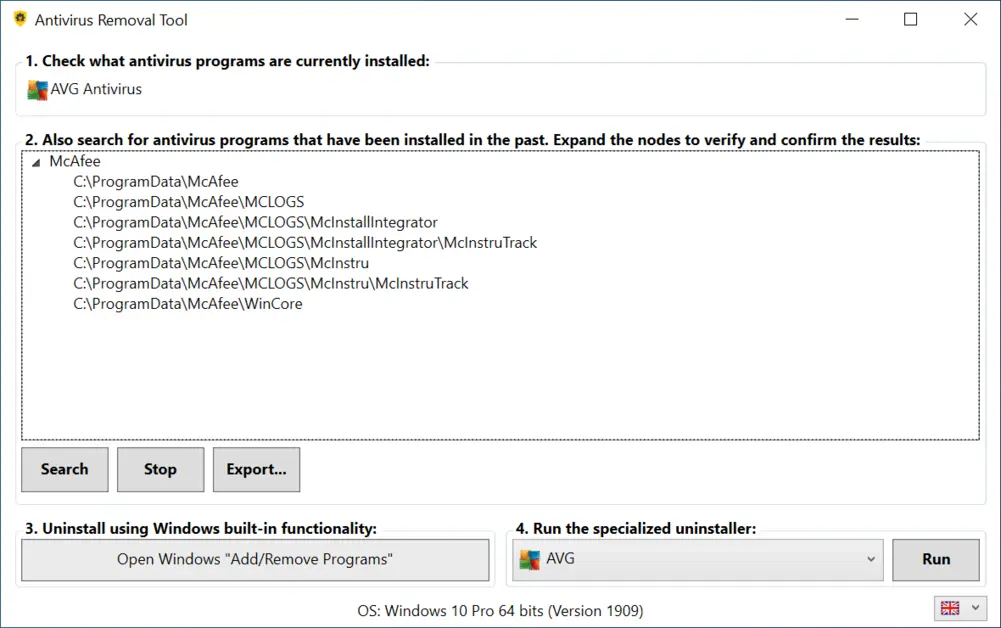
Antivirus Removal Tool helps remove antivirus software when switching products or troubleshooting an incomplete uninstall. It identifies currently installed antivirus programs and searches for leftover folders from past installations, grouping the results by product or manufacturer. You can inspect a detected path in File Explorer or export a report of the computer and its antivirus installations.
The portable program needs no installation: extract the ZIP archive to a folder. Its interface links to Windows Add / Remove Programs and provides access to specialized uninstallers supplied by antivirus manufacturers. The publisher recommends trying the regular uninstaller first when it is available, then following the selected vendor tool’s instructions if further cleanup is needed.
Treat folder-search results as clues, not confirmation that a product is still installed. The publisher acknowledges possible false positives, and this search does not delete the detected folders. Even after a specialized uninstall, a stale Windows WMI entry or harmless folders can remain. This is an antivirus-uninstallation utility; it is not presented here as a malware scanner or a replacement for antivirus protection.
What it offers
- Identify currently installed antivirus products.
- Find possible traces of past antivirus installations in a manufacturer-grouped folder tree.
- Open detected paths in File Explorer and export a report covering the operating system, computer serial number and antivirus installations.
- Access Windows Add / Remove Programs and specialized uninstallers from antivirus manufacturers.
- Use the portable application without installing it; multiple interface languages are available.
Good to know
- Searches for past installations can produce false positives; expand and inspect the detected folders before drawing conclusions. The search itself does not delete them.
- Specialized uninstallers are provided as is by their manufacturers. Follow their instructions; stale WMI entries or harmless folders may remain after removal.
Product images
Sources
References used for this listing. Retrieval dates do not indicate hands-on testing.
More in utilities
View category ↗
1.1.1.1 with WARP 2026.8.2115.0
Encrypt traffic from your Mac to Cloudflare’s network with WARP, or use DNS-only mode for encrypted DNS queries to the 1.1.1.1 resolver.
1.1.1.1 with WARP 2026.8.2115.0
Encrypt traffic between your Windows PC and Cloudflare, or use encrypted DNS only, with the free 1.1.1.1 with WARP app.

3uTools 9.12.005
Manage iPhone and iPad photos, music, apps and backups from Windows with 3uTools, a free utility that also includes device checks and firmware flashing tools.