
Utilities macOS
AnyToISO Converter for macOS
Extract disk images and archives, convert supported formats to ISO, or create ISO files from folders on Mac. The free Lite edition is limited to files of 870 MB or less.
- Operating system
- macOS 10.13 High Sierra and later, as listed on the publisher download page
- Architecture
- Universal build for Intel and Apple Silicon Macs, according to publisher release notes
- Download package
- ZIP archive
Publisher introduced native Apple Silicon support in 3.9.7. The current download page lists 3.9.8; package contents were not downloaded or inspected. Legacy Mac downloads are separate.
Link checked · Download guidance
What is AnyToISO Converter?
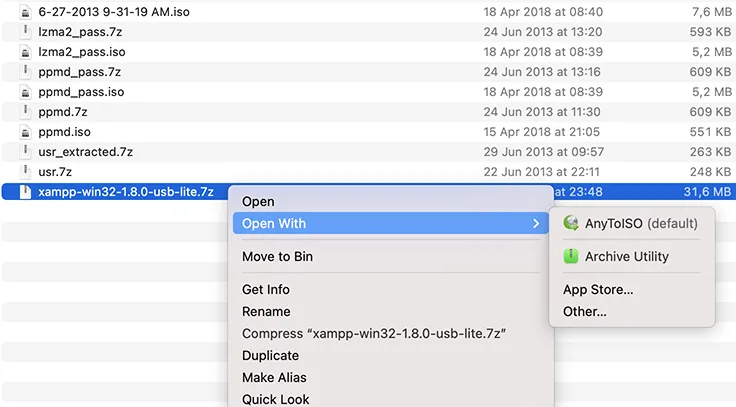
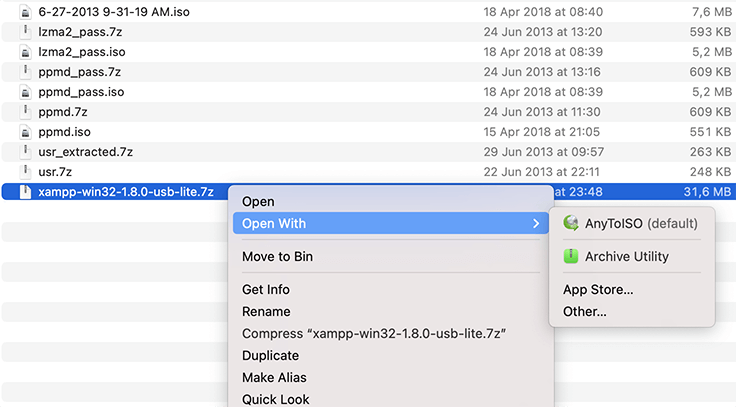
AnyToISO is a Mac utility for extracting disk images and archives or converting supported files into ISO images. It can open formats including DMG, BIN, NRG, 7Z, RAR, ZIP and PKG, so it suits retrieving files from an unfamiliar image or preparing an ISO from an existing archive. Finder's Open With menu can send supported files to AnyToISO for conversion or extraction.
The Folder to ISO tab builds an image from local files and folders, with ISO 9660, Joliet and UDF file-system options. Command-line support provides another way to perform batch operations. These are publisher-documented capabilities; the application has not been installed or tested for this entry.
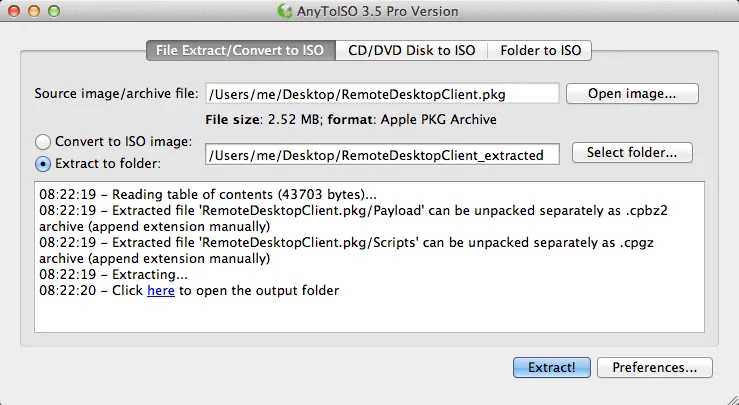
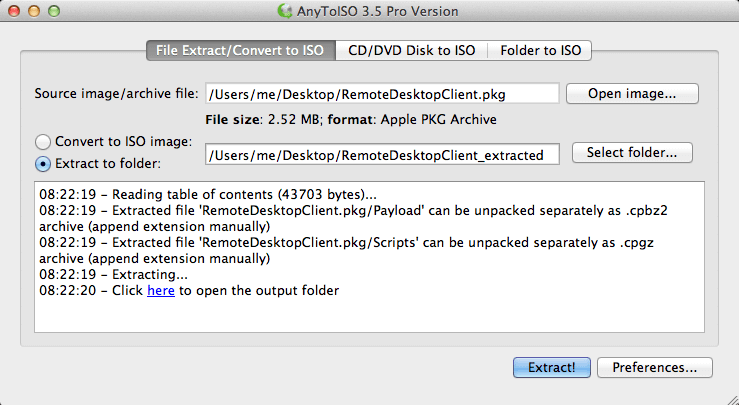
The free Lite edition works only with files up to 870 MB. Pro is a paid upgrade that removes the file-size limit. Format support also has boundaries: Audio CD images cannot be converted to ISO, and a DMG converted to an HFS+ ISO still contains an Apple file system. The publisher screenshot below shows an older Mac interface, not a capture of version 3.9.8.
What it offers
- Extract supported disk images and archives, including DMG, ISO, 7Z, RAR, ZIP and PKG.
- Convert supported images and archives to ISO without a separate extraction-and-image-creation workflow.
- Create an ISO from a local folder with ISO 9660, Joliet and UDF options.
- Open supported files through Finder integration or use the command line for batch operations.
Good to know
- The free Lite edition is limited to files no larger than 870 MB; Pro is a paid upgrade that removes this limit.
- Audio CD images cannot be converted to ISO because of ISO format restrictions.
- Converting a DMG to an HFS+ ISO does not change it into a Windows file system.
Product images
More in utilities
View category ↗
1.1.1.1 with WARP 2026.8.2115.0
Encrypt traffic from your Mac to Cloudflare’s network with WARP, or use DNS-only mode for encrypted DNS queries to the 1.1.1.1 resolver.
1.1.1.1 with WARP 2026.8.2115.0
Encrypt traffic between your Windows PC and Cloudflare, or use encrypted DNS only, with the free 1.1.1.1 with WARP app.

3uTools 9.12.005
Manage iPhone and iPad photos, music, apps and backups from Windows with 3uTools, a free utility that also includes device checks and firmware flashing tools.