

Utilities Windows
AnyToISO Converter for Windows
Convert supported disk images and archives to ISO, extract their contents, or create ISO files from folders and optical discs. The free Lite edition is limited to files up to 870 MB.
Version 3.9.8 · Direct publisher file
Link checked · Download guidance
What is AnyToISO Converter?
AnyToISO Converter by CrystalIDEA is a Windows utility for turning supported disk images and archives into ISO files or extracting their contents. It also creates ISO images from local folders and CD, DVD or Blu-ray discs. Supported input formats include BIN, DMG, NRG, 7Z, RAR and ZIP, with format-specific restrictions.
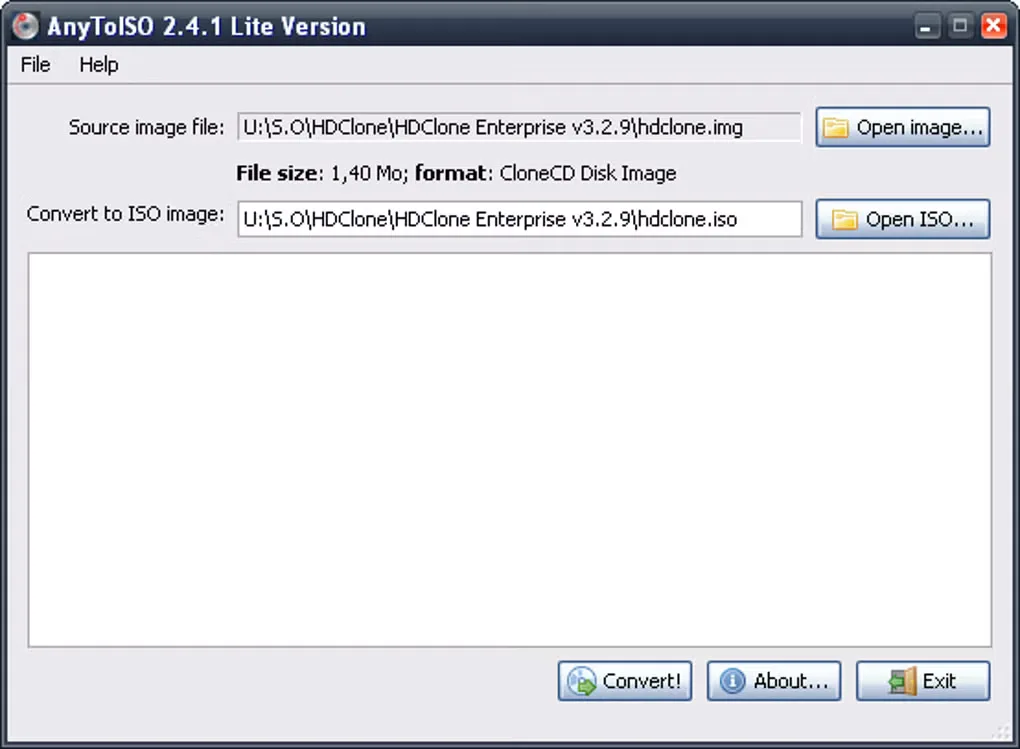
Use the graphical interface for individual jobs, Windows Explorer integration for context-menu access, or the command line for batch operations. The publisher lists version 3.9.8, released September 14, 2026; the screenshot below is an older 2.4.1 Lite interface retained by Softonic, not a preview of the current release.
The free Lite edition only handles files up to 870 MB, so it is not an unrestricted option for large DVD images. Paid Pro licenses are offered separately. Conversion does not make every source filesystem Windows-readable: the publisher notes that some DMG conversions produce an HFS+ ISO.
What it offers
- Convert supported disk images and archives, including BIN, DMG, NRG, 7Z, RAR and ZIP, to ISO or extract their contents.
- Create ISO images from CD, DVD and Blu-ray discs or from local folders.
- Access supported operations through Windows Explorer integration and the command line.
Good to know
- The free Lite edition only works with files no larger than 870 MB.
- FAT32 and FAT16 IMG disk images support extraction only.
- Some DMG-to-ISO conversions retain an HFS+ filesystem rather than producing a Windows-native filesystem.
Product images
Sources
References used for this listing. Retrieval dates do not indicate hands-on testing.
- AnyToISO Converter - Download ↗Retrieved
- AnyToISO - Open/Extract/Convert to ISO, Extract ISO, Make ISO ↗Retrieved
- AnyToISO - Download ↗Retrieved
- File Extract/Convert to ISO - AnyToISO ↗Retrieved
- AnyToISO Release Notes ↗Retrieved
- AnyToISO Pricing & Buy ↗Retrieved
More in utilities
View category ↗
1.1.1.1 with WARP 2026.8.2115.0
Encrypt traffic from your Mac to Cloudflare’s network with WARP, or use DNS-only mode for encrypted DNS queries to the 1.1.1.1 resolver.
1.1.1.1 with WARP 2026.8.2115.0
Encrypt traffic between your Windows PC and Cloudflare, or use encrypted DNS only, with the free 1.1.1.1 with WARP app.

3uTools 9.12.005
Manage iPhone and iPad photos, music, apps and backups from Windows with 3uTools, a free utility that also includes device checks and firmware flashing tools.