

Development Windows
Apache JMeter for Windows
Build repeatable load tests for web applications, APIs and other services with Apache JMeter, an open-source Java tool available for Windows.
- Operating system
- Windows with a compliant Java 8 or higher runtime for JMeter 5.6.3
- Architecture
- Java application; use a runtime compatible with your Windows architecture
- Download package
- Binary ZIP archive
Extract the ZIP and launch bin/jmeter.bat. A JDK with keytool is recommended for HTTPS recording. No separate Windows x64 or ARM64 installer is identified on the linked download page.
Link checked · Download guidance
What is Apache JMeter?
Apache JMeter helps developers and performance testers simulate concurrent requests and measure how a service responds under load. Its test-plan editor brings together thread groups, requests, assertions and listeners, so you can configure a scenario before running it from the command line. Supported targets include HTTP and HTTPS services, SOAP and REST APIs, FTP, JDBC databases and JMS messaging. HTML reports help analyze recorded results.
The linked download is Apache's 5.6.3 binary ZIP, not a Windows EXE installer. Extract the archive, provide a compatible Java 8 or higher runtime, and use bin/jmeter.bat to open the editor on Windows. Apache recommends GUI mode for building and debugging plans, and CLI mode for actual load tests. JDBC and JMS scenarios need the relevant vendor driver or client libraries.
JMeter works at the protocol level: it does not execute a page's JavaScript or render it like a browser. It therefore cannot replace a browser-based check of front-end behavior or rendering performance. The publisher screenshots illustrate the shared Java interface; the full-window example shows the older 5.3 interface on macOS, not a Windows 5.6.3 installation.
What it offers
- Build and debug test plans with a graphical editor and configurable thread groups.
- Send concurrent requests to HTTP/HTTPS services, SOAP/REST APIs and other supported protocols.
- Run load tests in command-line mode and generate HTML reports from results.
- Extract values from JSON, HTML, XML and text responses for use in later requests.
- Extend test scenarios with scriptable samplers and plugins.
Good to know
- Does not execute page JavaScript or render web pages like a browser; protocol timings are not browser rendering measurements.
- Requires Java; use the GUI for plan design and debugging rather than actual load testing.
- JDBC and JMS tests require additional vendor driver or client libraries.
Product images
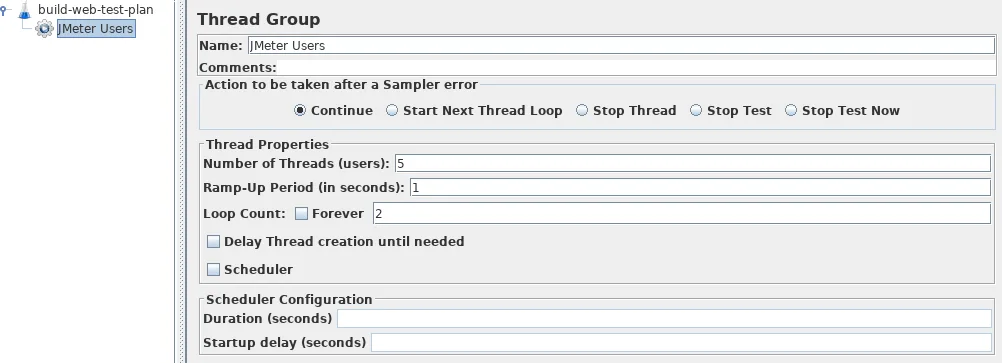
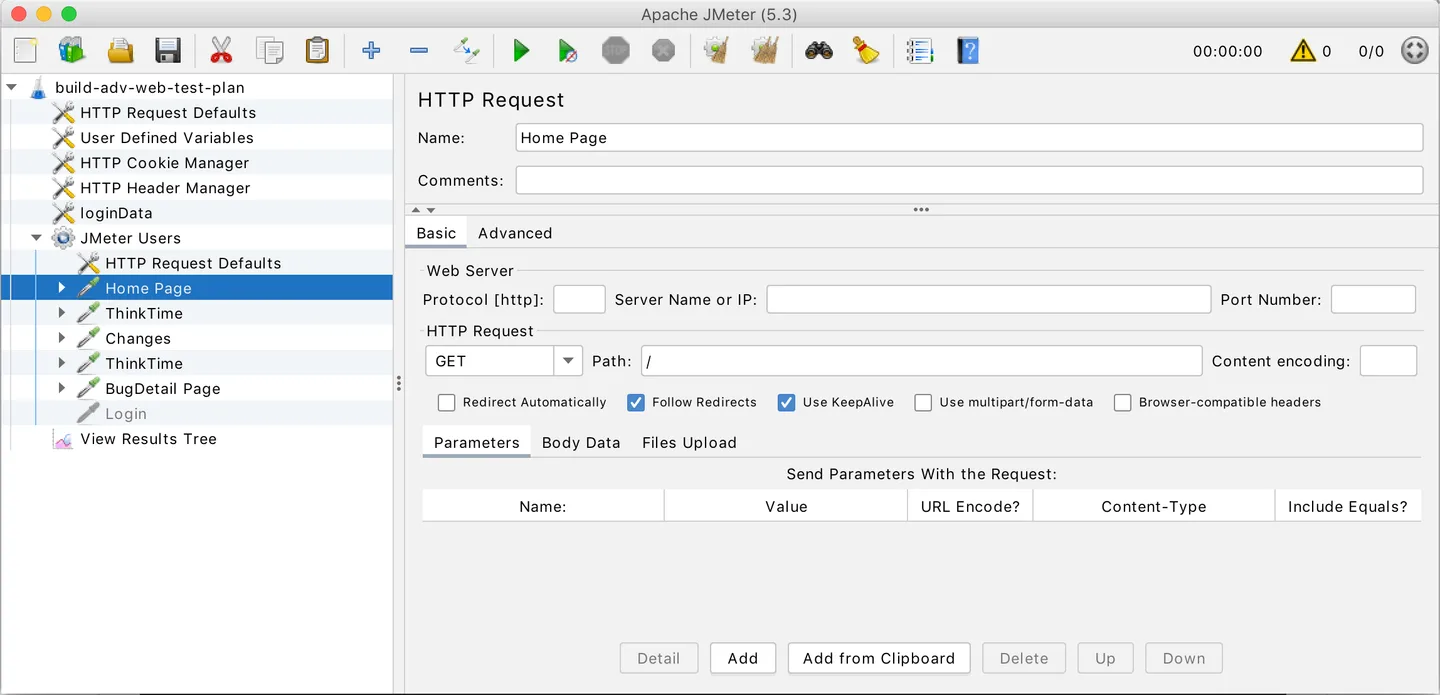
Sources
References used for this listing. Retrieval dates do not indicate hands-on testing.
- Apache JMeter — official product overview ↗Retrieved
- Download Apache JMeter — 5.6.3 binary packages ↗Retrieved
- Apache JMeter User's Manual — Getting Started ↗Retrieved
- apache/jmeter — publisher repository and screenshot ↗Retrieved
- Apache JMeter User's Manual — Building a Web Test Plan ↗Retrieved
- Apache JMeter repository — Apache License 2.0 ↗Retrieved
More in development
View category ↗
010 Editor 17.0
Inspect and edit binary files on Mac with 010 Editor, a paid text and hex editor with Binary Templates, file comparison and a 30-day trial.
010 Editor 17.0
Inspect and edit binary files with 010 Editor for Windows, a text and hex editor with Binary Templates, file comparison and scripting. Includes a 30-day trial.
10x Editor
Edit and navigate C++ projects on Windows with a built-in parser, workspace search and Visual Studio project support. A paid license is required after the 30-day trial.