

Development Windows
APK Editor Studio for Windows
Edit Android app icons, names, images and permissions from a Windows PC with APK Editor Studio, a free, open-source APK resource editor.
What is APK Editor Studio?
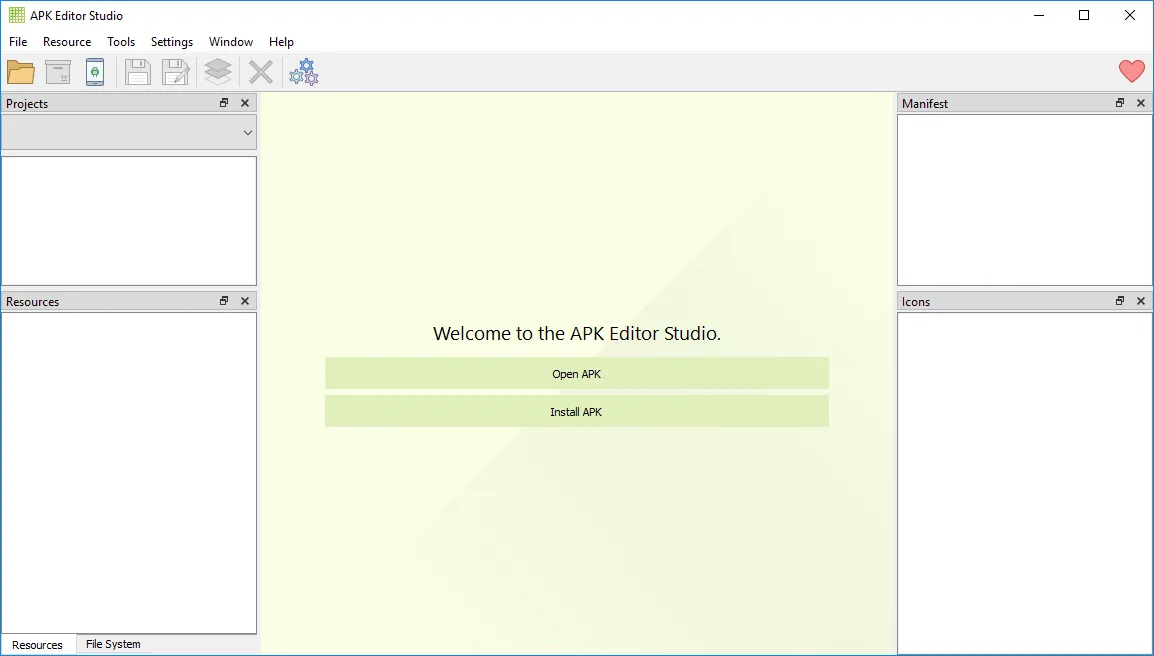
APK Editor Studio opens Android APK packages on a Windows computer so you can inspect and change their resources. It suits tasks such as replacing an app icon, editing a translated app name, swapping images or adjusting manifest properties and permissions. Its resource inspector groups resources by qualifiers, while the built-in code editor provides syntax highlighting and code folding.
The application also includes a signature viewer and an APK signer, with a choice of its supplied key or your own key through the key manager. Android Explorer provides access to files on a connected Android device. This entry links to the publisher's Windows MSI installation package; a separate portable ZIP is available on the publisher's download page. The publisher lists Windows 7 through 11.
APK cloning is explicitly experimental, so it should not be treated as a guaranteed way to run multiple copies of every app. The project also warns that repackaged APK files must respect their original licenses. This is a desktop editor for Android packages, not an Android app to install on a phone.
What it offers
- Change Android application icons and titles, including translated titles.
- View and replace image resources, and browse resources grouped by qualifiers.
- Edit manifest properties and add or remove application permissions.
- Use code folding, syntax highlighting and word wrapping in the built-in code editor.
- Inspect APK signatures and sign packages using the supplied key or your own key.
Good to know
- APK cloning is an experimental feature, not a guaranteed workflow for every application.
- Repackaged APK files must not violate the original application's license.
Product images
More in development
View category ↗
010 Editor 17.0
Inspect and edit binary files on Mac with 010 Editor, a paid text and hex editor with Binary Templates, file comparison and a 30-day trial.
010 Editor 17.0
Inspect and edit binary files with 010 Editor for Windows, a text and hex editor with Binary Templates, file comparison and scripting. Includes a 30-day trial.

Abyss Web Server X1 2.16.22
Host a website on your Mac with Abyss Web Server X1, a free personal web server with a browser-based console, HTTPS and CGI/FastCGI support. X1 serves one host; multi-site virtual hosting requires X2.