
Development macOS
APK Icon Editor
Edit Android APK icons, app names, versions and resources on a Mac with APK Icon Editor, a free, open-source desktop utility with a Java dependency.
- Operating system
- Publisher metadata lists macOS 10.7 or later; current macOS compatibility unverified
- Architecture
- Mac package architecture not established; native Apple Silicon support unverified
- Download package
- DMG disk image
Official 2.2.0 release from 2019. Publisher recommends a 64-bit JDK 1.8 or later on macOS. No installation or runtime compatibility test was performed.
Link checked · Download guidance
What is APK Icon Editor?
APK Icon Editor edits Android application packages from a desktop interface. It is useful when you already have an APK and need to replace its icon, change its displayed name or version, or work with images, strings and other packaged resources. The publisher also lists APK signing and optimization. This is an editor for Android packages, not a tool for editing native Mac application icons.
The project offers a macOS package alongside its Windows and Linux builds. This entry links specifically to the official 2.2.0 DMG release, dated April 18, 2019. Its release notes mention Android 9 Pie and Android Activities support, changes to icon addition and fixes to signing. Those historical release notes do not establish compatibility with current Android packages or current macOS releases.
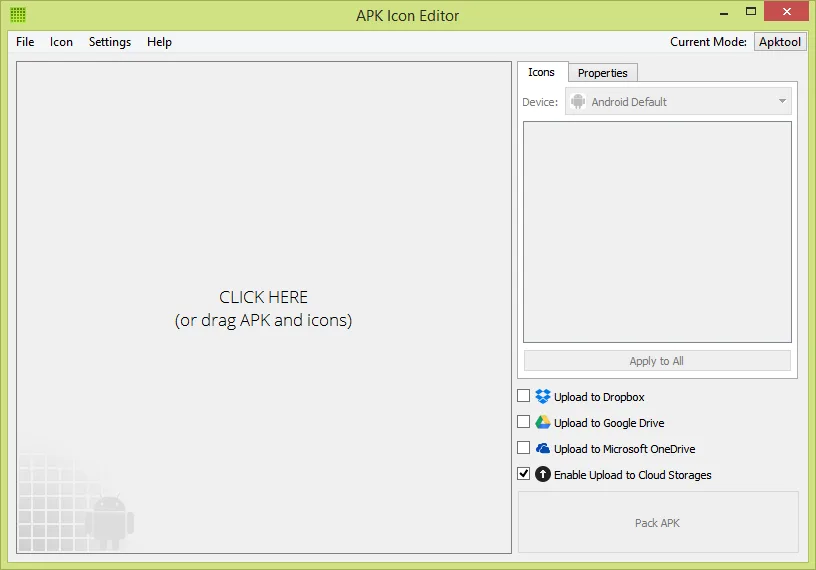
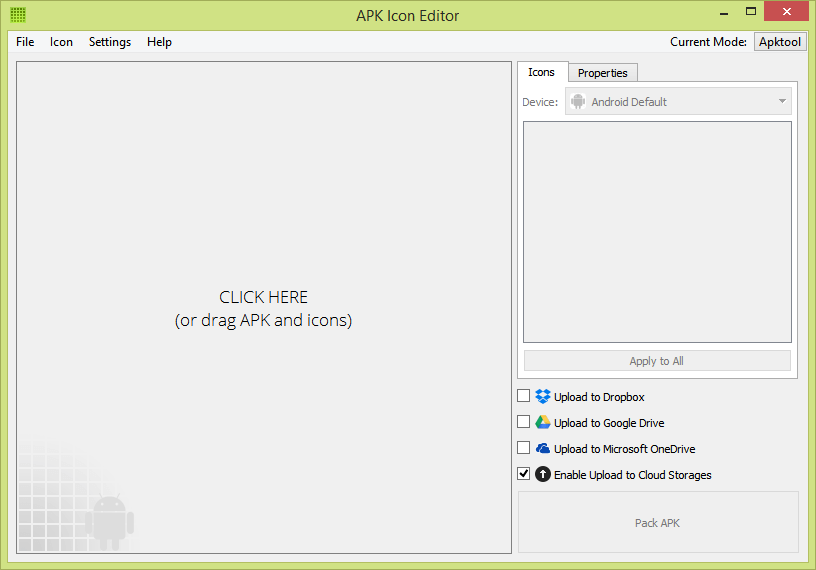
Java is an important prerequisite: the publisher recommends a 64-bit JDK 1.8 or later on macOS because the Mac JRE does not automatically add Java to PATH. The website's metadata lists macOS 10.7 or later, but current macOS compatibility and native Apple Silicon support have not been established here. The screenshot is the publisher's Windows-interface illustration of the application, not a Mac installation or a test of this download.
What it offers
- Extract and change APK resources, including images and strings.
- Replace Android application icons and edit the app name and version.
- Sign and optimize APK files using the application's supported tools.
- Import icon images in formats including PNG, ICO, GIF, JPEG and BMP.
- Use device icon-size presets and a multilingual interface.
Good to know
- The linked 2.2.0 release dates to April 2019; compatibility with current macOS releases, native Apple Silicon and current Android package formats is not established by the cited evidence.
- The publisher recommends a 64-bit JDK 1.8 or later for macOS and notes that the Mac JRE does not automatically add Java to PATH.
- The supplied publisher screenshot shows Windows window controls; it illustrates the application rather than documenting its appearance on macOS.
Product images
Sources
References used for this listing. Retrieval dates do not indicate hands-on testing.
More in development
View category ↗
010 Editor 17.0
Inspect and edit binary files on Mac with 010 Editor, a paid text and hex editor with Binary Templates, file comparison and a 30-day trial.
010 Editor 17.0
Inspect and edit binary files with 010 Editor for Windows, a text and hex editor with Binary Templates, file comparison and scripting. Includes a 30-day trial.
10x Editor
Edit and navigate C++ projects on Windows with a built-in parser, workspace search and Visual Studio project support. A paid license is required after the 30-day trial.