
Development Windows
APK Icon Editor
Change Android app icons, names, versions and resources from Windows with APK Icon Editor, a free, open-source APK editing tool.
- Operating system
- Publisher lists Windows XP, Vista, 7, 8, 8.1 and 10
- Architecture
- Not specified by the publisher for this Windows package
- Download package
- EXE installer
Separate portable ZIP available. Publisher recommends 64-bit JRE 1.8 or later; that recommendation does not identify the application CPU architecture. Softonic lists Windows 11; not independently tested here.
Link checked · Download guidance
What is APK Icon Editor?
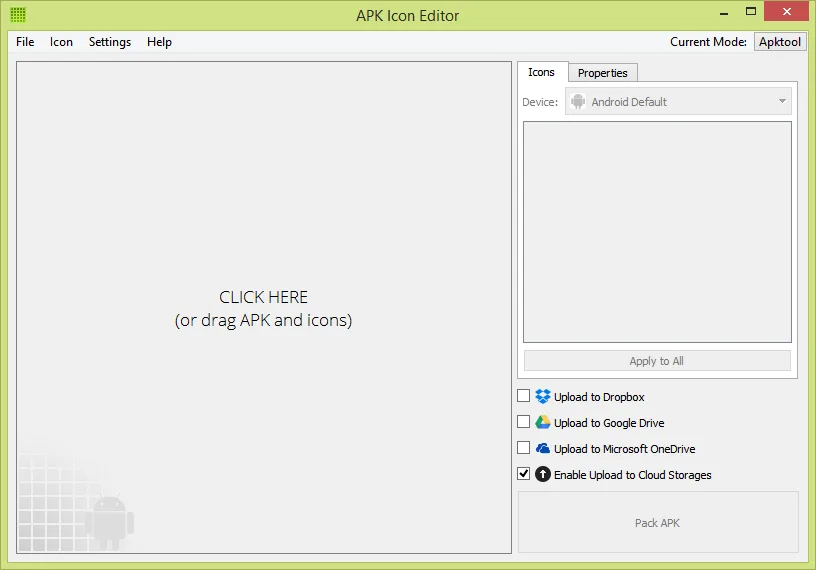
APK Icon Editor edits resources inside Android APK files from a desktop interface. It is useful when you need to replace an app icon, change its displayed name or version, or work with images and strings. The publisher also lists APK signing and optimization, support for common image formats and a multilingual interface. The Windows download here is the publisher-linked EXE installer; a separate portable ZIP is also offered.
Version 2.2.0 was released on April 18, 2019. Its release notes specifically add Android 9 Pie support and bundle Apktool 2.4.0, so they do not establish compatibility with newer APK formats. The publisher lists Windows versions through Windows 10 and recommends a 64-bit Java Runtime Environment, version 1.8 or later. Softonic lists Windows 11, but that is a catalog claim rather than a compatibility test performed for this entry.
What it offers
- Change Android application icons, displayed names and versions.
- Extract and edit APK resources, including images and strings.
- Sign and optimize Android APK files.
- Import PNG, ICO, GIF, JPEG and BMP images; use a multilingual interface.
Good to know
- The selected 2.2.0 release dates to 2019; its Android 9 support notes do not establish compatibility with newer APK formats.
- Publisher Windows support information stops at Windows 10. Windows 11 compatibility has not been independently tested for this entry.
- The publisher recommends 64-bit JRE 1.8 or later; the Windows package CPU architecture is not specified in the inspected catalog.
Product images
Sources
References used for this listing. Retrieval dates do not indicate hands-on testing.
More in development
View category ↗
010 Editor 17.0
Inspect and edit binary files on Mac with 010 Editor, a paid text and hex editor with Binary Templates, file comparison and a 30-day trial.
010 Editor 17.0
Inspect and edit binary files with 010 Editor for Windows, a text and hex editor with Binary Templates, file comparison and scripting. Includes a 30-day trial.
10x Editor
Edit and navigate C++ projects on Windows with a built-in parser, workspace search and Visual Studio project support. A paid license is required after the 30-day trial.