
Utilities Windows
Appgate SDP
Connect a Windows PC to organization-approved apps and network resources with Appgate SDP, documented today as AppGate ZTNA. Requires an administrator-provided profile and access to an organizational deployment.
What is Appgate SDP?
Appgate SDP is the Windows client for an organization’s AppGate Zero Trust Network Access deployment. It connects employees and other authorized users to permitted applications and network resources in cloud and hybrid environments. Access is assigned by the organization’s policies and entitlements, rather than by installing a general-purpose consumer VPN. Current publisher documentation uses the AppGate ZTNA name.
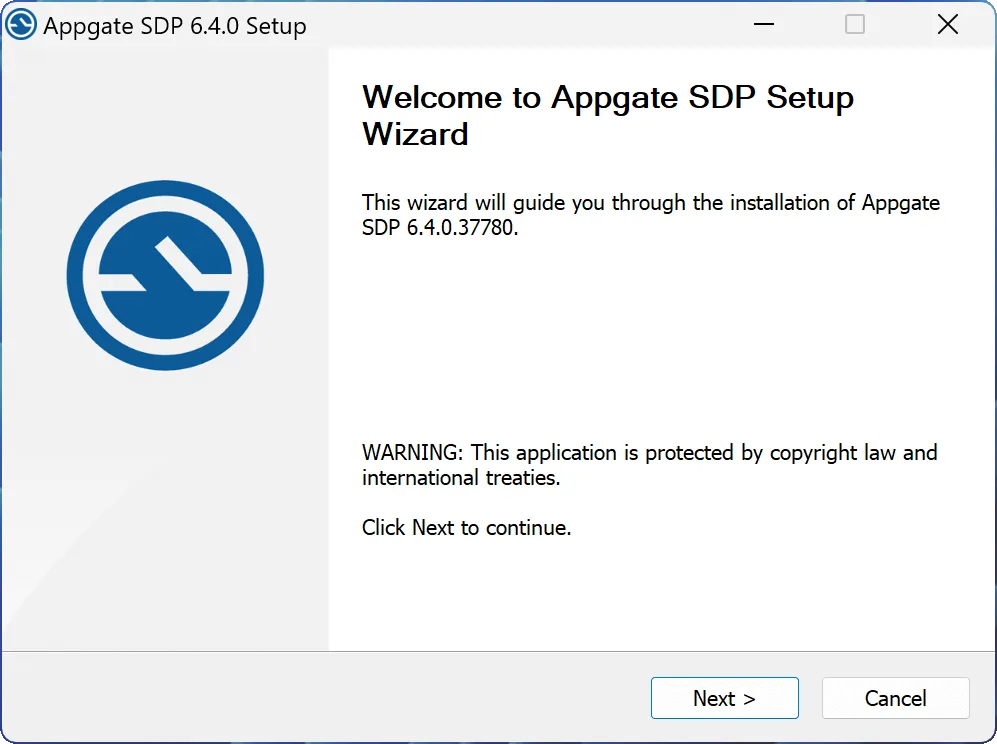
Before installing, ask your administrator which client version matches the organization’s server. The linked publisher endpoint serves the standard Windows client through a moving URL; its exact build and processor architecture were not established by the catalog or HEAD check. Running the installer normally installs the full client, which requires administrator rights. The screenshot is the publisher’s older Windows setup illustration, showing 6.4.0.37780, not proof of the version delivered by that URL.
At first use, read the privacy notice and add the profile link supplied by your administrator through Use Profile Link. Authentication depends on the deployment: it can involve a username and password, an external identity provider, a certificate or a one-time password. The client displays App Shortcuts and connection information, including which Sites are reachable. A partial connection can leave some permitted apps unavailable.
The full Windows client supports auto-start, remember-me and user-permitted updates. For removal, the publisher documents Windows Add or Remove Programs or the Start menu Uninstall option. Installing the full client over the separate lite client discards the lite client’s settings. This is an enterprise access client: downloading it alone does not provide an account, a working profile or unrestricted free service.
What it offers
- Connect to protected organizational resources using an administrator-provided client profile.
- Authenticate using the deployment’s configured password, identity-provider or certificate flow, with OTP where required.
- Open App Shortcuts and inspect shortcut details, Site connectivity and session information.
- Use the full Windows client’s auto-start, remember-me and user-permitted auto-update functions.
Good to know
- Requires a configured organizational AppGate deployment, a supplied profile, valid credentials and appropriate licensing; it is not a standalone free consumer VPN.
- The standard full client requires administrator rights to install. Client/server compatibility must be confirmed with the organization’s administrator.
- The publisher download is a moving endpoint. Its exact build, CPU architecture and supported Windows build range were not independently established.
- Organization-enabled Ringfence or Device proxy settings can affect other apps and sites; consult the administrator if connectivity changes after connecting.
Product images
Sources
References used for this listing. Retrieval dates do not indicate hands-on testing.
- AppGate Knowledge Portal — About AppGate ZTNA ↗Retrieved
- AppGate Knowledge Portal — Client installation and configuration ↗Retrieved
- AppGate official static client catalog ↗Retrieved
- AppGate Knowledge Portal — Installation ↗Retrieved
- AppGate Knowledge Portal — Windows full client ↗Retrieved
- AppGate Knowledge Portal — Connecting ↗Retrieved
- AppGate Knowledge Portal — Client Status ↗Retrieved
- AppGate Knowledge Portal — Licenses ↗Retrieved
- Appgate SDP - Download ↗Retrieved
More in utilities
View category ↗FortiClient
Connect a Windows PC to a FortiGate network with FortiClient VPN. The linked free VPN-only edition provides remote access, not the managed endpoint-protection suite.
Lithnet Access Manager Agent 3.1.1134.0
Manage local administrator passwords, back up BitLocker recovery keys and add RapidLAPS logon to Windows devices through a configured Lithnet Access Manager server.
WebDrive
Map remote servers and cloud storage to Windows drive letters with WebDrive, a commercial file-access client with a publisher-provided trial.

.png?sv=2026-02-06&spr=https&st=2026-10-30T06%3A18%3A32Z&se=2026-10-30T07%3A18%3A32Z&sr=c&sp=r&sig=WPhYqmc1JTuTxbLtEMPh7n5poZGtjqbtc0t0t%2FAwd3s%3D)
SmadAV 2026 Rev. 16.0
Add a second antivirus layer for Windows and USB flash drives with SmadAV. The free edition is for personal use; organizational use and extra controls require Pro.
Network Drive Control 1.72
Map different network drives at Windows logon for home, work or school with Network Drive Control, a free utility that selects mappings by connected network.