
Utilities Windows
Lithnet Access Manager Agent
Manage local administrator passwords, back up BitLocker recovery keys and add RapidLAPS logon to Windows devices through a configured Lithnet Access Manager server.
- Operating system
- Windows 10 or later; Windows Server 2016 or later (x64)
- Architecture
- x64
- Download package
- MSI installer
This link is the x64 agent, not the server. Requires .NET Framework 4.7.2 or later and a configured Access Manager server. A separate ARM64 agent requires .NET Framework 4.8.1 or later.
Link checked · Download guidance
What is Lithnet Access Manager Agent?
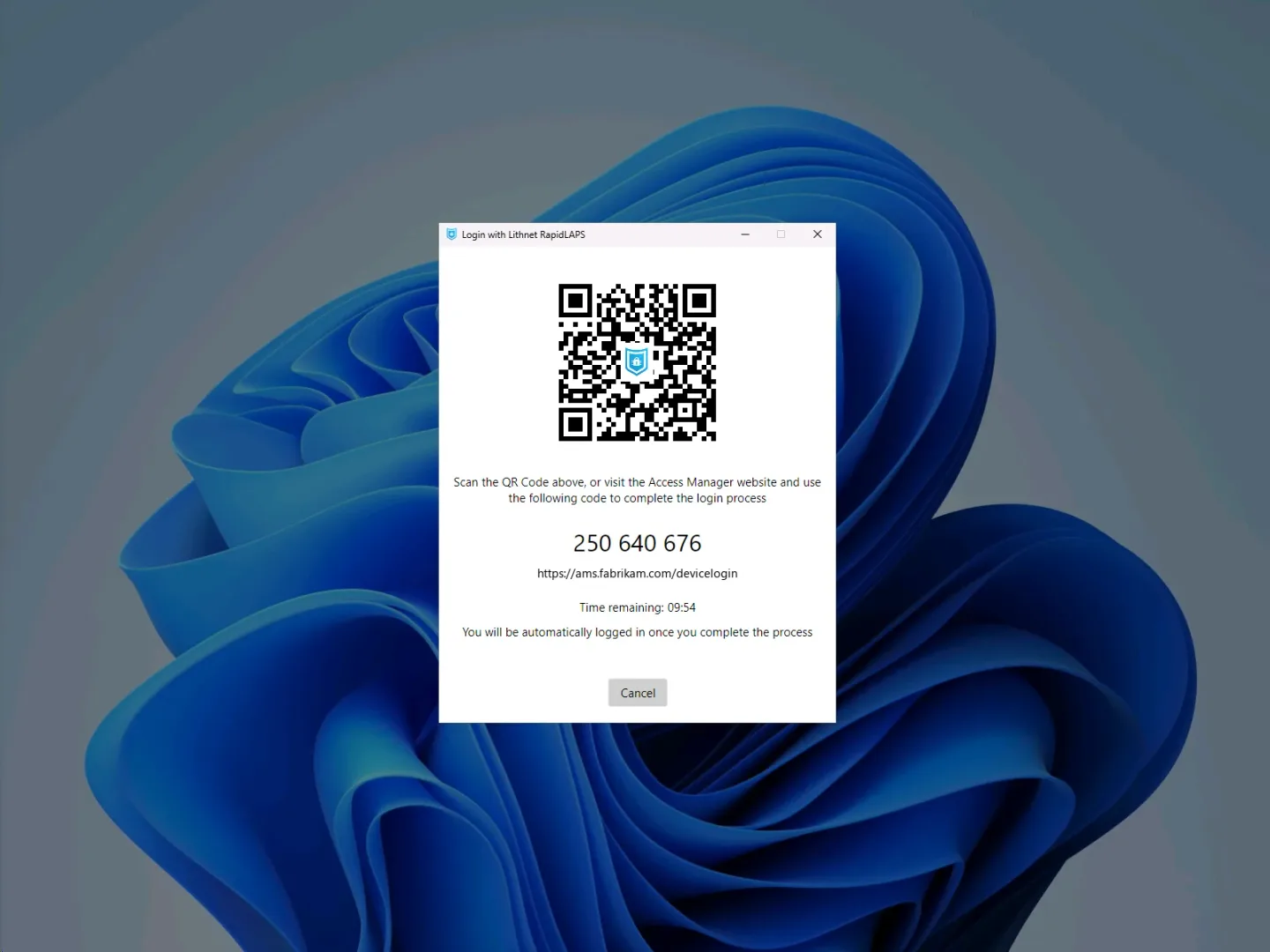
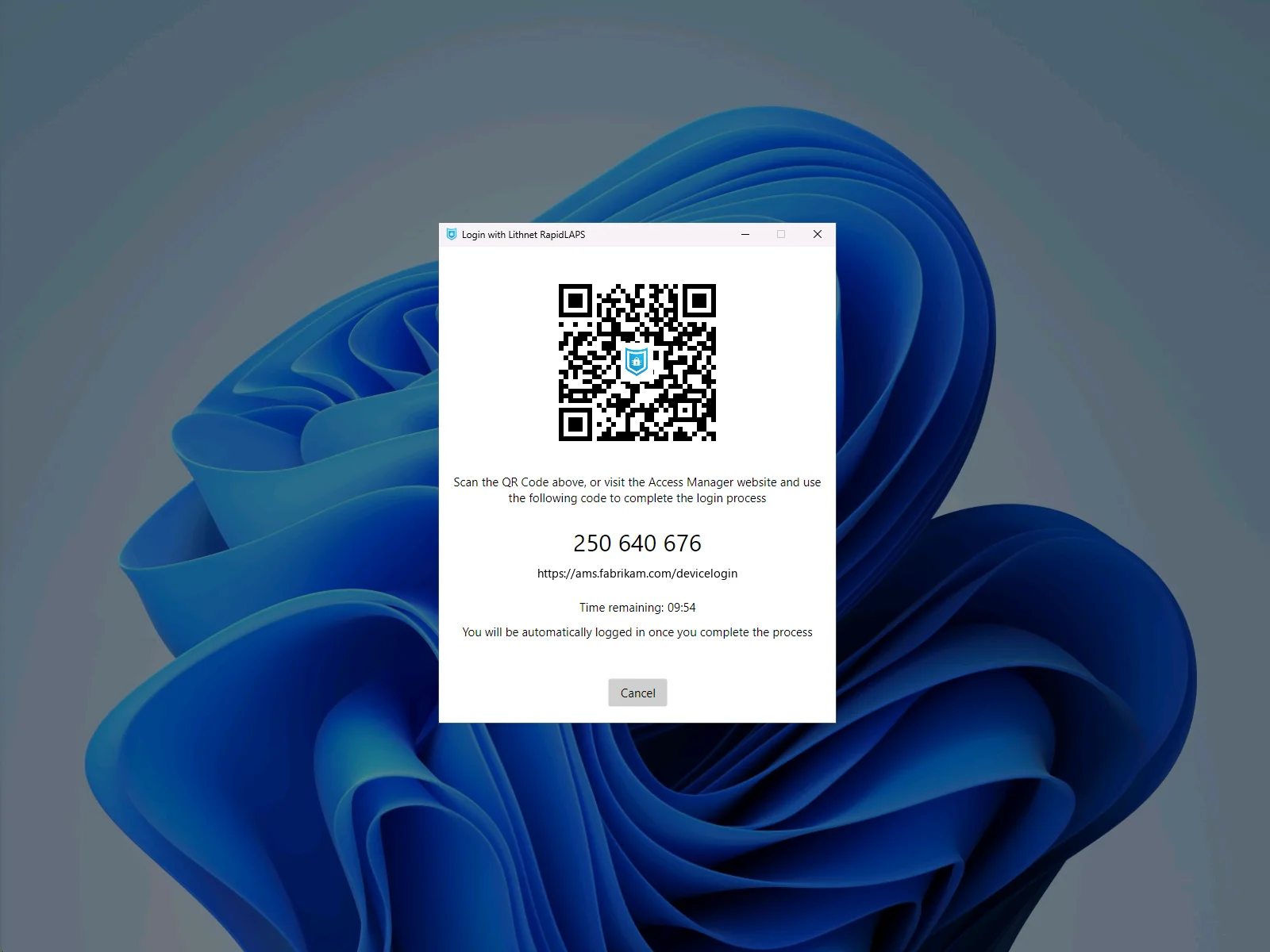
Lithnet Access Manager Agent connects Windows computers to an organization's Access Manager server. It can manage local administrator passwords, generate passphrases from custom word lists and back up BitLocker recovery keys. RapidLAPS adds an option at the Windows logon screen and administrator elevation prompt: an authorized person scans a QR code or enters a PIN, then approves the request in the Access Manager web app without typing the local administrator password.
This is an endpoint agent, not a standalone password manager or the Access Manager server installer. Administrators must enable agent communication on their server and configure device registration. Active Directory-joined devices can use their machine identity, Microsoft Entra-joined devices can use their Entra certificate, and other devices need a registration key. The configured server hostname must match the server configuration for the agent to connect.
The linked download is the Windows x64 MSI for version 3.1.1134.0. Lithnet also provides an ARM64 package on the same publisher download page. The Community edition includes agents and RapidLAPS for up to 100 devices; larger fleets require a paid license, and some capabilities such as password history are restricted to paid editions.
What it offers
- Manage local administrator passwords and generate passphrases from custom word lists.
- Add RapidLAPS QR-code or PIN approval to Windows logon and administrator elevation prompts.
- Back up BitLocker recovery keys from Active Directory-joined, Microsoft Entra-joined and standalone Windows devices.
- Register Windows devices using Active Directory identity, Microsoft Entra certificates or an Access Manager registration key.
- Deploy with an MSI package and configure domain-joined agents through Group Policy.
Good to know
- Requires a configured Access Manager server; the agent is not a standalone credential-management application.
- The Community edition covers up to 100 devices. More devices and capabilities such as password history require a paid edition.
- The x64 agent requires .NET Framework 4.7.2 or later; the separate ARM64 package requires .NET Framework 4.8.1 or later.
Product images
Sources
References used for this listing. Retrieval dates do not indicate hands-on testing.
- Lithnet Access Manager Agent - Download ↗Retrieved
- Download Lithnet Access Manager ↗Retrieved
- Lithnet Access Manager — service and agent capabilities ↗Retrieved
- Access Manager system requirements ↗Retrieved
- Installing the Access Manager Agent on Windows ↗Retrieved
- Lithnet Access Manager editions and pricing ↗Retrieved
- RapidLAPS in Lithnet Access Manager ↗Retrieved
More in utilities
View category ↗
1.1.1.1 with WARP 2026.8.2115.0
Encrypt traffic from your Mac to Cloudflare’s network with WARP, or use DNS-only mode for encrypted DNS queries to the 1.1.1.1 resolver.
1.1.1.1 with WARP 2026.8.2115.0
Encrypt traffic between your Windows PC and Cloudflare, or use encrypted DNS only, with the free 1.1.1.1 with WARP app.

3uTools 9.12.005
Manage iPhone and iPad photos, music, apps and backups from Windows with 3uTools, a free utility that also includes device checks and firmware flashing tools.