

Development Windows
Araxis Merge for Windows
Compare file revisions, merge text changes and synchronize folders with Araxis Merge for Windows. Two-way comparison is included in Standard; three-way comparison requires Professional.
- Operating system
- Windows 11 25H2 or 24H2; Windows 10 22H2 (64-bit)
- Architecture
- x64 (AMD/Intel)
- Download package
- MSI installer, English
Publisher lists these desktop Windows versions as tested and supported. Windows Server 2019, 2022 and 2025 are supported but not routinely tested.
Link checked · Download guidance
What is Araxis Merge?
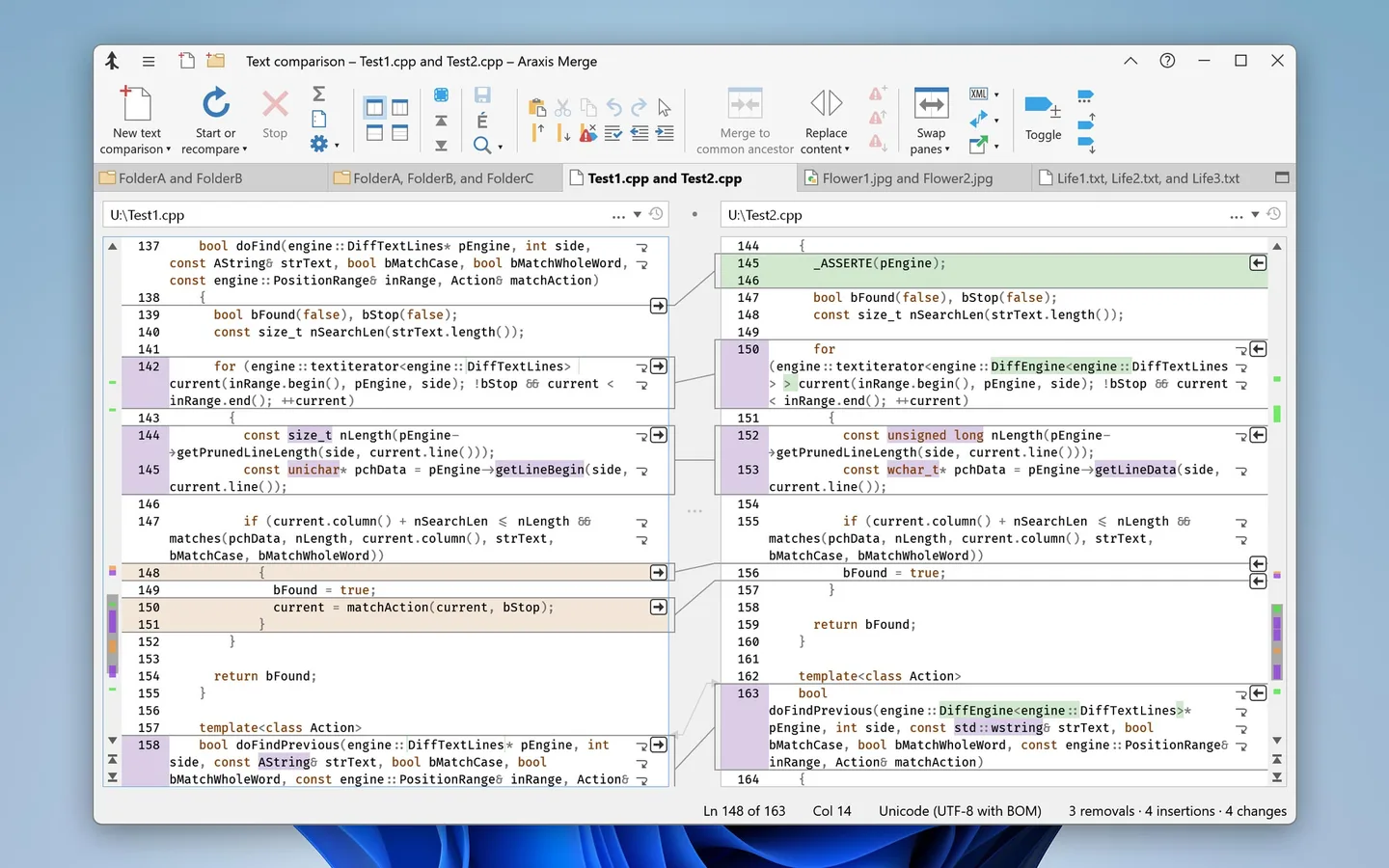
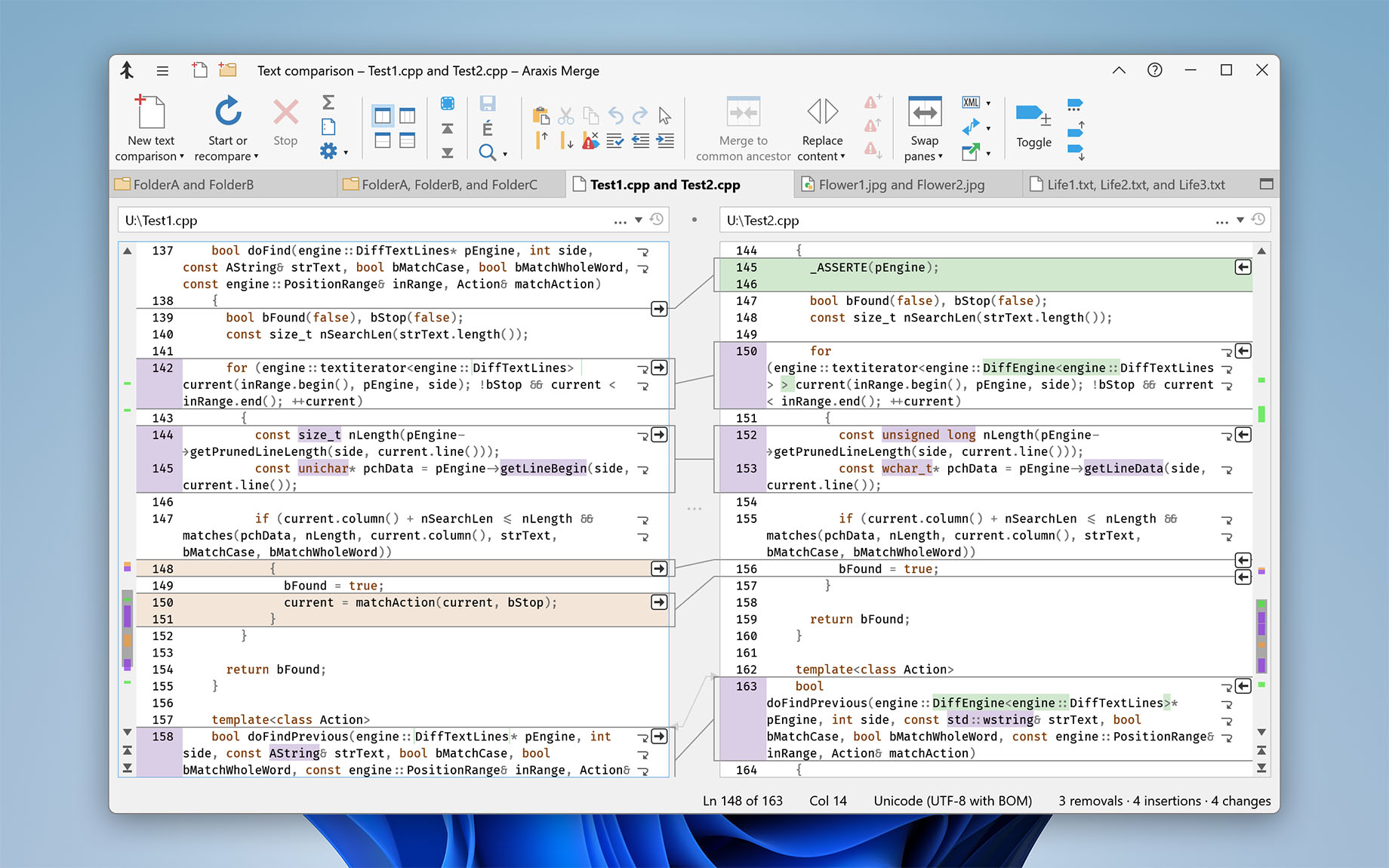
Araxis Merge puts file revisions side by side so you can review differences and choose which changes to keep. Its colour-coded text comparison highlights changes within lines, connects related sections and lets you edit the merged result in place. It suits source-code review as well as checking changes between contract or manuscript drafts.
Folder comparison extends that workflow to directory trees, while image and binary comparison handle pixel-level and byte-level differences. Merge can extract text from Microsoft Office, OpenDocument, PDF and RTF documents, but this is a text comparison rather than a view of their original layout or formatting. HTML and XML reports provide a record of file or folder differences for sharing.
Standard provides two-way comparison and merging. Professional adds three-way file and folder comparison and automatic merging, which can help reconcile two sets of changes against a common ancestor. The publisher offers a fully functional 30-day evaluation; continued use requires a paid licence. The linked download is the English Windows x64 MSI installer, not the separate macOS package.
What it offers
- Compare text side by side with colour-coded differences, within-line highlighting and an in-place editor.
- Compare and synchronize folder hierarchies, including supported archives treated as folders on Windows.
- Compare images at pixel level and binary files at byte level.
- Extract and compare text from Microsoft Office, OpenDocument, PDF and RTF documents; export file or folder comparison reports in HTML or XML.
- Use Professional for three-way file and folder comparison and automatic merging.
Good to know
- The fully functional evaluation expires after 30 days; permanent use requires a paid serial number with support entitlement covering the selected build date.
- Three-way comparison and automatic merging require Professional rather than Standard.
- Office-document comparisons show extracted text, not the document's layout or formatting.
Product images
Sources
References used for this listing. Retrieval dates do not indicate hands-on testing.
More in development
View category ↗
010 Editor 17.0
Inspect and edit binary files on Mac with 010 Editor, a paid text and hex editor with Binary Templates, file comparison and a 30-day trial.
010 Editor 17.0
Inspect and edit binary files with 010 Editor for Windows, a text and hex editor with Binary Templates, file comparison and scripting. Includes a 30-day trial.
10x Editor
Edit and navigate C++ projects on Windows with a built-in parser, workspace search and Visual Studio project support. A paid license is required after the 30-day trial.