
Development macOS
Arduino IDE for macOS
Write, compile and upload Arduino sketches on a Mac with Arduino IDE, a free, open-source editor with code completion and navigation. This download is the Apple Silicon DMG.
- Operating system
- macOS on Apple Silicon; minimum OS version not independently confirmed
- Architecture
- ARM64 (Apple Silicon)
- Download package
- DMG disk image
Intel macOS packages are separate. The publisher also offers ZIP archives; this entry selects the ARM64 DMG.
Link checked · Download guidance
What is Arduino IDE?
Arduino IDE brings sketch editing, compilation and uploading to Arduino boards into one desktop application. Its editor provides autocompletion and code navigation, while the integrated workflow lets you check a sketch and send the compiled program to a connected board. It suits developing the code that controls an Arduino electronics project rather than building a general-purpose Mac application.
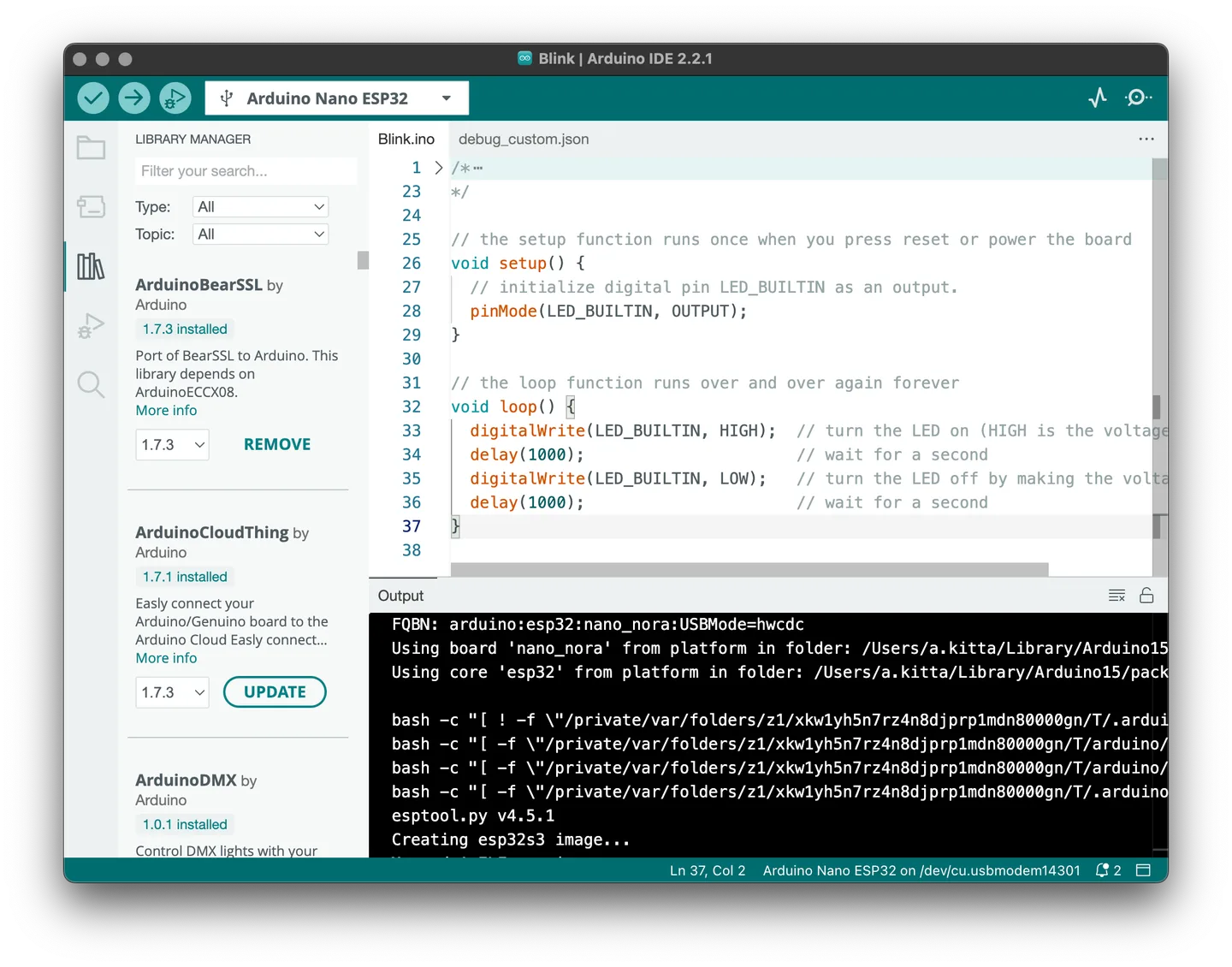
This entry links to the publisher's Arduino IDE 2.3.10 DMG for Apple Silicon Macs. Intel Macs need the separate 64-bit macOS package available through Arduino's software page. The screenshot is the publisher's older macOS IDE 2.2.1 example: it illustrates the sketch editor, Library Manager and output pane, not the exact appearance of version 2.3.10.
What it offers
- Write and edit Arduino sketches in a desktop code editor.
- Use autocompletion and code navigation while editing.
- Compile sketches and upload the resulting program to a connected Arduino board.
- Browse libraries in the Library Manager and inspect compilation output in the same interface.
Good to know
- The linked ARM64 DMG is for Apple Silicon Macs; Intel Macs require the separate 64-bit macOS download.
Product images
Sources
References used for this listing. Retrieval dates do not indicate hands-on testing.
More in development
View category ↗

010 Editor 17.0
Inspect and edit binary files on Mac with 010 Editor, a paid text and hex editor with Binary Templates, file comparison and a 30-day trial.
010 Editor 17.0
Inspect and edit binary files with 010 Editor for Windows, a text and hex editor with Binary Templates, file comparison and scripting. Includes a 30-day trial.
10x Editor
Edit and navigate C++ projects on Windows with a built-in parser, workspace search and Visual Studio project support. A paid license is required after the 30-day trial.