

Development Windows
Arduino IDE for Windows
Write, compile and upload sketches to Arduino boards with Arduino IDE 2 for Windows. Manage board packages and libraries, complete code and inspect serial data in one desktop editor.
- Operating system
- Windows 10 or newer (64-bit)
- Architecture
- x64 (Intel/AMD 64-bit)
- Download package
- EXE installer
Arduino IDE 2.3.10 desktop editor; not IDE 1.x or Cloud Editor. MSI and ZIP packages are separate. Additional boards may need a board package.
Link checked · Download guidance
What is Arduino IDE?
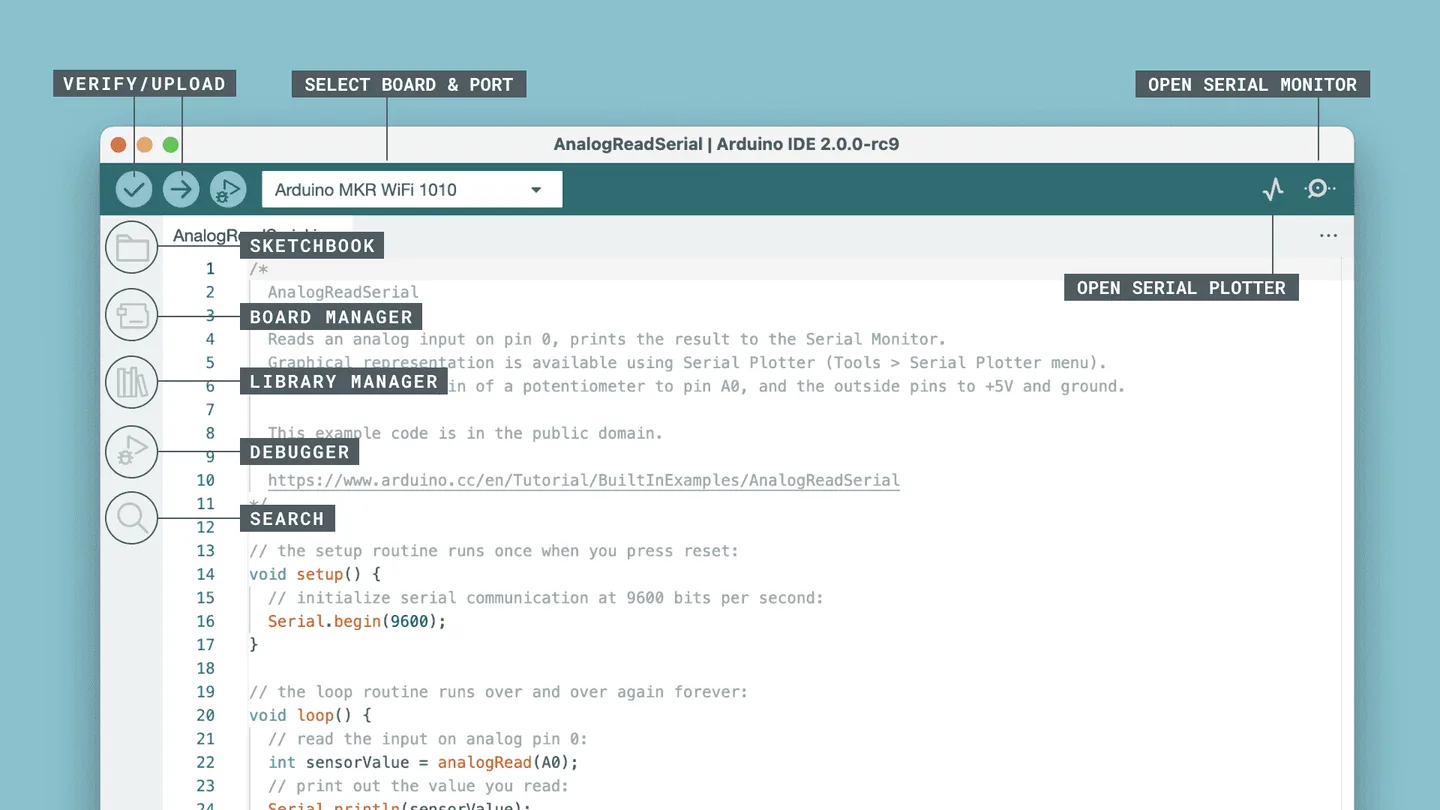
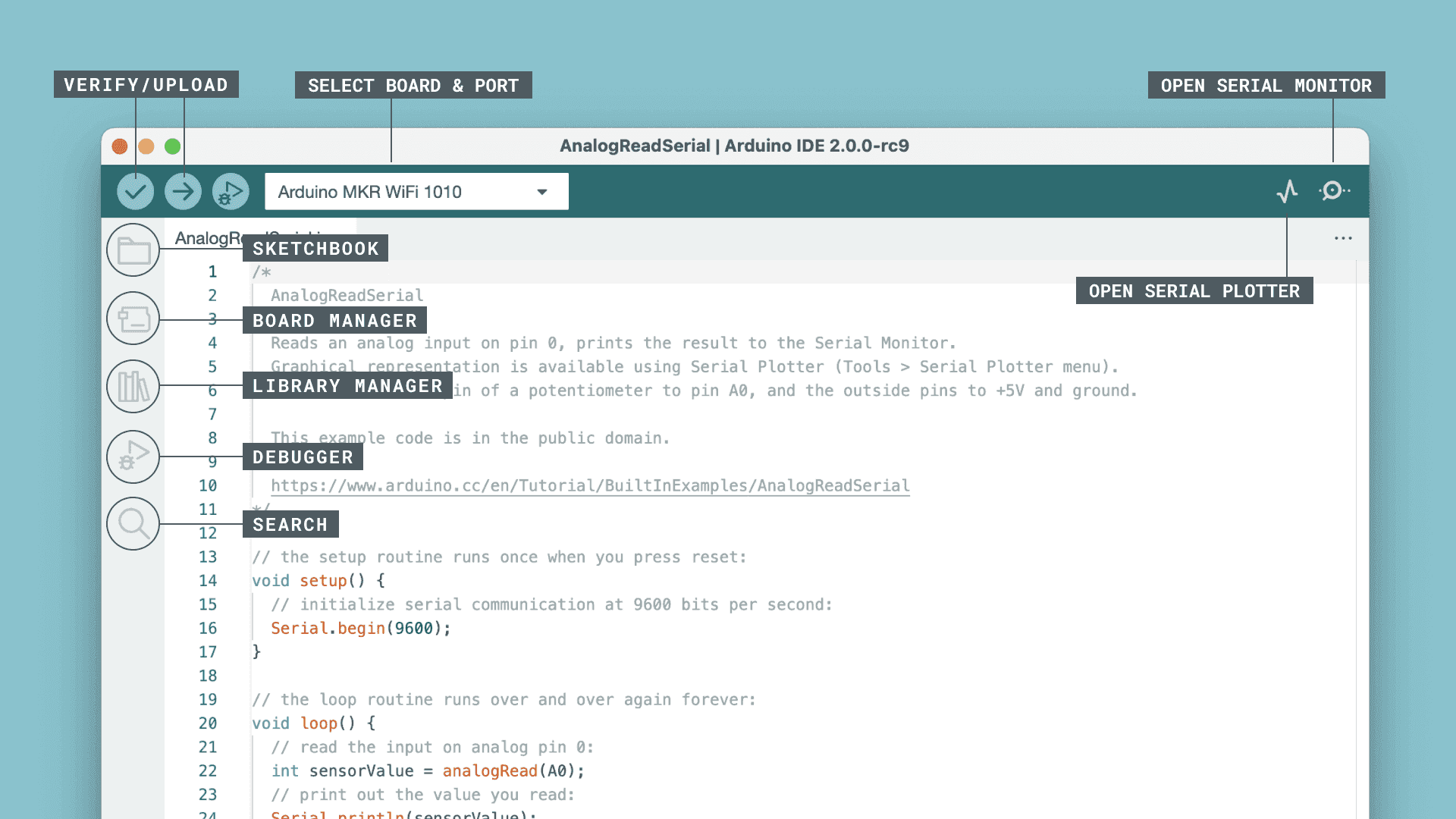
Arduino IDE 2 is a desktop workspace for developing programs, called sketches, for Arduino boards. Write a sketch, select the board and port, verify the code and upload it to your hardware. The editor adds autocompletion and code navigation, while Boards Manager and Library Manager bring board support and reusable libraries into the same workspace. Serial Monitor displays messages from a connected board; Serial Plotter turns incoming values into graphs.
This download is the Arduino IDE 2.3.10 EXE installer for Windows 10 or newer on x64 PCs, not the legacy IDE 1.x, a ZIP archive or the browser-based Arduino Cloud Editor. Board support depends on the appropriate board package: for example, UNO R4 boards need the Arduino UNO R4 Boards package. Select your board before using autocompletion; installing the editor alone does not configure every board.
What it offers
- Write sketches, verify them by compiling and upload them to a selected Arduino board and port.
- Use autocompletion and code navigation while editing sketches.
- Install board packages through Boards Manager and reusable libraries through Library Manager.
- Read board output with Serial Monitor or graph incoming values with Serial Plotter.
Good to know
- Boards require the corresponding board package; additional boards such as UNO R4 need their package installed through Boards Manager.
- Autocompletion requires a selected board.
- IDE 2 requires 64-bit Windows 10 or newer; this x64 installer is not the legacy package offered for Windows 7.
Product images
Sources
References used for this listing. Retrieval dates do not indicate hands-on testing.
- Arduino Software — official IDE download and product distinctions ↗Retrieved
- Arduino IDE 2.3.10 — publisher release ↗Retrieved
- Arduino IDE 2.3.10 — official release files ↗Retrieved
- Arduino Documentation — downloading and installing IDE 2 ↗Retrieved
- Arduino Documentation — getting started with IDE 2 ↗Retrieved
- Arduino Documentation — installing board packages ↗Retrieved
- Arduino IDE publisher repository — license and development ↗Retrieved
- Arduino IDE 2.3.10 — versioned package metadata ↗Retrieved
- Arduino IDE 2.3.10 — platform artifact naming ↗Retrieved
- Getting Started with Arduino IDE 2 | Arduino Documentation — screenshot and documentation license ↗Retrieved
More in development
View category ↗
010 Editor 17.0
Inspect and edit binary files on Mac with 010 Editor, a paid text and hex editor with Binary Templates, file comparison and a 30-day trial.
010 Editor 17.0
Inspect and edit binary files with 010 Editor for Windows, a text and hex editor with Binary Templates, file comparison and scripting. Includes a 30-day trial.
10x Editor
Edit and navigate C++ projects on Windows with a built-in parser, workspace search and Visual Studio project support. A paid license is required after the 30-day trial.