

Utilities macOS
ASAPDF for macOS
Fill PDF forms, edit text and collect signatures with ASAPDF for Mac. Reuse saved text, organize pages and send signing links to recipients who do not need the app.
- Operating system
- macOS; minimum version not established by the inspected sources
- Architecture
- Not specified in the inspected publisher evidence
- Download package
- DMG disk image (ASAPDF.dmg)
The publisher's product metadata lists Mac version 0.21.4. CPU architecture and minimum macOS version were not verified; no installation or software execution was performed.
Link checked · Download guidance
What is ASAPDF?
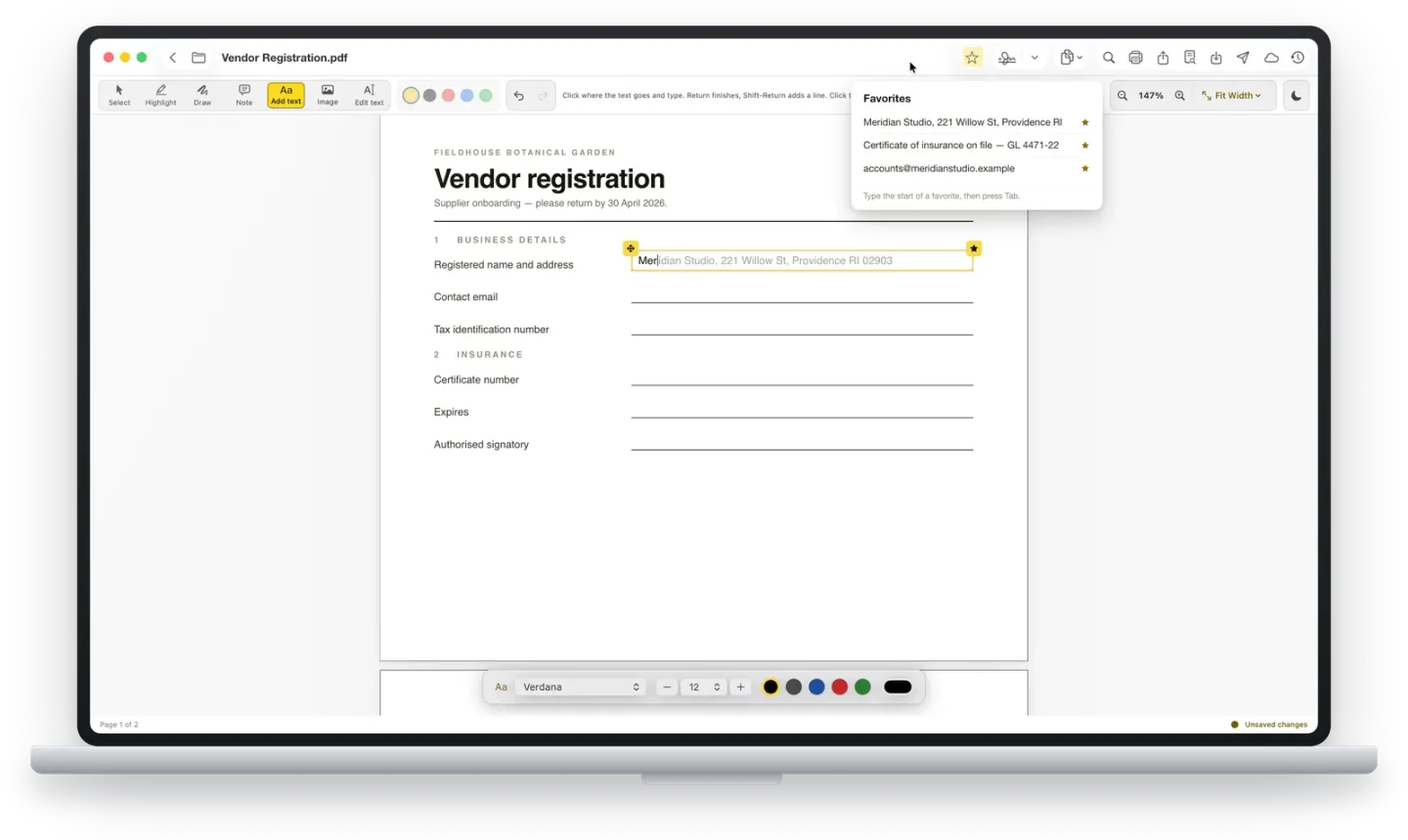
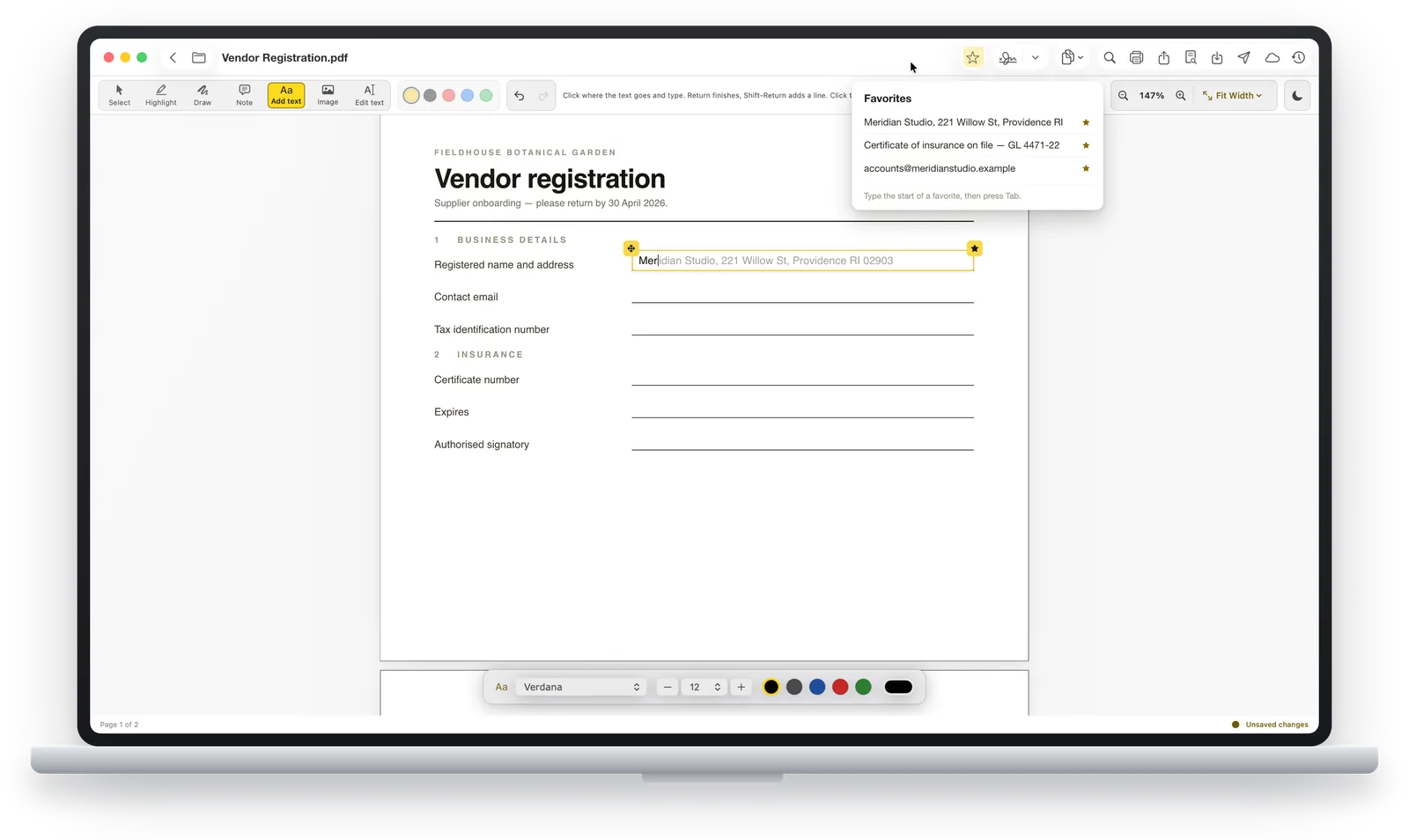
ASAPDF is a paid PDF editor and signing tool from Bravely Studios. On Mac, it brings form filling, text editing, annotations and page organization into the same workflow. You can add text or images to a document, draw a signature with a trackpad or mouse, and reuse saved signatures. Favorites store frequently entered text, such as an address, for insertion by typing its first letters and pressing Tab.
For documents that need another person's signature, the publisher describes QR-code, link and email sharing: recipients sign in their browser without installing the app or creating an account. Mac page tools can reorder, delete and split pages or merge PDFs; the publisher says the original file remains untouched until you save.
This is not a free PDF editor: access requires an eligible subscription, purchase or other entitlement. The publisher also describes ASAPDF as actively developing and cautions that marketed features may change before general release. Electronic signatures are tools, not a guarantee of legal validity for a particular transaction; check the requirements that apply to your document.
What it offers
- Fill existing PDF text fields, checkboxes and dropdowns, or place additional text on a page.
- Edit existing PDF text and add pictures, highlights, drawings and sticky notes.
- Draw signatures with a Mac trackpad or mouse and reuse a saved signature library.
- Send documents for signature by QR code, link or email; recipients use a browser without an app or account.
- Reorder, delete or split pages and merge PDFs on Mac; save frequently used text as Favorites.
Good to know
- There is no separate free tier; using the app requires eligible paid access or another publisher-provided entitlement.
- The publisher says ASAPDF is in active development and marketed features may change before general release.
- The publisher does not guarantee that an electronic signature meets the legal requirements of every jurisdiction or transaction.
Product images
More in utilities
View category ↗
1.1.1.1 with WARP 2026.8.2115.0
Encrypt traffic from your Mac to Cloudflare’s network with WARP, or use DNS-only mode for encrypted DNS queries to the 1.1.1.1 resolver.
1.1.1.1 with WARP 2026.8.2115.0
Encrypt traffic between your Windows PC and Cloudflare, or use encrypted DNS only, with the free 1.1.1.1 with WARP app.

3uTools 9.12.005
Manage iPhone and iPad photos, music, apps and backups from Windows with 3uTools, a free utility that also includes device checks and firmware flashing tools.