

Utilities Windows
Ashampoo Snap FREE for Windows
Capture Windows screenshots, crop them and add text, arrows or highlights with Ashampoo Snap FREE. Includes an editor and JPEG/PNG export; internet activation is required.
- Operating system
- Windows 10 and Windows 11 (64-bit)
- Architecture
- x64
- Download package
- EXE installer
Publisher requires internet activation and periodic license verification. No installation or application execution performed.
Link checked · Download guidance
What is Ashampoo Snap FREE?
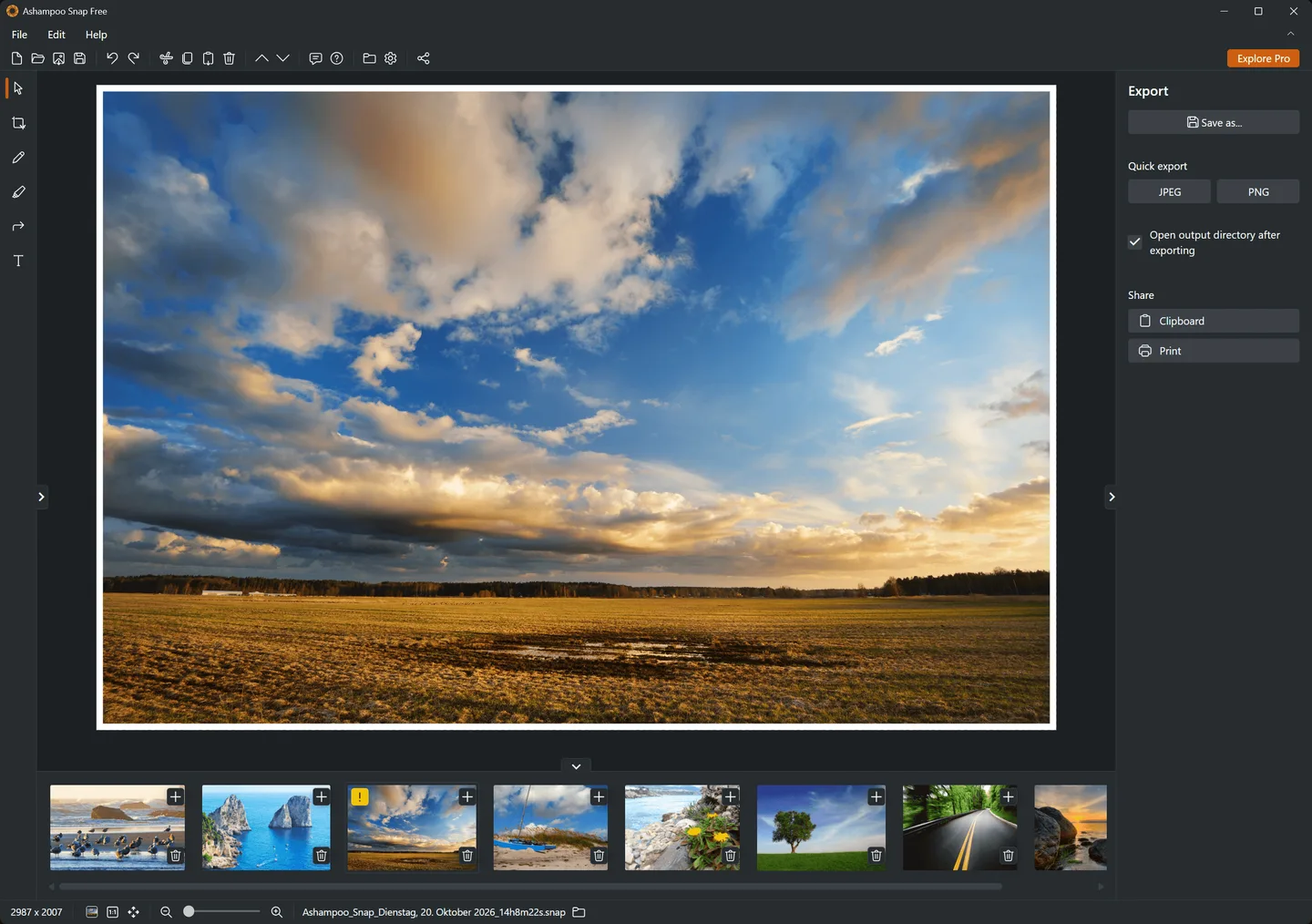
Ashampoo Snap FREE captures individual windows, selected screen areas and full screens on Windows 10 and 11. Its built-in editor lets you crop a capture and mark important details with text, arrows and highlights before saving it. This makes it useful for illustrating a support request or preparing a short visual instruction without moving each capture into a separate editor.
The editor offers JPEG and PNG export, copying to the clipboard and direct printing. Keyboard shortcuts provide another way to start a capture, and the publisher lists support for multiple monitors.
The free edition is intended for still screenshots, not video recording. The publisher’s FREE-specific FAQ places OCR and advanced editing in the full version. Its pages disagree about scrolling capture, so that capability should not be assumed for FREE. Although the download is free, activation needs an internet connection and the license is checked again at regular intervals. The linked EULA describes a personal, non-commercial license.
What it offers
- Capture individual windows, rectangular or free-form areas, and entire screens.
- Crop screenshots and annotate them with text, arrows and highlights.
- Save edited images as JPEG or PNG, copy them to the clipboard, or print them.
- Use customizable keyboard shortcuts and capture from a multi-monitor setup.
Good to know
- Internet access is required for activation, with license verification repeated at regular intervals.
- Video capture, OCR and advanced editing are reserved for the full version in the publisher’s FREE-specific FAQ.
- Publisher pages conflict about scrolling capture; its availability in FREE is not confirmed.
- The linked EULA describes personal, non-commercial use; a free download is not an unrestricted commercial-use license.
Product images
Sources
References used for this listing. Retrieval dates do not indicate hands-on testing.
- Ashampoo Snap FREE ↗Retrieved
- Ashampoo Snap FREE - Requirements ↗Retrieved
- End User License Agreement ↗Retrieved
- Ashampoo Snap FREE - Screenshots ↗Retrieved
- Media-Center - Ashampoo Snap FREE ↗Retrieved
- Media-Center ↗Retrieved
- Ashampoo Snap FREE - Download ↗Retrieved
More in utilities
View category ↗
1.1.1.1 with WARP 2026.8.2115.0
Encrypt traffic from your Mac to Cloudflare’s network with WARP, or use DNS-only mode for encrypted DNS queries to the 1.1.1.1 resolver.
1.1.1.1 with WARP 2026.8.2115.0
Encrypt traffic between your Windows PC and Cloudflare, or use encrypted DNS only, with the free 1.1.1.1 with WARP app.

3uTools 9.12.005
Manage iPhone and iPad photos, music, apps and backups from Windows with 3uTools, a free utility that also includes device checks and firmware flashing tools.