
Utilities Windows
Aspia Client
Connect to Aspia Hosts for remote desktop control, file transfer and support tasks. Aspia Client is the free, open-source operator application for Windows.
- Operating system
- Windows 7 or higher, as listed by the publisher
- Architecture
- x86_64 (64-bit)
- Download package
- MSI installer
This is the Client package, not Host, Router or Relay. The remote computer needs Aspia Host; version 3.1.2 discontinues support for 2.x.
Link checked · Download guidance
What is Aspia Client?
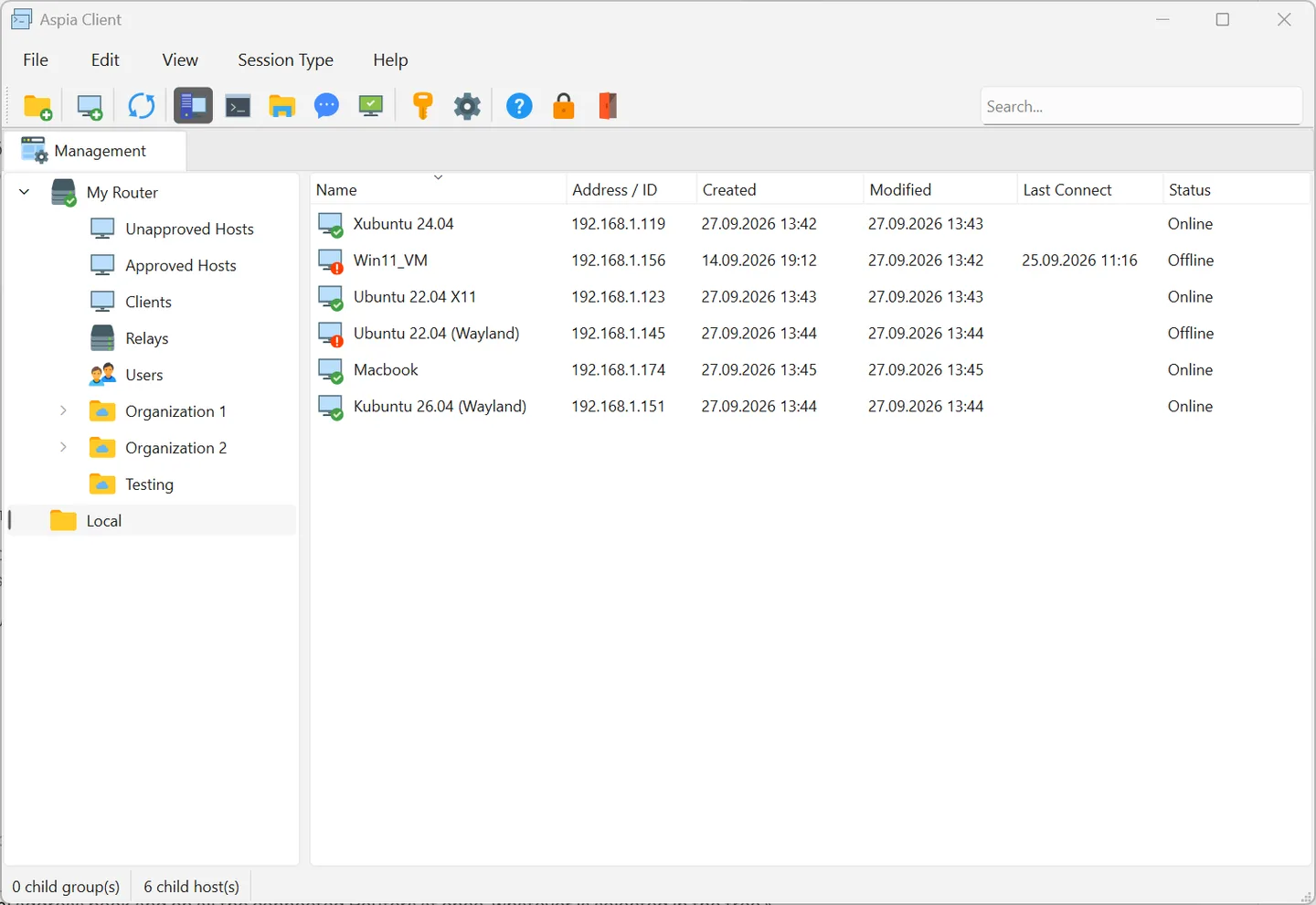
Aspia Client is the operator side of Aspia's remote-access system. Use it to connect to a computer running Aspia Host, control its desktop, transfer files or inspect system information. A local address book groups computers and stores connection details; Router connections provide another way to find and manage remote Hosts.
You can connect directly by a Host's address or use your own Router and Relay infrastructure for connections by ID. The Client does not replace the Host on the computer being accessed. Its local database is protected by a mandatory master password: the publisher warns that a lost password cannot be recovered or reset, so losing it means losing access to the stored address book and credentials.
This download is the Windows x86_64 MSI for version 3.1.2. The publisher's release notes discontinue support for Aspia 2.x in this release; check the versions in an existing deployment before updating.
What it offers
- Control remote desktops and transfer files between the local computer and an Aspia Host.
- Organize computers into address-book groups and save connection details in a master-password-protected database.
- Connect directly by address or through an Aspia Router using a Host ID.
- Open system-information and chat sessions alongside remote desktop work.
Good to know
- The Client alone does not make a computer remotely accessible; the remote side needs Aspia Host.
- The master password cannot be recovered or reset; losing it makes the saved database unreadable.
- Version 3.1.2 discontinues support for Aspia 2.x.
Product images
Sources
References used for this listing. Retrieval dates do not indicate hands-on testing.
- Aspia Remote Desktop — official features, requirements and licensing ↗Retrieved
- Download | Aspia Remote Desktop ↗Retrieved
- Aspia Client — official documentation ↗Retrieved
- Change Log | Aspia Remote Desktop ↗Retrieved
- Aspia 3.1.2 Release — publisher GitHub repository ↗Retrieved
- Aspia 3.1.2 publisher release assets ↗Retrieved
More in utilities
View category ↗
1.1.1.1 with WARP 2026.8.2115.0
Encrypt traffic from your Mac to Cloudflare’s network with WARP, or use DNS-only mode for encrypted DNS queries to the 1.1.1.1 resolver.
1.1.1.1 with WARP 2026.8.2115.0
Encrypt traffic between your Windows PC and Cloudflare, or use encrypted DNS only, with the free 1.1.1.1 with WARP app.

3uTools 9.12.005
Manage iPhone and iPad photos, music, apps and backups from Windows with 3uTools, a free utility that also includes device checks and firmware flashing tools.