
Utilities Windows
Atlantis Word Processor Lite
Write and format letters, reports and longer documents with Atlantis Word Processor Lite, a free Windows word processor with optional language proofing tools.
- Operating system
- Windows 11, 10, 8, 7, Vista, XP and 2000, as listed by the publisher
- Architecture
- 32-bit and 64-bit Windows supported; setup executable architecture not specified
- Download package
- EXE installer
Publisher compatibility statements, not hands-on tests. Recommended display resolution: 1024 × 768 or higher. The linked file is the Lite setup, not the full-edition trial.
Link checked · Download guidance
What is Atlantis Word Processor Lite?
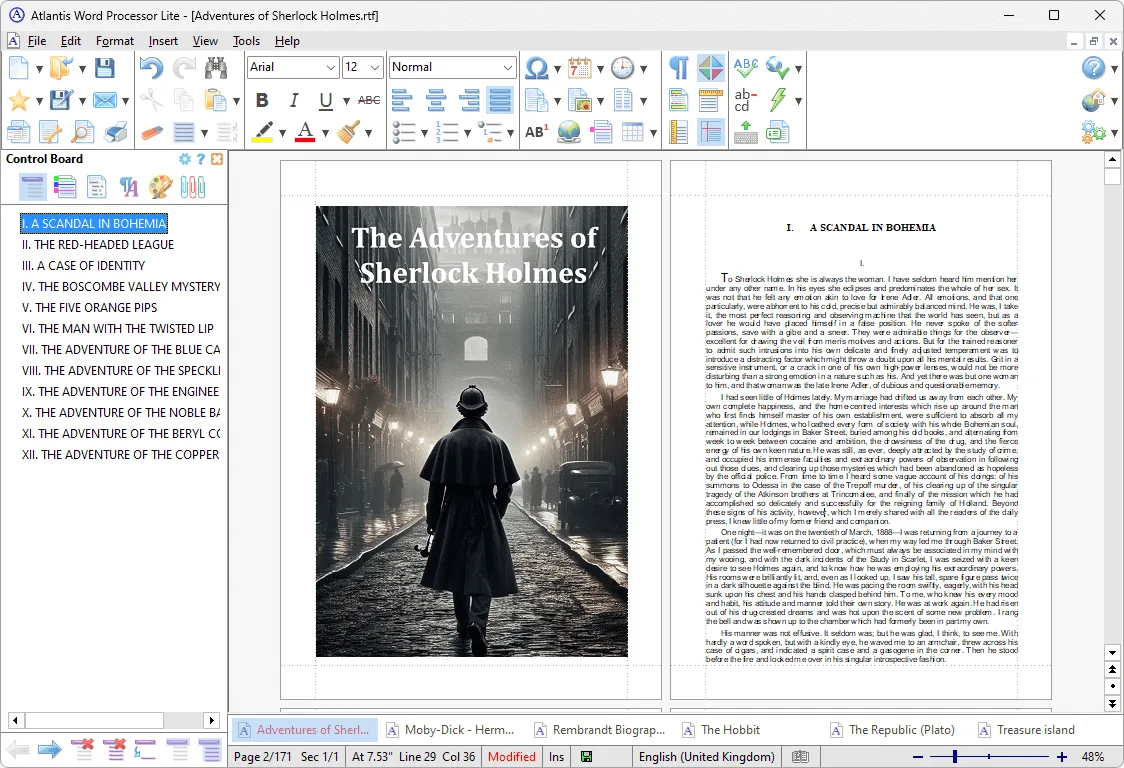
Atlantis Word Processor Lite is a free desktop word processor for writing letters, reports, articles and novels. It is a candidate for replacing WordPad when you want a document editor rather than a full office suite. The publisher's Lite screenshot shows conventional formatting toolbars, a document-navigation Control Board and tabs for open documents.
For spelling, thesaurus and hyphenation support, the publisher directs users to press F7 or open Tools | Quick Personalization to install the proofing tools for their language. The interface is available in multiple languages.
Choose the edition by the work you need to finish. Lite does not include the full edition's Save as PDF, Save as eBook or Batch Conversion commands. Full Screen and Spotlight modes, writing targets and the Overused Words tool are also full-edition features, not reasons to download Lite. The link here is the publisher's Lite EXE setup, not the separate paid-edition trial.
What it offers
- Create and edit letters, reports, articles and novels in a standalone Windows application.
- Use formatting toolbars, document tabs and a navigation Control Board, as shown in the publisher's Lite screenshot.
- Install optional spellchecker, thesaurus and hyphenation tools for your language through F7 or Tools | Quick Personalization.
- Use a multilingual interface; the publisher lists English, French, German and other language options.
Good to know
- Save as PDF, Save as eBook and Batch Conversion are reserved for the full edition.
- Full Screen, Spotlight, writing targets and Overused Words are not included in Lite.
- Language proofing tools require a separate installation step; do not assume every dictionary is included in the setup.
Product images
Sources
References used for this listing. Retrieval dates do not indicate hands-on testing.
- Atlantis Word Processor — Atlantis Word Processor Lite ↗Retrieved
- Atlantis Word Processor Lite — publisher PAD metadata ↗Retrieved
- Atlantis Word Processor Help — System requirements ↗Retrieved
- Atlantis Word Processor Lite - Download ↗Retrieved
- Atlantis Word Processor — Press Room ↗Retrieved
- Atlantis Word Processor — Copyright information ↗Retrieved
More in utilities
View category ↗
1.1.1.1 with WARP 2026.8.2115.0
Encrypt traffic from your Mac to Cloudflare’s network with WARP, or use DNS-only mode for encrypted DNS queries to the 1.1.1.1 resolver.
1.1.1.1 with WARP 2026.8.2115.0
Encrypt traffic between your Windows PC and Cloudflare, or use encrypted DNS only, with the free 1.1.1.1 with WARP app.


3uTools 9.12.005
Manage iPhone and iPad photos, music, apps and backups from Windows with 3uTools, a free utility that also includes device checks and firmware flashing tools.