
Utilities Windows
AudioLabel CD Label Maker
Design and print CD, DVD and Blu-ray disc labels and case covers on Windows with AudioLabel's adjustable templates, image tools and AutoFit text. A 15-day trial is available.
- Operating system
- Windows 11, 10, 8.1, 8 and 7, as listed by the publisher
- Architecture
- Not specified in the consulted publisher pages
- Download package
- EXE trial installer
Publisher lists version 7.0 (Build 7). Direct-to-disc printing requires a compatible printer, inkjet-printable discs and correct driver settings. Windows compatibility was not independently tested.
Link checked · Download guidance
What is AudioLabel CD Label Maker?
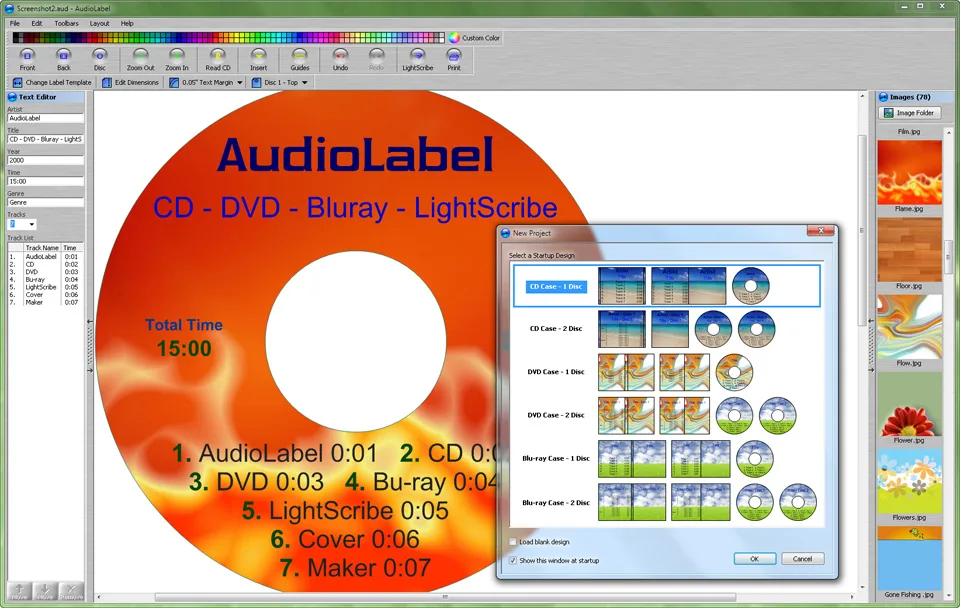
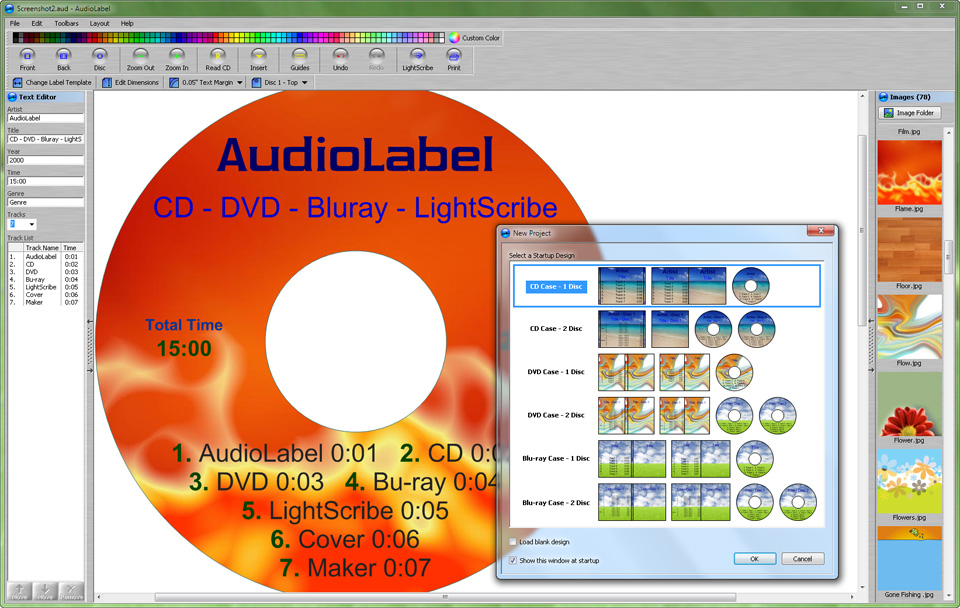
AudioLabel is a Windows label designer for discs and their packaging. Use it to lay out a CD label, prepare a DVD case cover or make matching Blu-ray inserts. It combines editable label templates with drag-and-drop pictures and a text editor that can resize and wrap text around the label's printable area. Designs can also be saved as high-resolution images for use outside the program.
Choose a template that matches your paper or disc printer before arranging the artwork. The template dimensions can be adjusted for non-standard label stock. For direct-to-disc output, you need a printer with that capability and inkjet-printable discs; ordinary discs are not a substitute. The publisher recommends checking alignment on a scrap disc and adjusting the template as needed.
The download is a 15-day trial, not an unrestricted free edition. The publisher also advertises automatic album lookup through Freedb, but current availability of that online service was not verified. Do not choose the software solely for that lookup feature; CD-TEXT and MP3 tag reading are separately documented by the publisher.
What it offers
- Create labels and case covers for CD, DVD and Blu-ray media using editable templates.
- Adjust label and cover dimensions to match non-standard paper or printable disc areas.
- Add pictures and backgrounds with drag and drop, or use the built-in image gallery.
- Use AutoFit to resize and wrap label text; manually adjust font, color and alignment.
- Save a label design as a high-resolution image or print it on supported paper and disc printers.
Good to know
- The publisher offers a 15-day trial; this is not an unrestricted free edition.
- Direct-to-disc printing needs compatible hardware, inkjet-printable discs and correct driver settings; alignment may need adjustment.
- The publisher's Freedb-based album lookup is a legacy online dependency whose current availability was not verified.
Product images
Sources
References used for this listing. Retrieval dates do not indicate hands-on testing.
More in utilities
View category ↗
1.1.1.1 with WARP 2026.8.2115.0
Encrypt traffic from your Mac to Cloudflare’s network with WARP, or use DNS-only mode for encrypted DNS queries to the 1.1.1.1 resolver.
1.1.1.1 with WARP 2026.8.2115.0
Encrypt traffic between your Windows PC and Cloudflare, or use encrypted DNS only, with the free 1.1.1.1 with WARP app.

3uTools 9.12.005
Manage iPhone and iPad photos, music, apps and backups from Windows with 3uTools, a free utility that also includes device checks and firmware flashing tools.