

Development Windows
Autodesk Fusion for Windows
Design mechanical parts, prepare machining workflows and develop PCB layouts with Autodesk Fusion, a cloud-connected CAD/CAM application for Windows.
- Operating system
- Windows 11 24H2 (build 26100 or newer); 23H2 supported through November 10, 2026
- Architecture
- x86-64 (Intel or AMD); Windows ARM emulation is not certified
- Download package
- EXE online installation bootstrapper
Autodesk account and suitable license/trial required. Minimum 8 GB RAM, DirectX 12-capable GPU and 8.5 GB installation space; internet required to retrieve components and use cloud services.
Link checked · Download guidance
What is Autodesk Fusion?
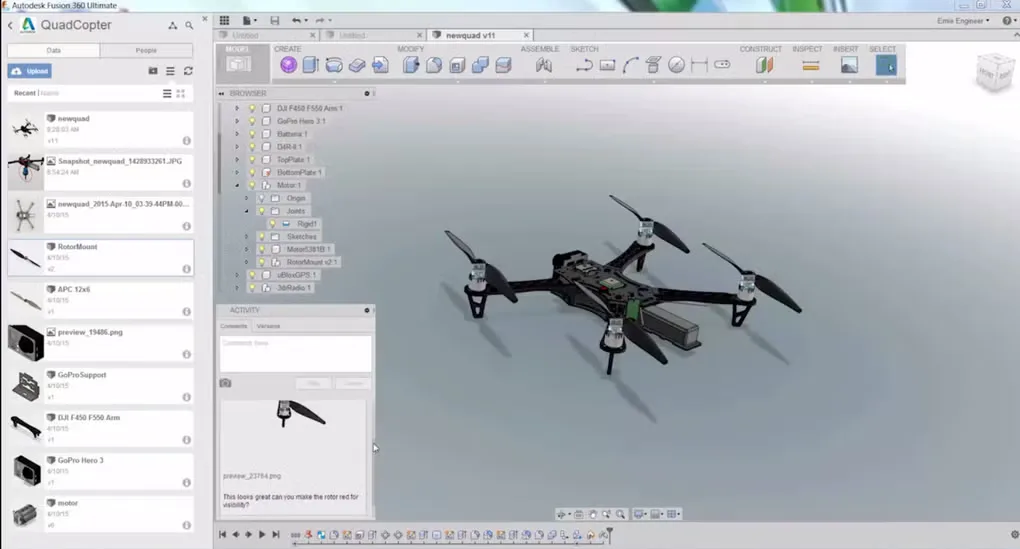
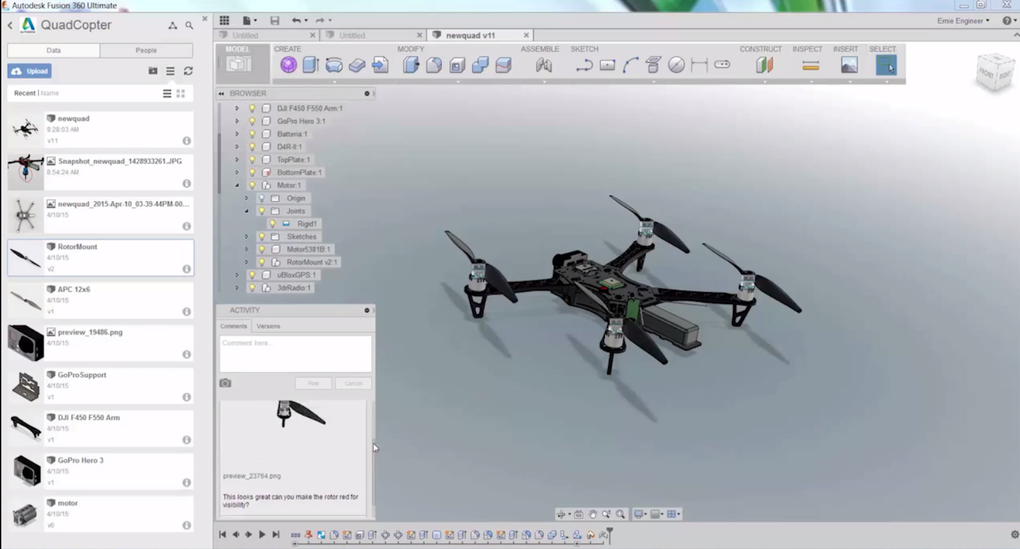
Autodesk Fusion brings 3D modeling, manufacturing preparation and electronics design into one product-development workspace. Use it to build a part, document the design with drawings and carry the model into CAD/CAM workflows without treating mechanical and PCB design as separate projects. Cloud data management supports collaboration around shared designs.
The linked Windows EXE is the Fusion Client Downloader: an online installation bootstrapper, not a complete offline package. An Autodesk account and an appropriate license or trial are needed to use Fusion. Commercial use is subscription-based; the 30-day trial is distinct from the limited personal-use license, and free educational access is for qualifying students and educators.
Personal use is restricted to qualifying home-based, non-commercial projects and individuals generating less than $1,000 USD annually; it is not for primary employment, company environments or commercial training. That edition limits CAM, PCB design, drawings and import/export formats. Check the license and any required extensions against your workflow before choosing Fusion.
What it offers
- Build 3D designs using parametric modeling tools.
- Connect CAD design with CAM manufacturing workflows.
- Work on PCB layouts with electromechanical integration.
- Create design drawings and use cloud-based data management for collaboration.
Good to know
- An Autodesk account and suitable entitlement are required; downloading the installer does not grant a commercial license.
- The personal-use license is non-commercial and feature-limited, including CAM, PCB design, drawings and import/export formats.
- This EXE retrieves application components online; it is not a full offline installer.
- Windows ARM devices rely on x64 emulation and have not completed Autodesk Fusion certification.
Product images
Sources
References used for this listing. Retrieval dates do not indicate hands-on testing.
- Autodesk Fusion — official product overview (retrieved through Jina Reader) ↗Retrieved
- Autodesk Fusion for personal use — official license comparison (via Jina Reader) ↗Retrieved
- System requirements for Autodesk Fusion — publisher support (via Jina Reader) ↗Retrieved
- How To Install Autodesk Fusion on Windows and Mac — publisher guide (via Jina Reader) ↗Retrieved
- How to deploy Autodesk Fusion — publisher support (via Jina Reader) ↗Retrieved
- Fusion Lab Installation Instructions — publisher PDF, installation architecture only ↗Retrieved
- Autodesk-hosted Windows Client Downloader — bounded HEAD proof ↗Retrieved
- Autodesk Fusion for Windows — Softonic screenshot gallery (normal managed browser) ↗Retrieved
More in development
View category ↗
010 Editor 17.0
Inspect and edit binary files on Mac with 010 Editor, a paid text and hex editor with Binary Templates, file comparison and a 30-day trial.
010 Editor 17.0
Inspect and edit binary files with 010 Editor for Windows, a text and hex editor with Binary Templates, file comparison and scripting. Includes a 30-day trial.
10x Editor
Edit and navigate C++ projects on Windows with a built-in parser, workspace search and Visual Studio project support. A paid license is required after the 30-day trial.