

Utilities Windows
Autoruns for Windows
Inspect and manage programs that start automatically in Windows, including logon entries, services, scheduled tasks and Explorer add-ons, with Microsoft Sysinternals Autoruns.
- Operating system
- Windows; minimum version not specified on the publisher product page
- Architecture
- ZIP architectures not enumerated on the publisher product page
- Download package
- ZIP archive with Autoruns and Autorunsc
Extract the archive before running a tool. Exact Windows-version and processor compatibility were not verified; no installation or execution was performed.
Link checked · Download guidance
What is Autoruns?
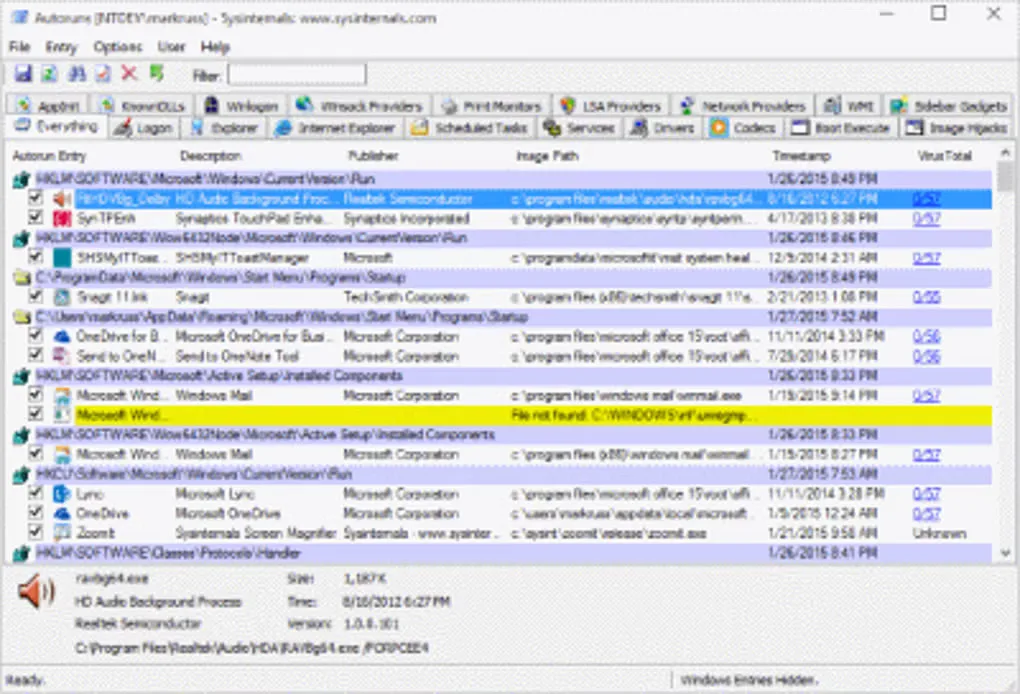
Autoruns shows where programs are configured to start automatically in Windows. Use its category tabs to investigate logon items, services, drivers, scheduled tasks and Explorer extensions, then jump to an entry's Registry or file-system location. Hiding signed Microsoft entries helps narrow the view to third-party software; the User menu lets you inspect startup entries for other accounts.
Uncheck an entry to disable its automatic startup, or use Delete to remove its startup configuration. The companion Autorunsc command-line tool can export findings as CSV for inspection outside the graphical interface. The official ZIP contains Autoruns and Autorunsc; the publisher page does not specify a minimum Windows version or enumerate the archive's processor architectures.
Signature verification and VirusTotal checks are optional. VirusTotal features require acceptance of its terms, and the file-submission option can upload files that the service has not previously scanned. Review that setting before using it with private files.
What it offers
- Inspect logon entries, services, drivers, scheduled tasks and Explorer add-ons by category.
- Hide signed Microsoft entries to focus on third-party startup items.
- Jump to an entry's Registry or file-system location, disable it with a checkbox, or delete its startup configuration.
- View startup entries for other user accounts on the same system.
- Export startup information as CSV with the included Autorunsc command-line tool.
Good to know
- VirusTotal features require acceptance of VirusTotal's terms; enabling file submission can upload previously unscanned files to that external service.
Product images
Sources
References used for this listing. Retrieval dates do not indicate hands-on testing.
More in utilities
View category ↗
1.1.1.1 with WARP 2026.8.2115.0
Encrypt traffic from your Mac to Cloudflare’s network with WARP, or use DNS-only mode for encrypted DNS queries to the 1.1.1.1 resolver.
1.1.1.1 with WARP 2026.8.2115.0
Encrypt traffic between your Windows PC and Cloudflare, or use encrypted DNS only, with the free 1.1.1.1 with WARP app.

3uTools 9.12.005
Manage iPhone and iPad photos, music, apps and backups from Windows with 3uTools, a free utility that also includes device checks and firmware flashing tools.