

Utilities Windows
Avro Keyboard for Windows
Type Bangla on Windows with Avro Keyboard using English phonetic input, traditional keyboard layouts or an on-screen keyboard, with a built-in Bangla spell checker.
- Operating system
- Windows 10, 8.1, 8 and XP, as listed by the publisher
- Architecture
- 32-bit and 64-bit Windows editions supported by the publisher's listed download
- Download package
- EXE installer (standard edition)
The page lists one installer for both Windows bitness editions. This is not a claim of a native x64 binary. Windows 11 is not listed; software was not installed or run.
Link checked · Download guidance
What is Avro Keyboard?
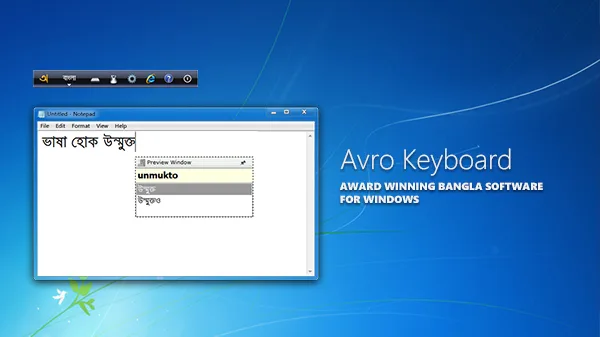
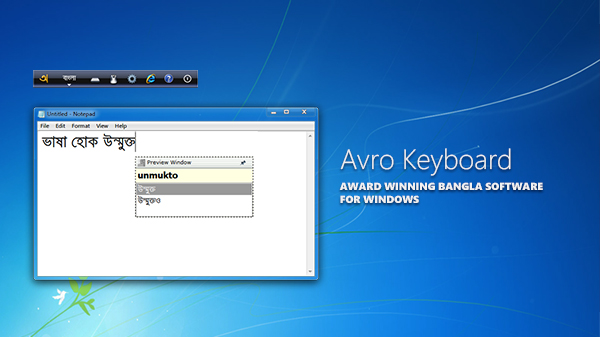
Avro Keyboard is a free Bangla typing utility for Windows. Its phonetic mode converts English transliteration into Bangla as you type, with a floating preview and editable autocorrection dictionary. For users who prefer fixed key positions, it also includes layouts such as Probhat, Munir Optima, Avro Easy, Bornona and National (Jatiya). An on-screen keyboard offers a mouse-based alternative.
The utility works as a system-level input interface, with a desktop toolbar or system-tray mode and configurable shortcuts for switching between Bangla and the system keyboard. Unicode typing is supported, alongside an optional ANSI mode for applications that need compatible legacy fonts. Avro Pad provides a built-in Bangla spell checker.
The linked download is the standard Windows EXE installer for version 5.6.0, released on August 27, 2019. The publisher's download page lists Windows 10, 8.1, 8 and XP in both 32-bit and 64-bit editions; it does not list Windows 11. Windows 11 compatibility is therefore not established by this entry. Unicode and ANSI are different text formats: use Unicode unless the destination specifically requires compatible ANSI text and fonts.
What it offers
- Convert English phonetic input to Bangla with a floating preview and editable autocorrection dictionary.
- Choose traditional layouts including Probhat, Munir Optima, Avro Easy, Bornona and National (Jatiya).
- Enter Bangla using the on-screen keyboard and mouse.
- Check Bangla spelling in the built-in Avro Pad.
- Switch between Bangla and the system keyboard with configurable shortcuts, using the desktop toolbar or system tray.
- Use Unicode text or optional ANSI typing with compatible legacy fonts.
Good to know
- The publisher's download page does not list Windows 11; compatibility with it is not established here.
- ANSI output needs compatible legacy fonts and a matching destination workflow; it is not interchangeable with Unicode text.
Product images
Sources
References used for this listing. Retrieval dates do not indicate hands-on testing.
More in utilities
View category ↗
1.1.1.1 with WARP 2026.8.2115.0
Encrypt traffic from your Mac to Cloudflare’s network with WARP, or use DNS-only mode for encrypted DNS queries to the 1.1.1.1 resolver.
1.1.1.1 with WARP 2026.8.2115.0
Encrypt traffic between your Windows PC and Cloudflare, or use encrypted DNS only, with the free 1.1.1.1 with WARP app.

3uTools 9.12.005
Manage iPhone and iPad photos, music, apps and backups from Windows with 3uTools, a free utility that also includes device checks and firmware flashing tools.