
Utilities Windows
Bambu Studio
Prepare 3D models for printing with Bambu Studio for Windows: slice models, organize multiple plates, adjust supports and inspect G-code.
Version 2.8.2.61 · Direct publisher file
Link checked · Download guidance
What is Bambu Studio?
Bambu Studio is a 3D-print preparation application from Bambu Lab. Its project-based workflow combines model arrangement, slicing settings and G-code viewing, so you can prepare related parts across multiple build plates rather than treating each model as a separate job. The official project supports Bambu Lab and other 3D printers.
Use automatic arrangement and orientation to position objects, choose normal, tree or hybrid supports, and adjust slicing parameters globally or for an individual object or part. Multi-material printing and painting tools are included for jobs that need more than one filament. STEP support and an assembly view provide additional ways to work with model data.
The open-source application and its optional networking component have different licensing terms. Bambu Studio uses AGPL-3.0, while the networking plugin relies on non-free libraries. The publisher documents an SD-card printing workflow after slicing when that plugin is not installed. The linked EXE is the official 2.8.2.61 Windows release; its endpoint was checked with HEAD only, not installed or print-tested.
What it offers
- Slice 3D models and inspect the resulting G-code.
- Organize multiple build plates within a project-based workflow.
- Automatically arrange and orient objects before slicing.
- Choose normal, tree or hybrid supports and customize support placement.
- Adjust global, object and part settings; use multi-material printing and painting tools.
Good to know
- The optional networking plugin uses non-free libraries; the application’s AGPL license does not describe that plugin as open source. Without the plugin, the publisher documents SD-card printing after slicing.
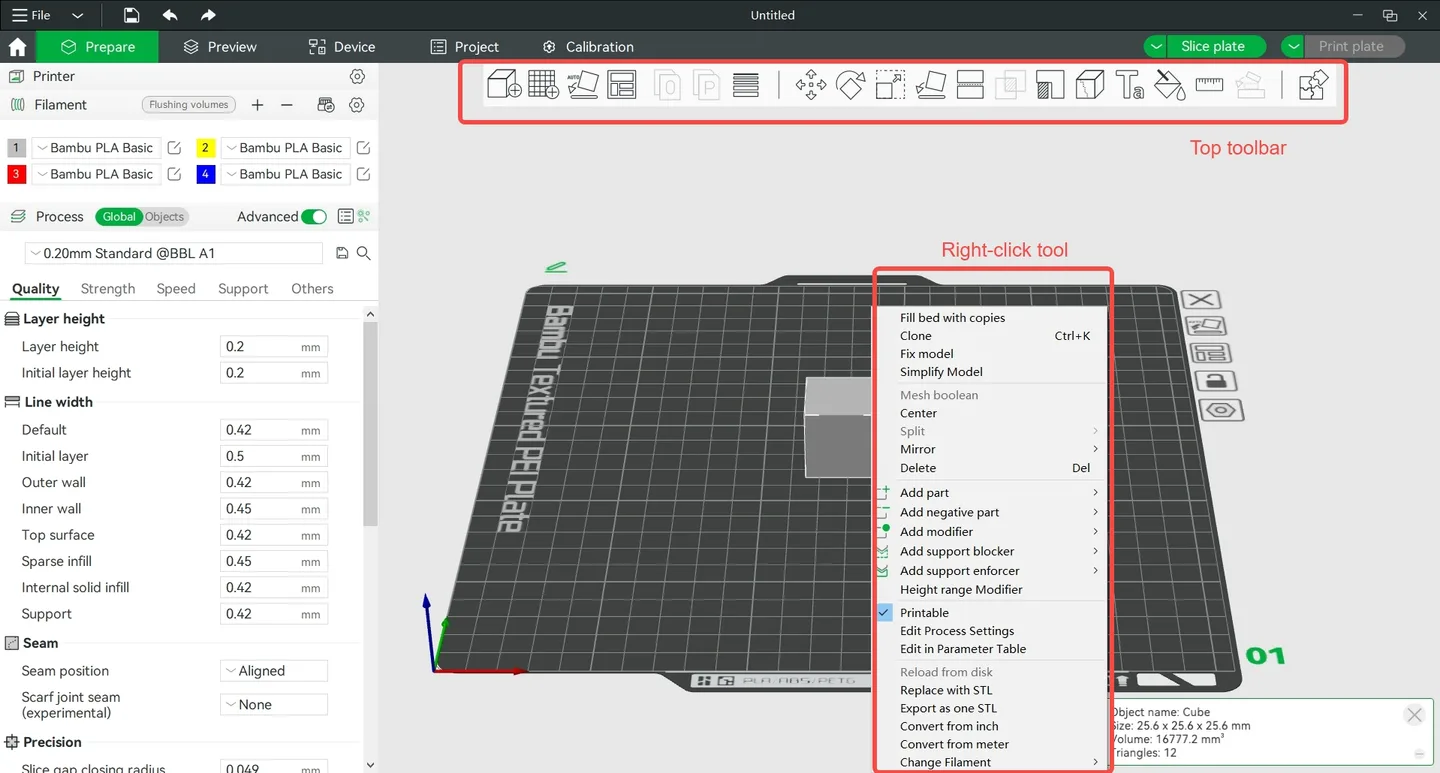
- The documentation screenshot illustrates the application workflow but is not verified as the exact 2.8.2.61 interface.
Product images
Sources
References used for this listing. Retrieval dates do not indicate hands-on testing.
More in utilities
View category ↗
1.1.1.1 with WARP 2026.8.2115.0
Encrypt traffic from your Mac to Cloudflare’s network with WARP, or use DNS-only mode for encrypted DNS queries to the 1.1.1.1 resolver.
1.1.1.1 with WARP 2026.8.2115.0
Encrypt traffic between your Windows PC and Cloudflare, or use encrypted DNS only, with the free 1.1.1.1 with WARP app.

3uTools 9.12.005
Manage iPhone and iPad photos, music, apps and backups from Windows with 3uTools, a free utility that also includes device checks and firmware flashing tools.