

Utilities Windows
Bandizip for Windows
Create ZIP and 7Z archives, extract RAR files and split large archives with Bandizip for Windows. The free Standard edition includes advertisements.
- Operating system
- Windows 7, 8, 8.1, 10 and 11
- Architecture
- x86 (32-bit), x64 and ARM64
- Download package
- Standard edition EXE installer (all architectures)
One Windows installer supports x86, x64 and ARM64. Standard includes ads; portable and macOS downloads are separate.
Link checked · Download guidance
What is Bandizip?
Bandizip compresses folders into archives and extracts files from formats such as ZIP, 7Z and RAR. It suits preparing files for transfer, opening an archive to select just the files you need, or splitting a large archive into smaller volumes. File Explorer right-click menus provide another way to reach its archive tools.
The free Standard edition supports everyday compression and extraction, including password-protected archives with AES-256 encryption. Its format support is not symmetrical: RAR and RAR5 are extraction formats, not options for creating an archive. Choose ZIP, 7Z or another supported output format when packing files.
Standard displays advertisements. Password Manager, ZIP archive repair and image previews inside archives require a paid edition. The linked EXE is the all-architecture Windows Standard installer; it is not the separate portable package or the macOS application.
What it offers
- Create archives in formats including ZIP, 7Z, TAR and self-extracting EXE.
- Extract RAR, RAR5, ZIP, 7Z and other supported archive formats.
- Split large archives into multiple volumes and use multi-core compression.
- Protect supported archives with passwords and AES-256 encryption.
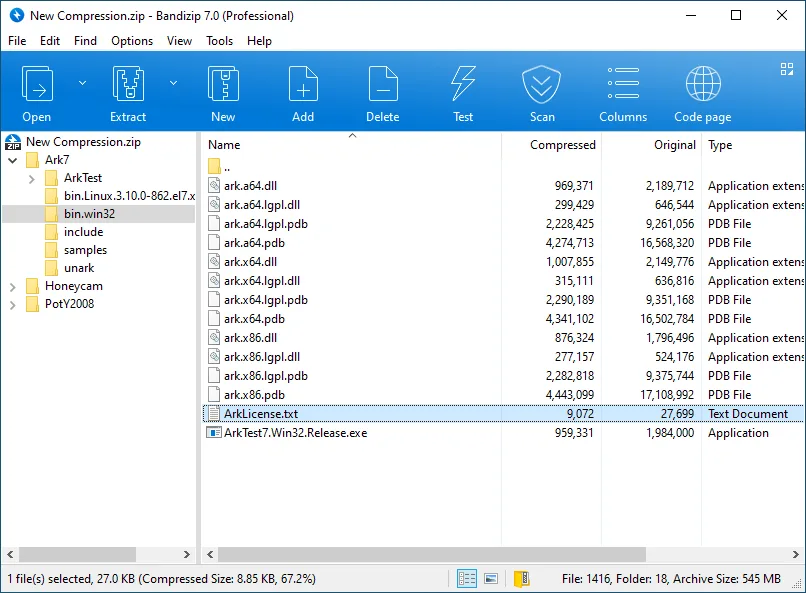
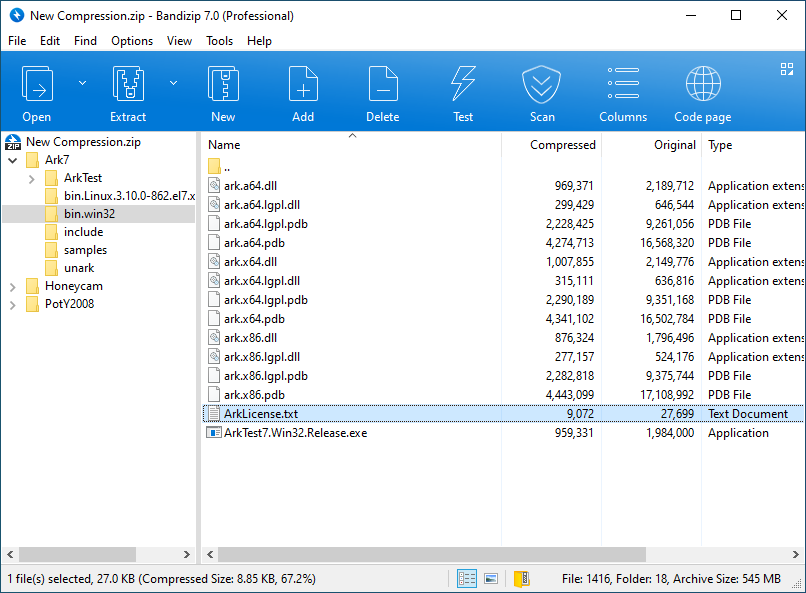
- List archive contents, drag selected files out, or use File Explorer right-click menus.
Good to know
- The free Standard edition displays advertisements; removing them requires a paid edition.
- Password Manager, archive repair and image previews inside archives are paid-edition features.
- RAR and RAR5 support is extraction-only; Bandizip does not create RAR archives.
Product images
Sources
References used for this listing. Retrieval dates do not indicate hands-on testing.
- Bandizip — official Windows features and downloads ↗Retrieved
- Bandizip Edition Comparison — Standard and paid editions ↗Retrieved
- Bandizip License Policy — personal and commercial use ↗Retrieved
- Bandizip on Windows 10 on ARM — combined setup architectures ↗Retrieved
- Bandizip official screenshot — Browse an archive ↗Retrieved
More in utilities
View category ↗
1.1.1.1 with WARP 2026.8.2115.0
Encrypt traffic from your Mac to Cloudflare’s network with WARP, or use DNS-only mode for encrypted DNS queries to the 1.1.1.1 resolver.
1.1.1.1 with WARP 2026.8.2115.0
Encrypt traffic between your Windows PC and Cloudflare, or use encrypted DNS only, with the free 1.1.1.1 with WARP app.

3uTools 9.12.005
Manage iPhone and iPad photos, music, apps and backups from Windows with 3uTools, a free utility that also includes device checks and firmware flashing tools.