

Utilities Windows
Barillo Barcode Software for Windows
Create UPC and EAN barcode images with Barillo, a free Windows barcode generator from NCH Software. Preview a code, adjust its dimensions and export it for labels.
- Operating system
- Windows XP, Vista, 7, 8, 8.1 and 10, as listed by NCH
- Architecture
- Installer architecture unspecified; publisher states it works on 64-bit Windows
- Download package
- EXE installer
Publisher requirements do not list Windows 11. Compatibility is publisher-stated, not installation-tested.
Link checked · Download guidance
What is Barillo Barcode Software?
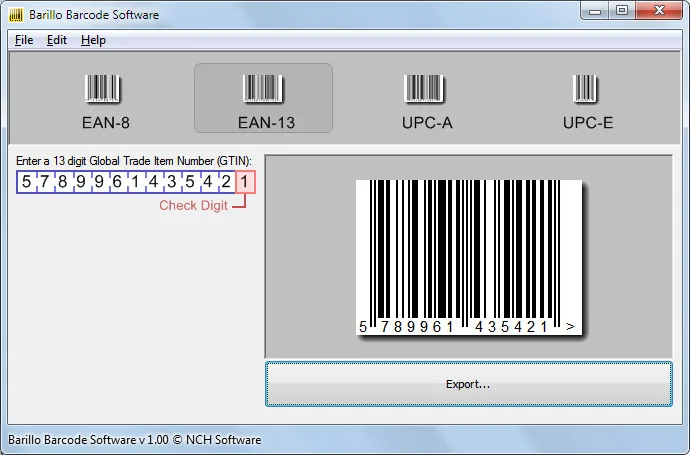
Barillo Barcode Software turns a barcode number into an image for product or inventory labels. Select EAN-8, EAN-13, UPC-A or UPC-E, enter the number and preview the result before exporting. The publisher lists BMP, PNG, GIF, TGA, TIF and PCX output, with controls for the graphic's height and width.
The application suits creating individual barcode graphics to use in a label or document. Its format choice matters for book labels: NCH says an ISBN-10 must first be converted to ISBN-13 for EAN-13 encoding, and Barillo cannot add an EAN-5 list-price supplement.
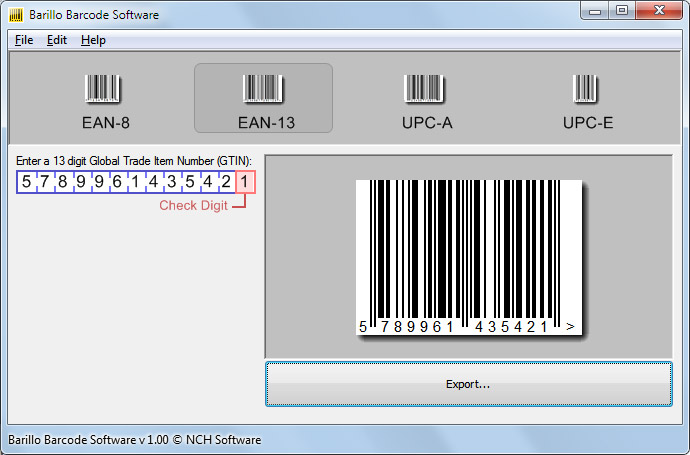
NCH offers Barillo free and says this version has no restrictions. Its published Windows requirements list XP through Windows 10 and compatibility with 64-bit Windows; they do not establish Windows 11 support. The publisher screenshot shows the application interface, not a fresh installation or a test of the linked installer.
What it offers
- Generate EAN-8, EAN-13, UPC-A and UPC-E barcode graphics.
- Preview the barcode before saving it.
- Set the height and width of exported graphics.
- Export BMP, PNG, GIF, TGA, TIF or PCX images.
Good to know
- Cannot add an EAN-5 list-price supplement to an EAN-13 book barcode; ISBN-10 must first be converted to ISBN-13.
- The publisher requirements stop at Windows 10; Windows 11 compatibility is not established by those requirements.
Product images
Sources
References used for this listing. Retrieval dates do not indicate hands-on testing.
More in utilities
View category ↗
1.1.1.1 with WARP 2026.8.2115.0
Encrypt traffic from your Mac to Cloudflare’s network with WARP, or use DNS-only mode for encrypted DNS queries to the 1.1.1.1 resolver.
1.1.1.1 with WARP 2026.8.2115.0
Encrypt traffic between your Windows PC and Cloudflare, or use encrypted DNS only, with the free 1.1.1.1 with WARP app.

3uTools 9.12.005
Manage iPhone and iPad photos, music, apps and backups from Windows with 3uTools, a free utility that also includes device checks and firmware flashing tools.